Spott Update - September 2026
Hey there 👋
September was about fewer clicks between you and the next placement. Inbound applicants now live in one view, the mobile app turned into a proper workspace, and Automations learned when to wait. AI suggestions on your Jobs now wait for your approval, too.
Grab a coffee. Here is what shipped. ☕️
TL;DR
- Inbound Applicants overview - Review, accept or reject applicants across every Job from one view
- Mobile app upgrade - Meetings, transcripts, recordings, notes, tasks and record updates on your phone, plus file uploads that create Candidates
- Wait steps in Automations - Pause a workflow before the next step, then act on what did (or did not) happen
- AI Job suggestions you approve - Accept or reject each suggested change instead of having your Job details overwritten
- Scorecard templates - Save a Scorecard once and reuse it whenever you need it
- Variables in subject lines - Personalize subjects across emails, templates and campaigns
- Application views - Save views and pick your columns for spec and non-spec presentations
- Faster Global Search and file previews - Smarter name matching, quicker record loading and Ctrl+F inside documents
- Plus: bulk CV import straight into a Job or List, faster first matches, Spott's ChatGPT plugin in the OpenAI marketplace, an SAP Fieldglass integration, a native Pin integration and a stack of new filters
Big news
All your inbound applicants, in one view
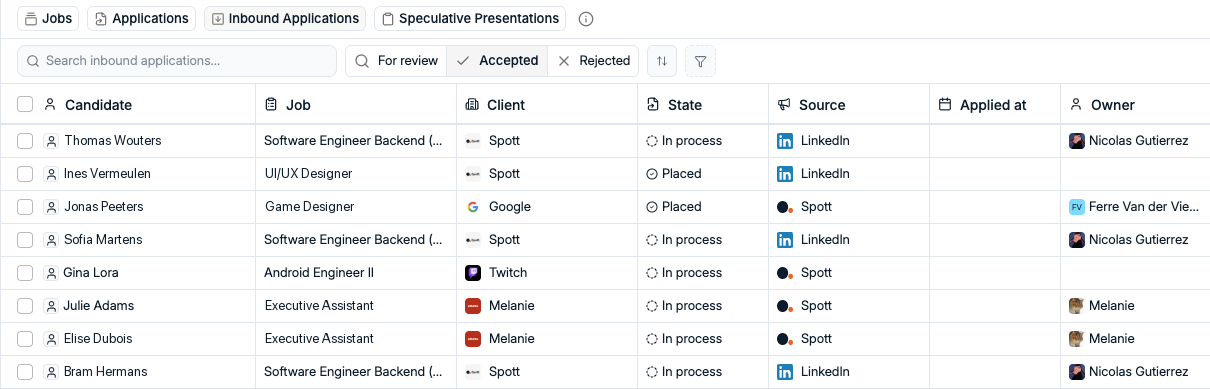
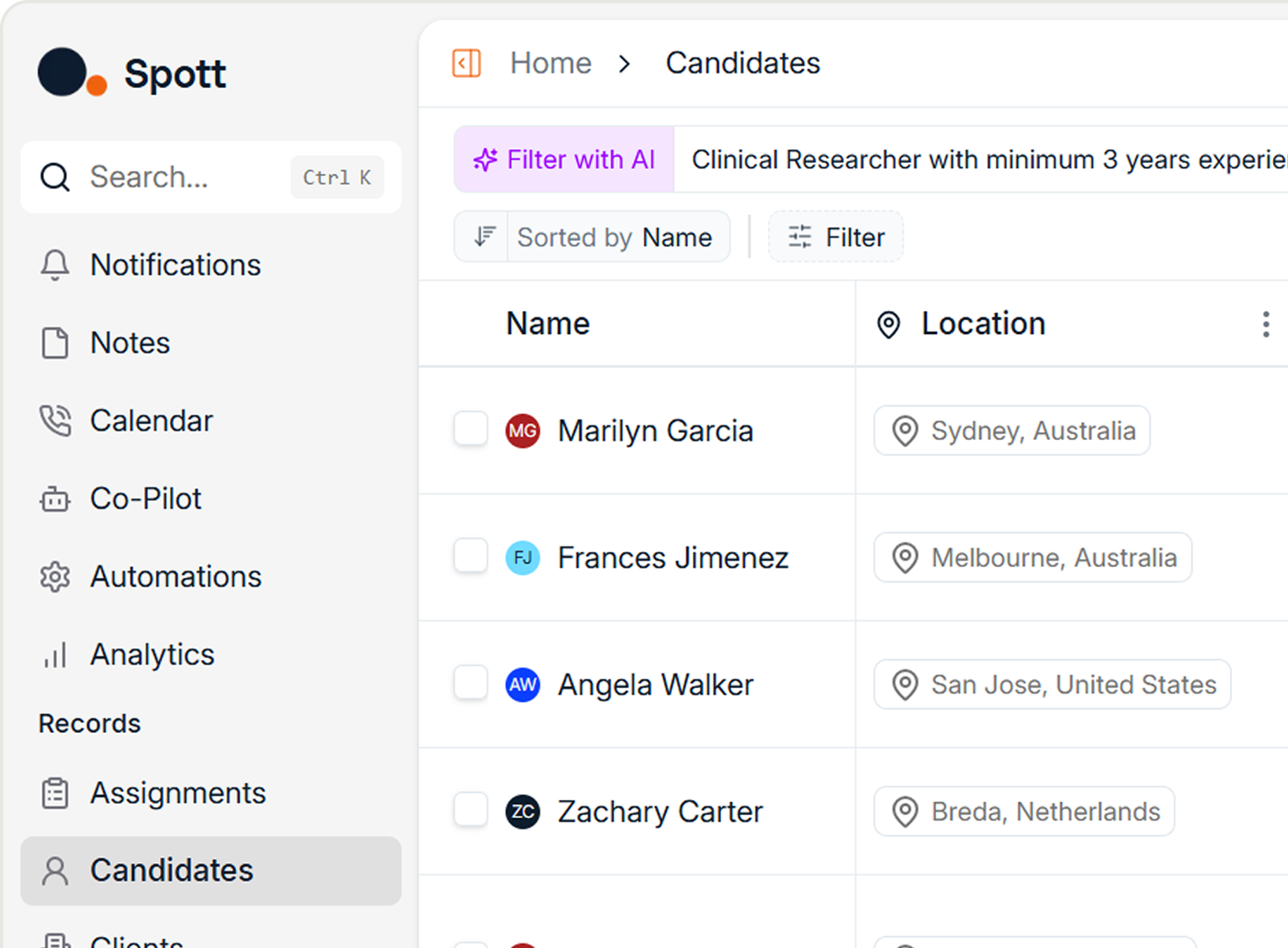
Reviewing inbound applicants no longer means jumping from Job to Job. The new cross-Job Inbound Applicants view brings every application that needs your attention into one place, so you can review, accept or reject them in one pass.
Applicants are split into For review, Accepted and Rejected, so you always know what's still waiting on you.
Two smaller changes make inbound smoother too. New applicants now land in a default stage you choose once, instead of one you set up on every new Job. And you can see which job board brought each applicant in, even if they were already in your database.
The Spott mobile app, now a full workspace
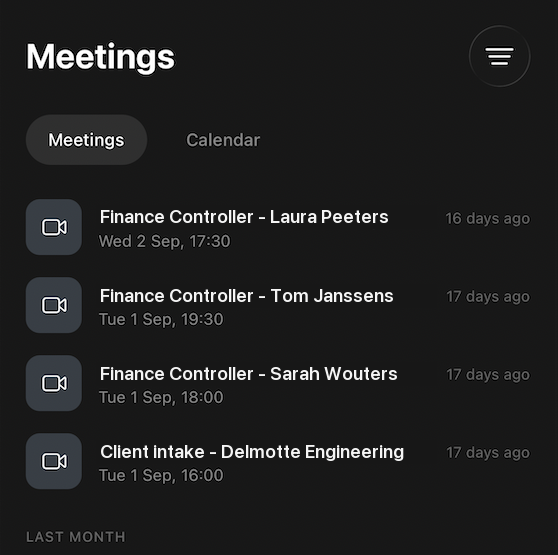
The Spott mobile app got a big upgrade. Your meetings, transcripts, recordings, notes and tasks now fit in your pocket, and you can view and update key record details without opening your laptop. The app speaks multiple languages now, too.
We also added file uploads on mobile. Met a great candidate over coffee and walked away with a printed CV? Snap a photo of it, or of an ID card or any other candidate file, and Spott turns it into a Candidate record right there.
Wait steps in Automations
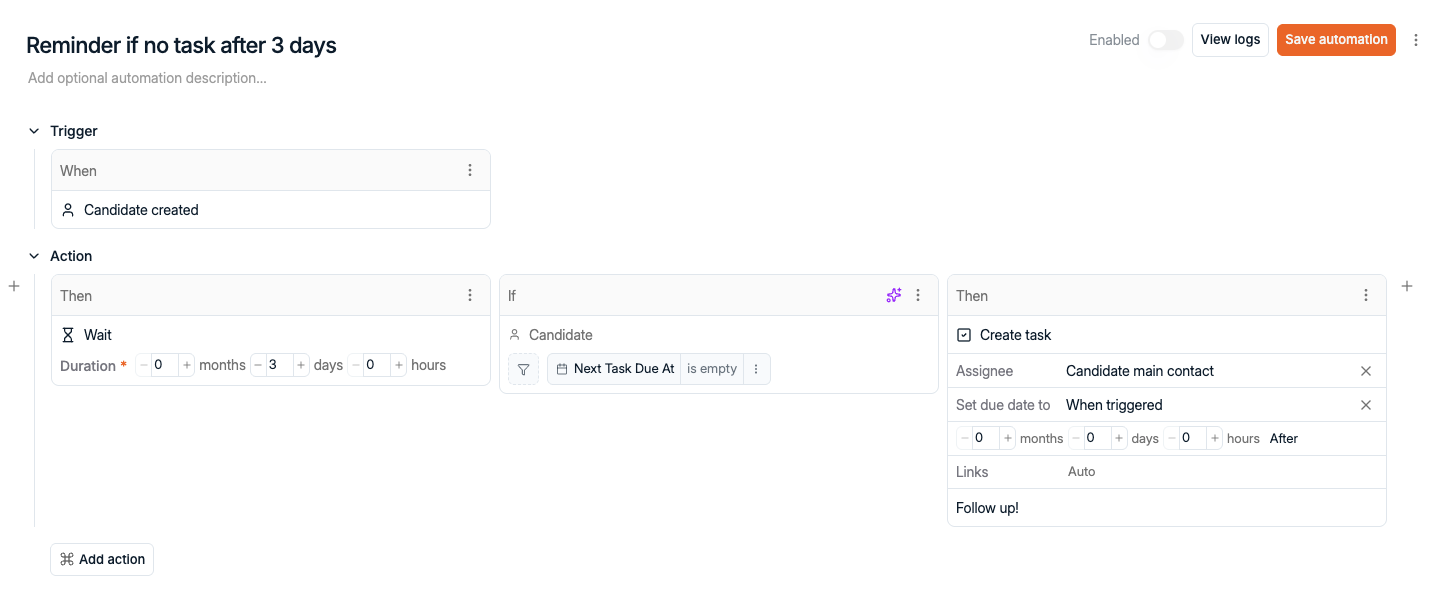
Automations can now wait. Add a time delay step and your workflow pauses before it carries on. Wait two days and check if there's been any interaction, or create a follow-up task when a Candidate still hasn't moved in the pipeline.
We also added new triggers, so a workflow can kick off when a job advert expires, an invoice is created or updated, or a signature envelope is completed. And the Candidate created trigger can now filter on the type of file a candidate has.
AI Job suggestions you stay in control of
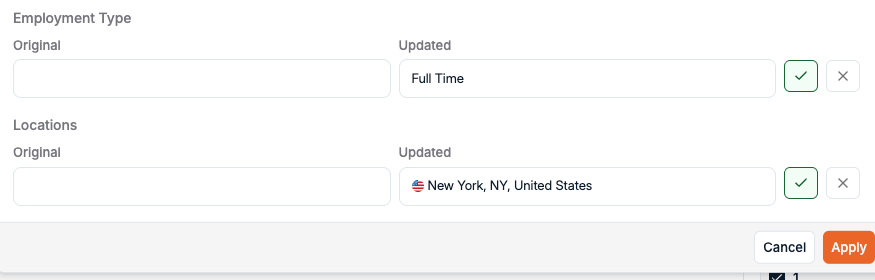
When you regenerate Job details with AI, you now get suggestions you accept or reject one by one. Nothing you already wrote gets overwritten without your say-so, and suggestions cover your custom attributes too.
The same goes for the Ask AI assistant for job descriptions we launched in July. Its edits now show up as proposed changes for you to review first. And if your adverts follow a Requirements, Job Description and Offer structure, new prompt templates write them in exactly that shape.
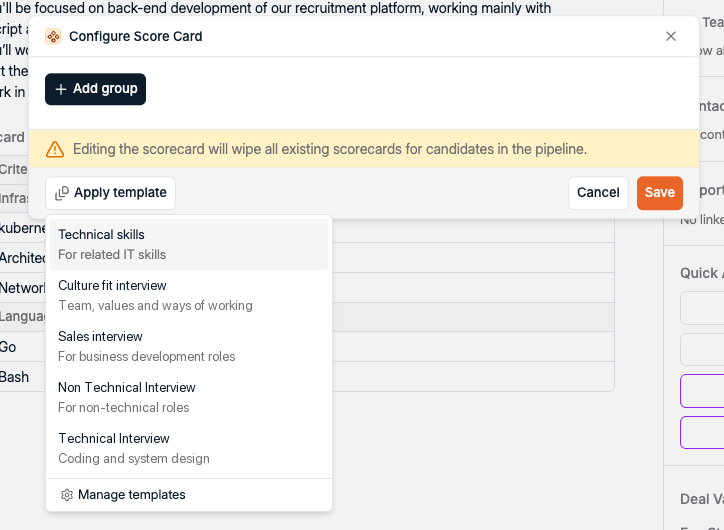
Scorecard templates
Built a Scorecard you're happy with? Save it as a template and reuse it whenever you need it. No more generating one with AI or building it by hand every time. Just pick a template and get started.
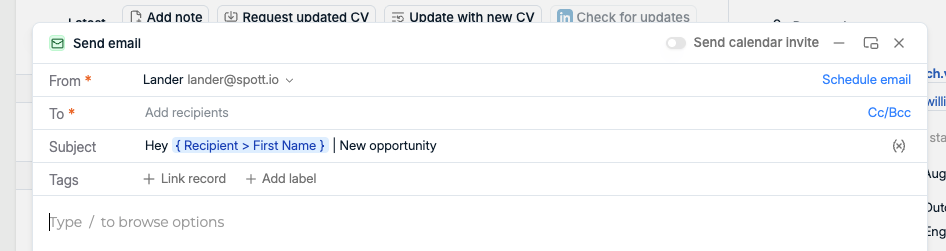
Variables in subject lines
Subject lines just got personal. You can now use variables in email subject lines, the same ones you already use in the message body, across individual emails, message templates and campaigns.
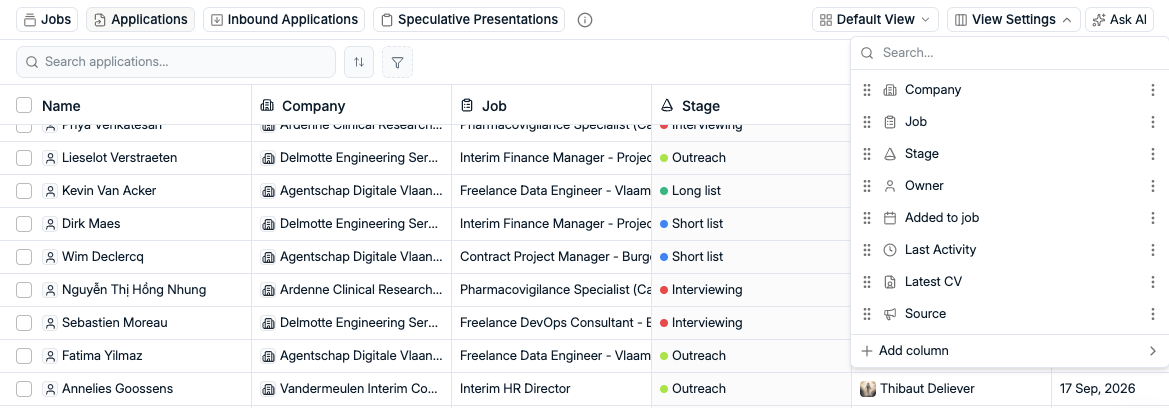
Views for Applications
Applications now support views, for both spec and non-spec presentations. Save multiple views and pick exactly which columns you see, just like the tables elsewhere in Spott.
Faster Global Search and file previews
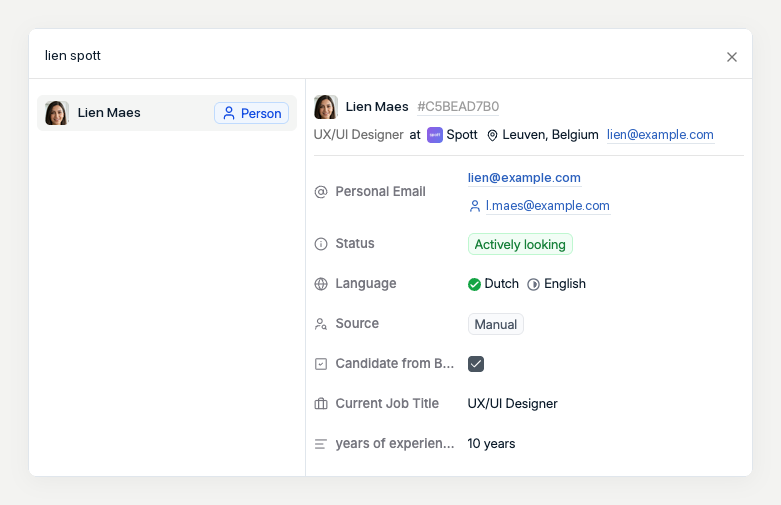
Global Search got smarter and faster. Type half a first name and a last name, or a first name and a company, and it knows who you mean. Record details also load significantly faster as you browse the results.
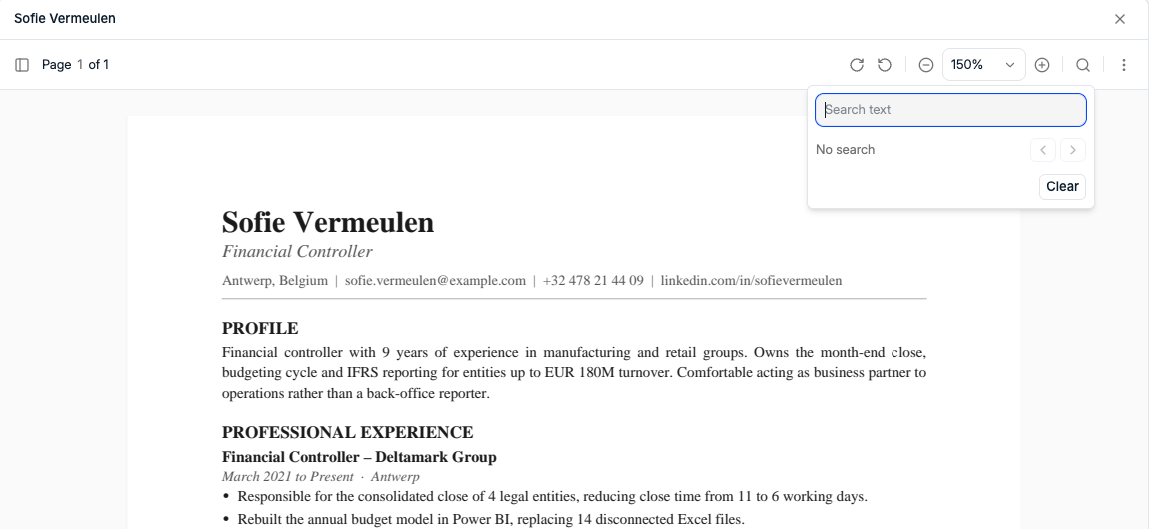
The file viewer got some love too. Previews are faster and more reliable, especially for DOCX files, and you can now press Ctrl+F to search inside a document.
More improvements this month
A lot more shipped in September. The highlights:
- Sharper AI - faster first matches, more reliable transcriptions, and smarter AI text-to-filters
- Spott in ChatGPT - our ChatGPT plugin is now in the OpenAI marketplace, building on the Spott MCP server we launched in April
- CV imports - bulk import CVs straight into a Job or List, and parse CVs from image files
- Company Portal - track every Contact view, show rejection reasons, and customize the invite email
- Email and Marketing - time zone scheduling, empty-subject warnings, and deliverability alerts that protect your domain
- Filters and reporting - postal codes on every Location filter, more rejection filters, and Team, Brand and Office filters on all Reports and Dashboards
- Admin controls - finer permissions for Templates, Prompts and Company Hierarchies
- SAP Fieldglass integration - map your stages once and Spott moves Candidates based on their status in Fieldglass
- Native Pin integration - connect Pin directly to your Spott workspace, with no third-party connector and no extra integration fee
- Plus - Icelandic language support, bulk create endpoints in the API, and out-of-office replies no longer block outreach campaigns
That's a wrap on September
Four weeks of shipping, and a lot of it came straight from your feedback. Keep it coming.
If you're not on Spott yet and want to see what an AI-native ATS looks like, book a demo.
See you in October. 👋

Frequently Asked
Yes. Spott's Inbound Applicants view brings every application that needs attention, across all your Jobs, into one place. From there you can review, accept or reject applicants without opening each Job. It sits next to Jobs, Applications and Speculative Presentations, with For review, Accepted and Rejected tabs.
The Spott mobile app gives you your meetings, transcripts, recordings, notes and tasks on your phone, and lets you view and update key record details. It supports multiple languages, and you can also upload or capture files such as ID cards and printed CVs and turn them into a Candidate record through the parsing flow.
Yes. Spott Automations support time delay (Wait) steps that pause a workflow before it continues. For example, wait two days and then check for an interaction, or create a task if a Candidate still has not moved in the pipeline.
No. When you regenerate Job details with AI, Spott shows each change as a suggestion you accept or reject individually, including for custom attributes. Changes to a job description from the Ask AI tab also appear as proposed edits to review before they apply.


Outp(l)ace everyone.
You can’t win tomorrow’s placements
with yesterday’s tools.