Spott Update - April 2026
Hey there 👋
April was a busy month. We upgraded Candidate Search, expanded the Company Portal, and added background automations to keep work moving. We also launched our own MCP server, MFA and SSO, plus a range of smaller improvements based on your feedback.
Grab a coffee. Here is what shipped. ☕️
TL;DR
- MCP Server - Connect Spott directly to Claude and ChatGPT via our official MCP server
- Background Automations - Trigger workflows from key events across your workspace
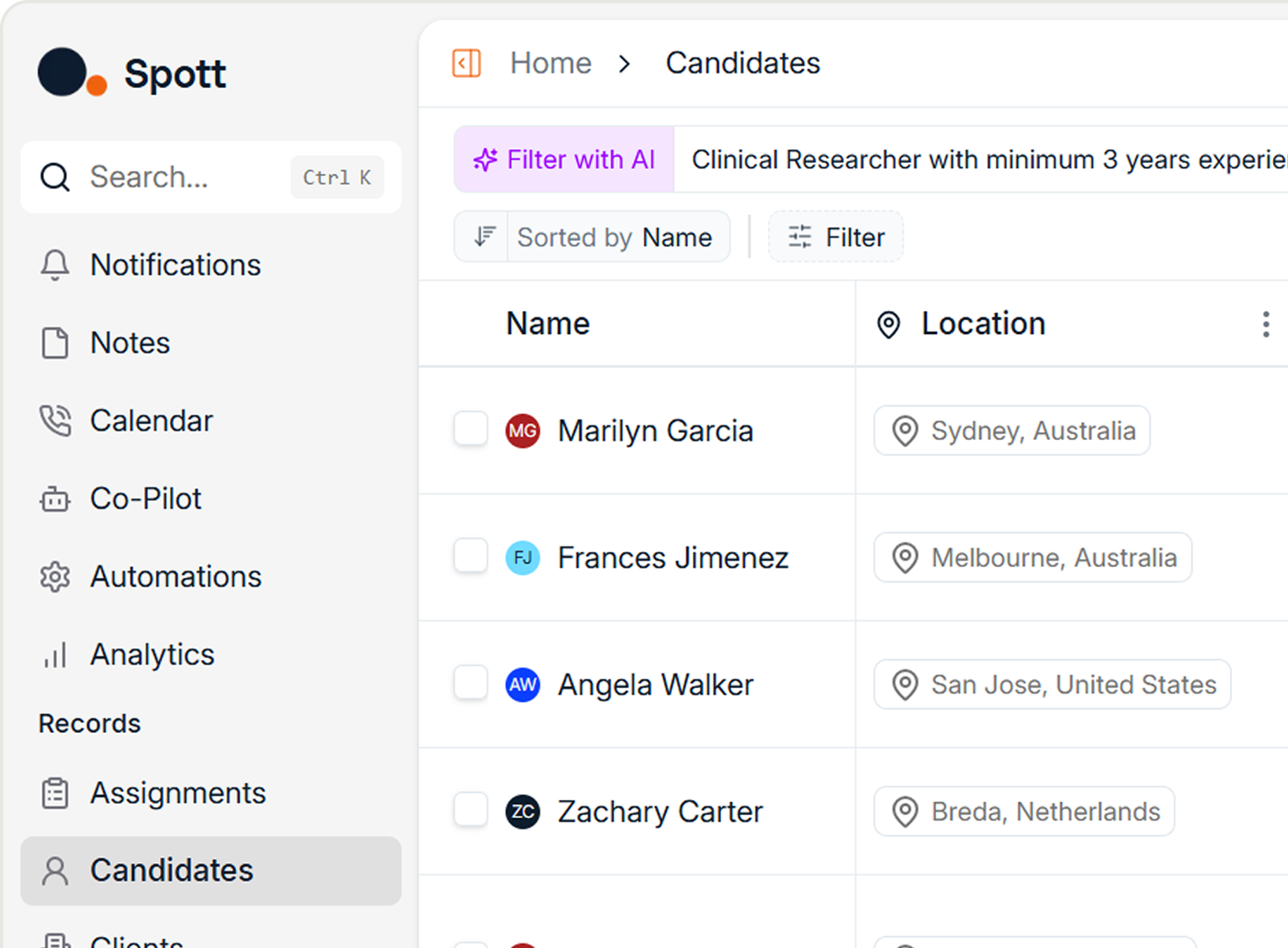
- Candidate Search - Search across your entire candidate database, with smarter filters
- Company Portal Upgrade - Share files, scorecards, and ratings; clients can view in list or Kanban
- MFA and SSO - Stronger account security and easier organisation-wide access management
- Company Insights - Click-through views with richer data on candidates, contacts, headcount, and growth
- Plus: Browser Extension facelift, public roadmap portal, filter redesign, shift-click selection, perm/staffing placement tracking, and spec workflow upgrades
Big news
MCP Server
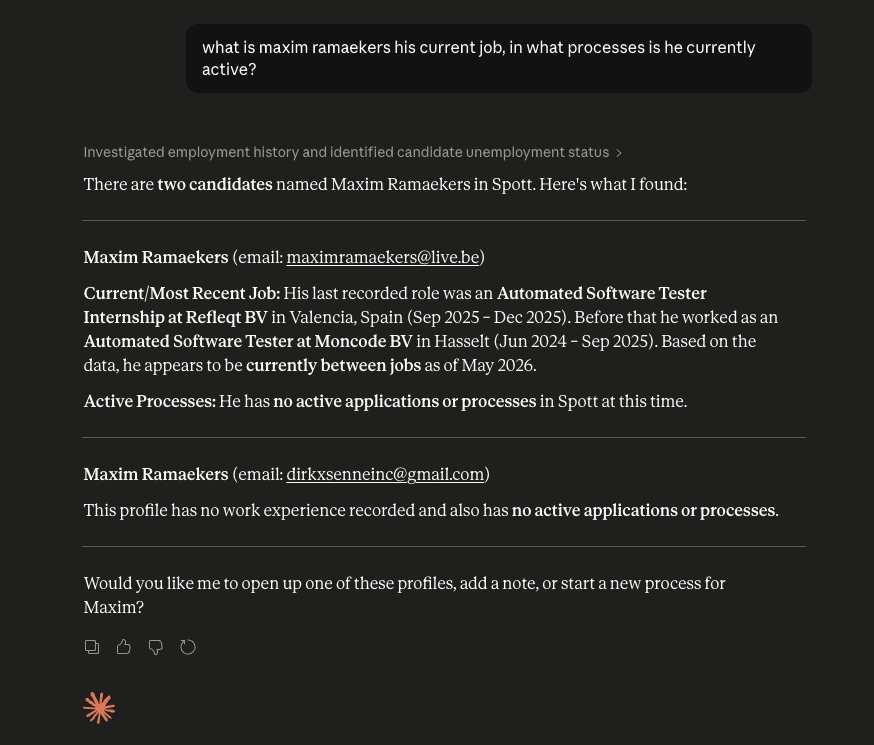
Spott now has its own MCP server, making it easy to connect with tools like Claude and ChatGPT. Read and write data securely, and unlock AI-assisted workflows directly on top of your recruiting database.
Each user can connect from within Claude or ChatGPT as a Custom Connector at https://mcp.spott.io/mcp using their usual sign-in credentials.
Background Automations
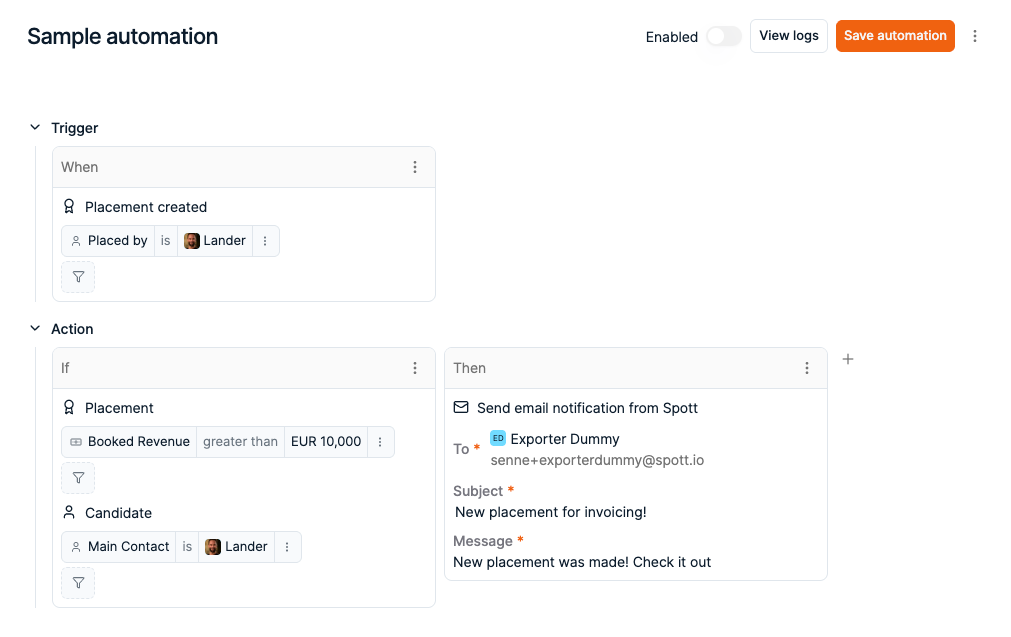
Automations can now run in the background when key events happen in your workspace. Trigger workflows from events like application moved, placement created, task assigned, job moved, or company interview created.
Admins can configure these from Settings > Automations once the feature has been enabled under Settings > Features.
Candidate Search
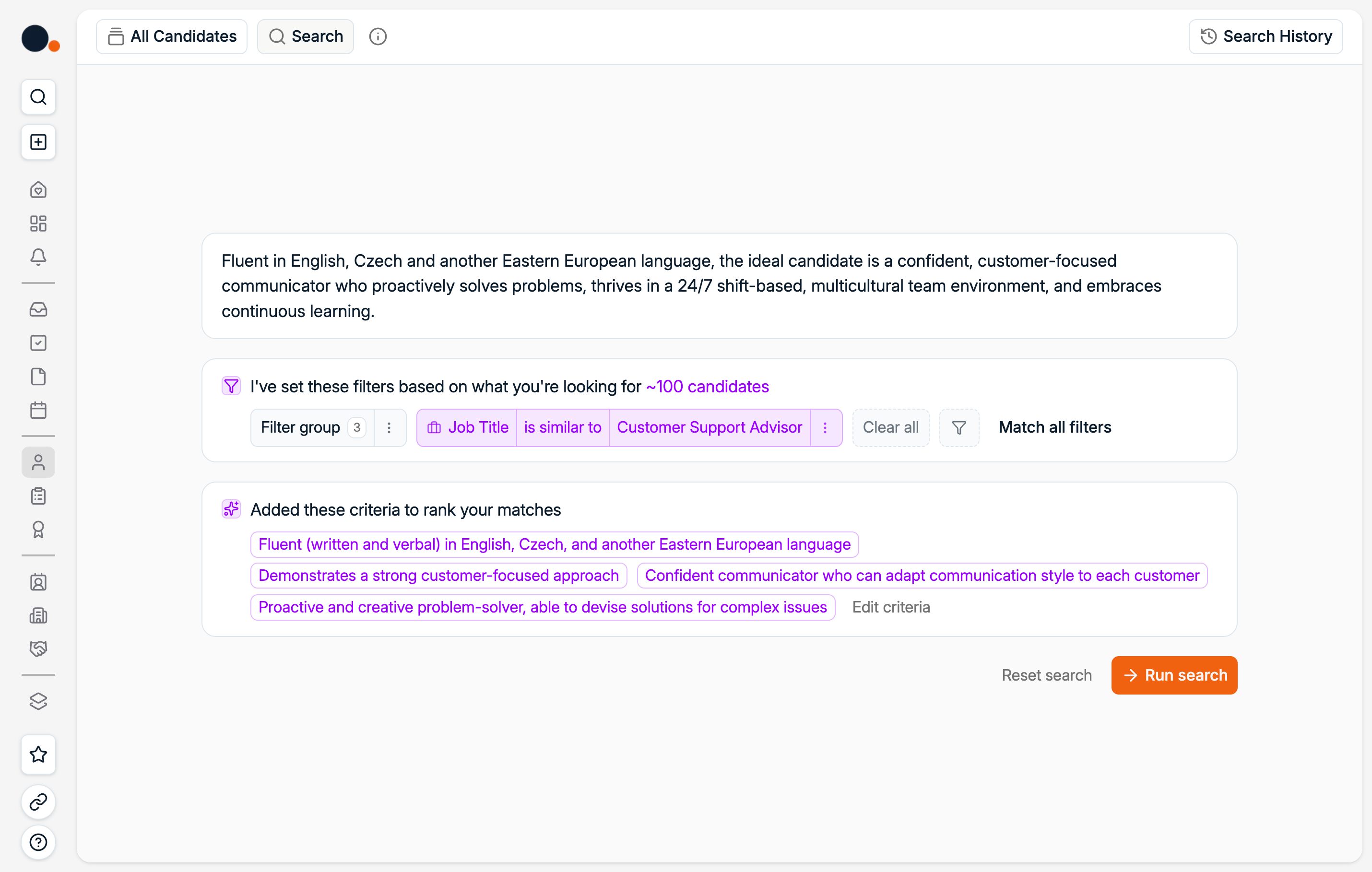
Search is no longer tied to a specific Job. You can now search across your entire Candidate database directly from the Candidates tab.
We also shipped:
- Better semantic job title search
- Flexible location filters by country or municipality instead of radius
- Industry groups
- Years of experience filtering
Company Portal Upgrade
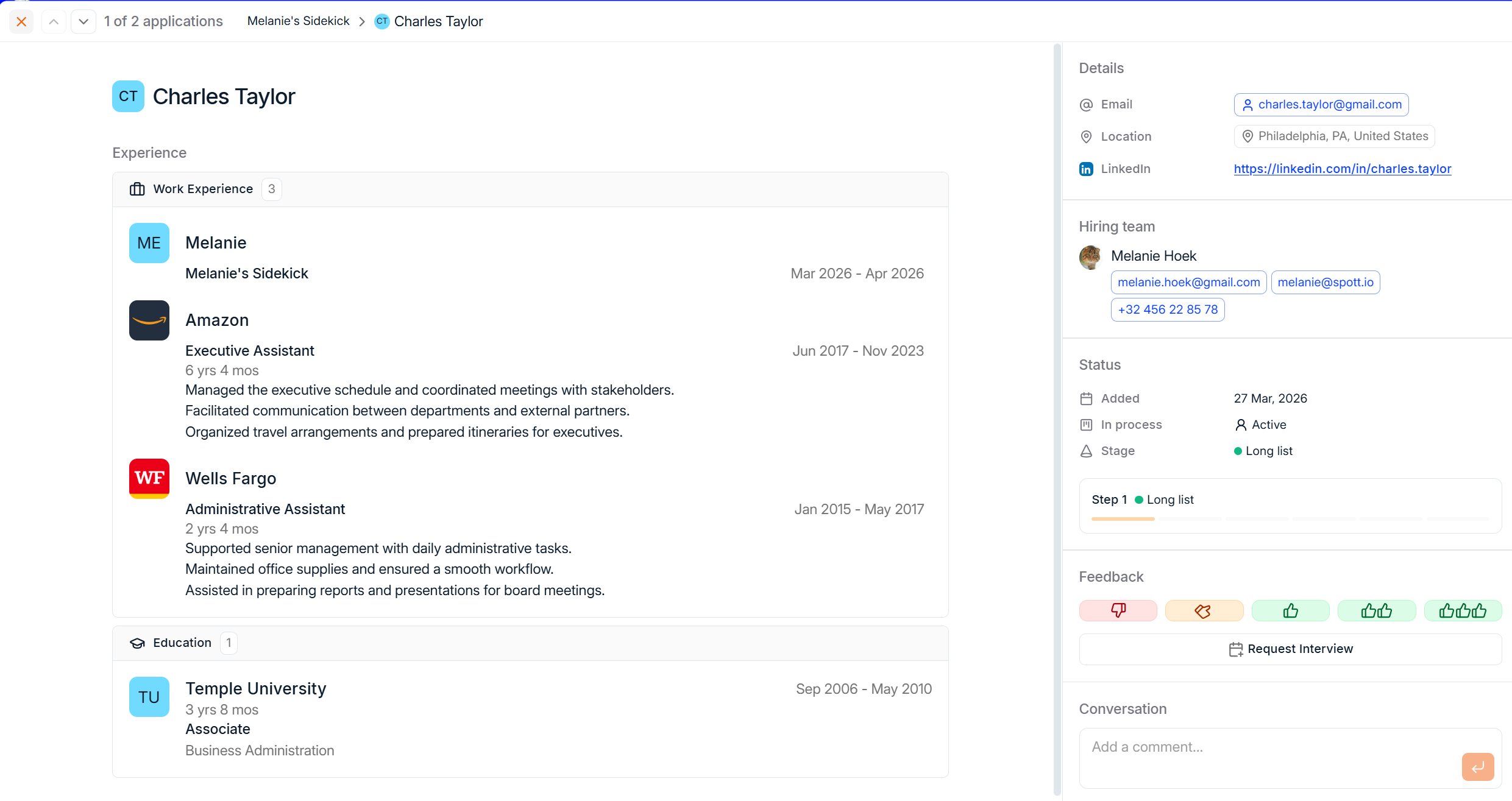
The Company Portal got more ways to collaborate and share information. You can now share files, scorecards, and a general job overview. Clients can view candidates in list or Kanban format.
New configurability lets you display the client team and hiring stages, request interviews, and leave ratings.
MFA and SSO Support
We added support for Multi-Factor Authentication and Single Sign-On. This strengthens account security while making access easier to manage across your organisation.
Individual users can set up MFA from Settings > Profile.

Company Insights
Companies now support click-through views with richer insights. Explore which candidates (current and former) and contacts are linked to a company, along with key stats like headcount and growth over time.

More improvements this month
April also brought several upgrades across the platform.
Browser Extension facelift. We expanded the extension to bring more of Spott into your browser. Manage notes, tasks, lists, campaigns, and import companies - all with a UI that matches the main platform.
Roadmap Portal. We launched our public roadmap at roadmap.spott.io. Explore what we're working on, submit ideas, and upvote what matters most to you.
Filter redesign. Filter dropdowns on key record pages have been reworked. The most used filters now sit at the top for quicker access.
Shift-checkbox selection. Use shift + click to select multiple rows at once across all core tables. Pick a starting point, hold shift, and click the end of your range.
Placements for perm and staffing. Track permanent starters and weekly GP for staffing in a clearer split across the product. Retained placements coming soon.
Spec workflow improvements. Create spec applications in bulk and send to multiple client contacts in one go through the Present button.
That's a wrap on April
As always, keep the feedback coming. The roadmap is shaped by what you tell us.
If you're not on Spott yet and want to see what an AI-native ATS looks like, book a demo.
See you in May. 👋

Frequently Asked
Spott has its own MCP server that lets you connect securely to Claude and ChatGPT. Each user can connect from within Claude or ChatGPT as a Custom Connector at https://mcp.spott.io/mcp using their usual Spott sign-in credentials. Once connected, you can read and write data, and run AI-assisted workflows directly on top of your recruiting database.
Background automations let you trigger workflows automatically when key events happen in your Spott workspace. Supported triggers include: application moved, placement created, task assigned, job moved, and company interview created. Admins can configure background automations from Settings > Automations, after enabling the feature under Settings > Features.
Yes. Spott supports both Single Sign-On (SSO) and Multi-Factor Authentication (MFA). SSO makes it easier to manage access across your organisation, while MFA strengthens account security with an additional verification step. Individual users can set up MFA from Settings > Profile. Organisation-wide SSO can be configured by admins.
Candidate Search is no longer tied to a specific job - you can now search across your entire candidate database directly from the Candidates tab. New search capabilities include: better semantic job title matching, flexible location filters by country or municipality (instead of radius), industry group filtering, and years of experience filtering.


Outp(l)ace everyone.
You can’t win tomorrow’s placements
with yesterday’s tools.