Read More

Features

Productivity & Collaboration

Say goodbye to platform switching. Spott’s Unibox brings email, LinkedIn, WhatsApp, and scheduling into a single place.

How it works.

All conversations in one place

See the full conversation history in a single thread, regardless of channel.
Reply, follow up, or schedule meetings directly from Spott.

Unified Inbox: All your conversations, one place

Track email, LinkedIn, and WhatsApp conversations in one place. Always see the full context before you reply or follow up without checking multiple platforms.

Send & schedule directly from Spott

Send emails and calendar invites directly from Spott. Start from templates, draft with AI, and attach CVs or other documents from within the system in seconds.
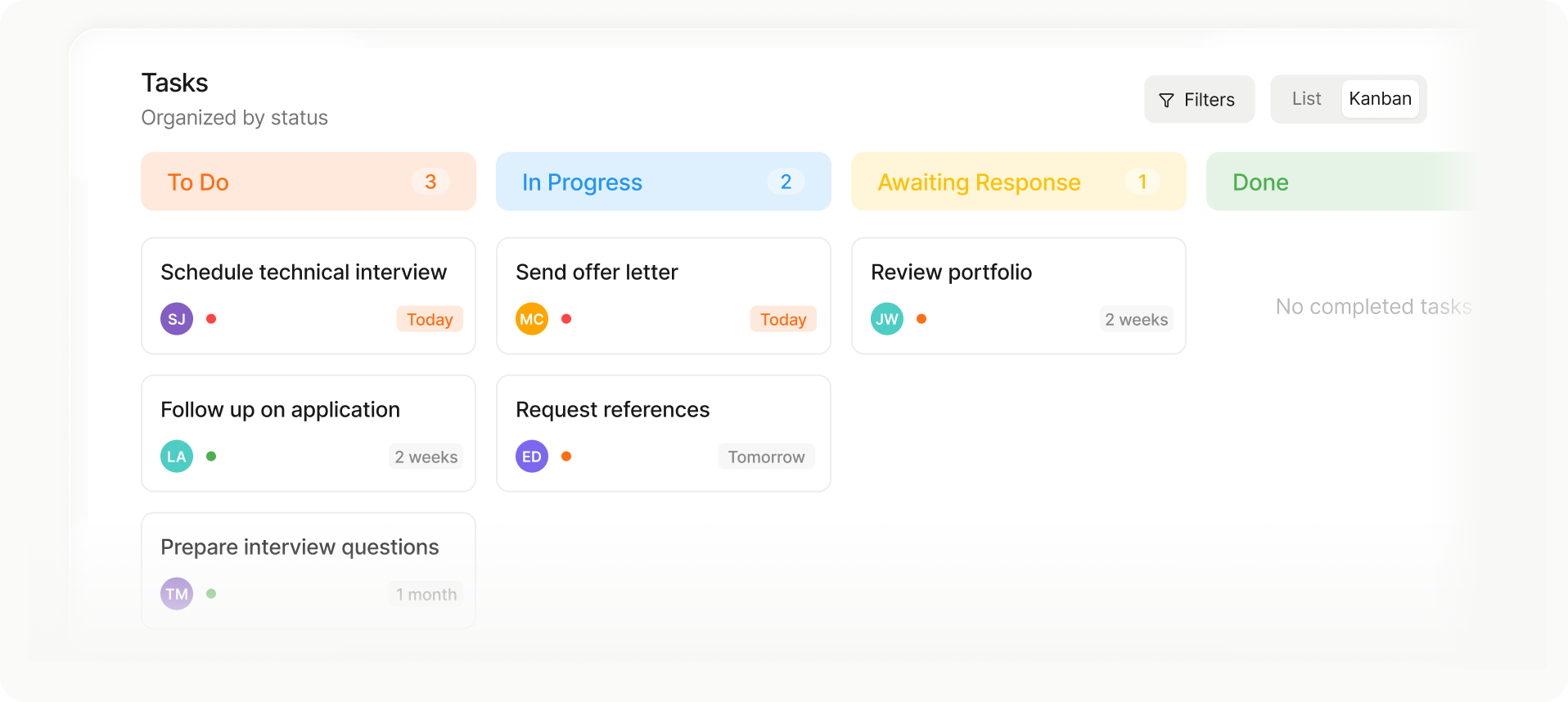
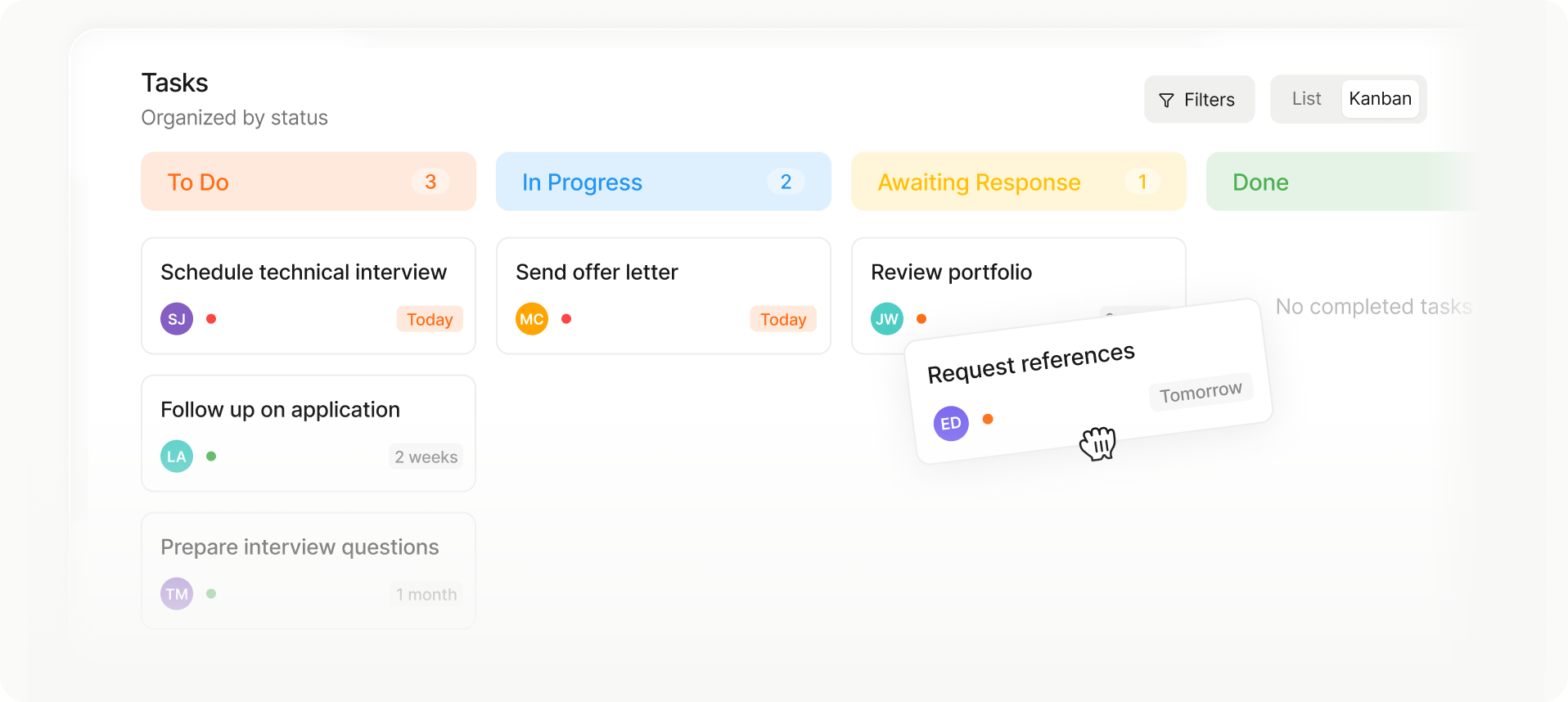
Kanban-style task board with columns: To Do (3 tasks), In Progress (2 tasks), Awaiting Response (1 task), and Done with no tasks.
Kanban task board showing columns To Do with 3 tasks, In Progress with 2 tasks, Awaiting Response with 1 task, and Done with no tasks; tasks include schedule technical interview, send offer letter, review portfolio, follow up on application, prepare interview questions, and request references.
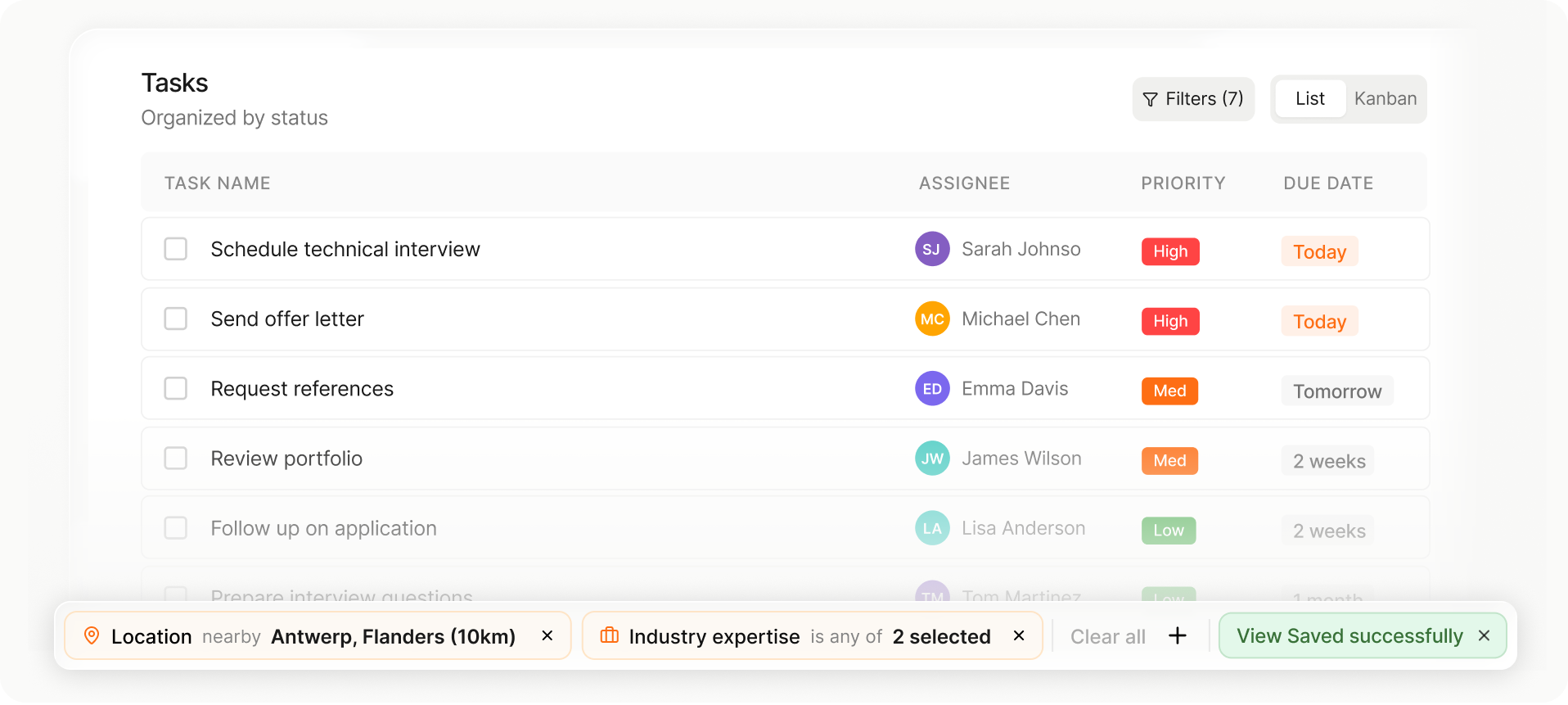
Task list showing task name, assignee with initials, priority levels, and due dates, with filters for location and industry expertise applied.
List or Kanban view

Choose the layout that fits your workflow in one tap.

Drag-and-drop stage changes

Move candidates or jobs between stages instantly.

Auto-saved views and setup

Your columns, filters, and sorting save automatically for next time.

Collaborate with your team

Collaborate on outreach, control visibility, and keep full context across your team.
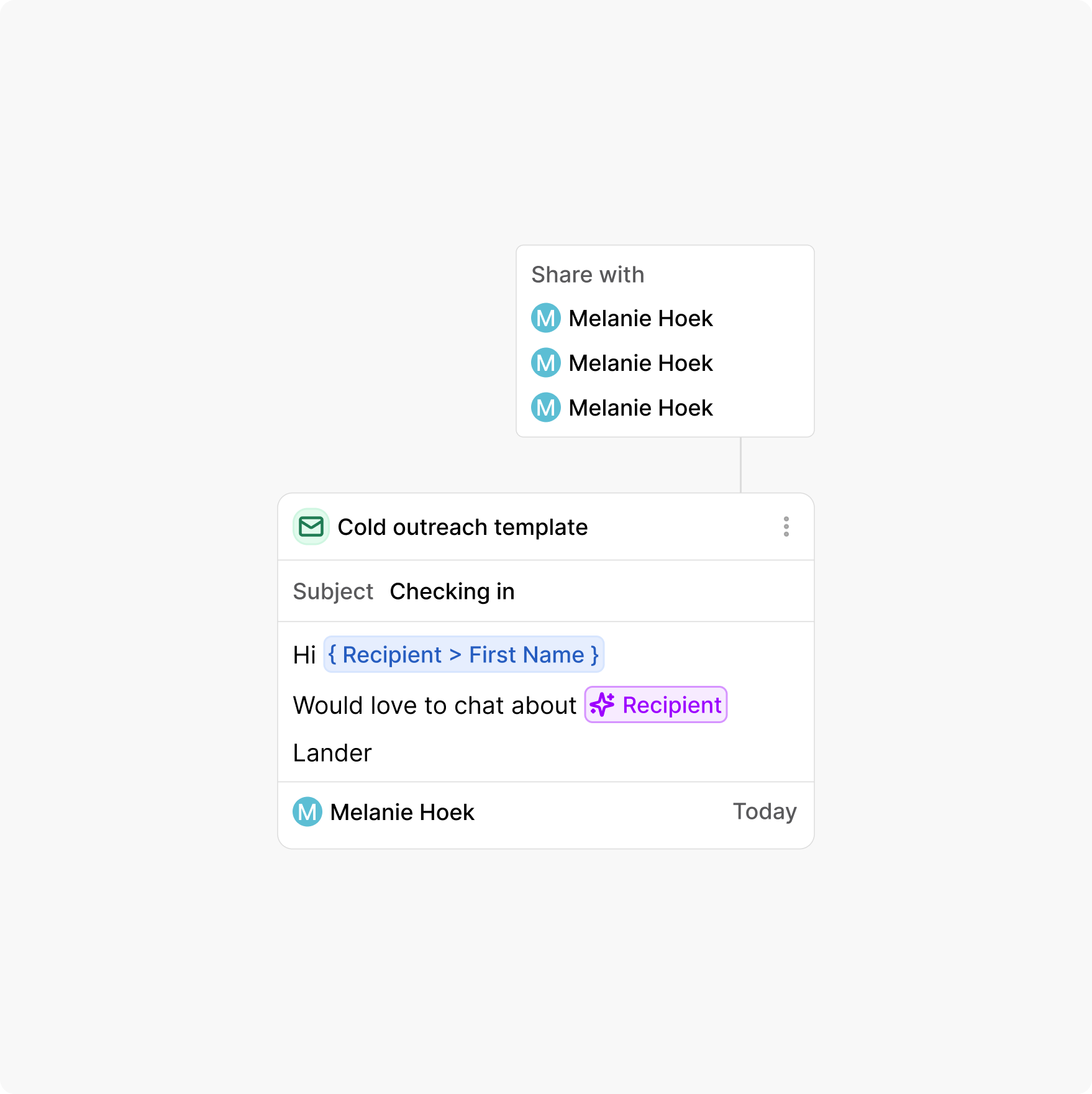
Share templates for consistency

Share messaging templates across the team. Keep outreach consistent without rewriting every email.

Strict visibility controls

Decide who can view and act on conversations. Stay collaborative while protecting ownership.

Avoid double reach-outs from your team

Check recent conversations between your team and candidates/contacts before you hit send.

Kanban-style task board with columns: To Do (3 tasks), In Progress (2 tasks), Awaiting Response (1 task), and Done with no tasks.
Kanban task board showing columns To Do with 3 tasks, In Progress with 2 tasks, Awaiting Response with 1 task, and Done with no tasks; tasks include schedule technical interview, send offer letter, review portfolio, follow up on application, prepare interview questions, and request references.
Task list showing task name, assignee with initials, priority levels, and due dates, with filters for location and industry expertise applied.
List or Kanban view

Choose the layout that fits your workflow in one tap.

Drag-and-drop stage changes

Move candidates or jobs between stages instantly.

Auto-saved views and setup

Your columns, filters, and sorting save automatically for next time.

Built to send at scale

Connect domains, manage signatures, and schedule delivery, all from one unified inbox.

Bring your own signature

Use your own branded signature on every email. Keep outreach professional and consistent.

Scheduled delivery
Scheduled delivery

Send at the right moment across time zones. Plan ahead without manual follow up.

Multiple email domains

Connect different accounts and domains securely. Sync & send from multiple inboxes if required.

Kanban-style task board with columns: To Do (3 tasks), In Progress (2 tasks), Awaiting Response (1 task), and Done with no tasks.
Kanban task board showing columns To Do with 3 tasks, In Progress with 2 tasks, Awaiting Response with 1 task, and Done with no tasks; tasks include schedule technical interview, send offer letter, review portfolio, follow up on application, prepare interview questions, and request references.
Task list showing task name, assignee with initials, priority levels, and due dates, with filters for location and industry expertise applied.
List or Kanban view

Choose the layout that fits your workflow in one tap.

Drag-and-drop stage changes

Move candidates or jobs between stages instantly.

Auto-saved views and setup

Your columns, filters, and sorting save automatically for next time.

Remove friction from scheduling

Scheduling should move conversations forward, not slow them down.
Unibox makes it easy to book meetings without back and forth.
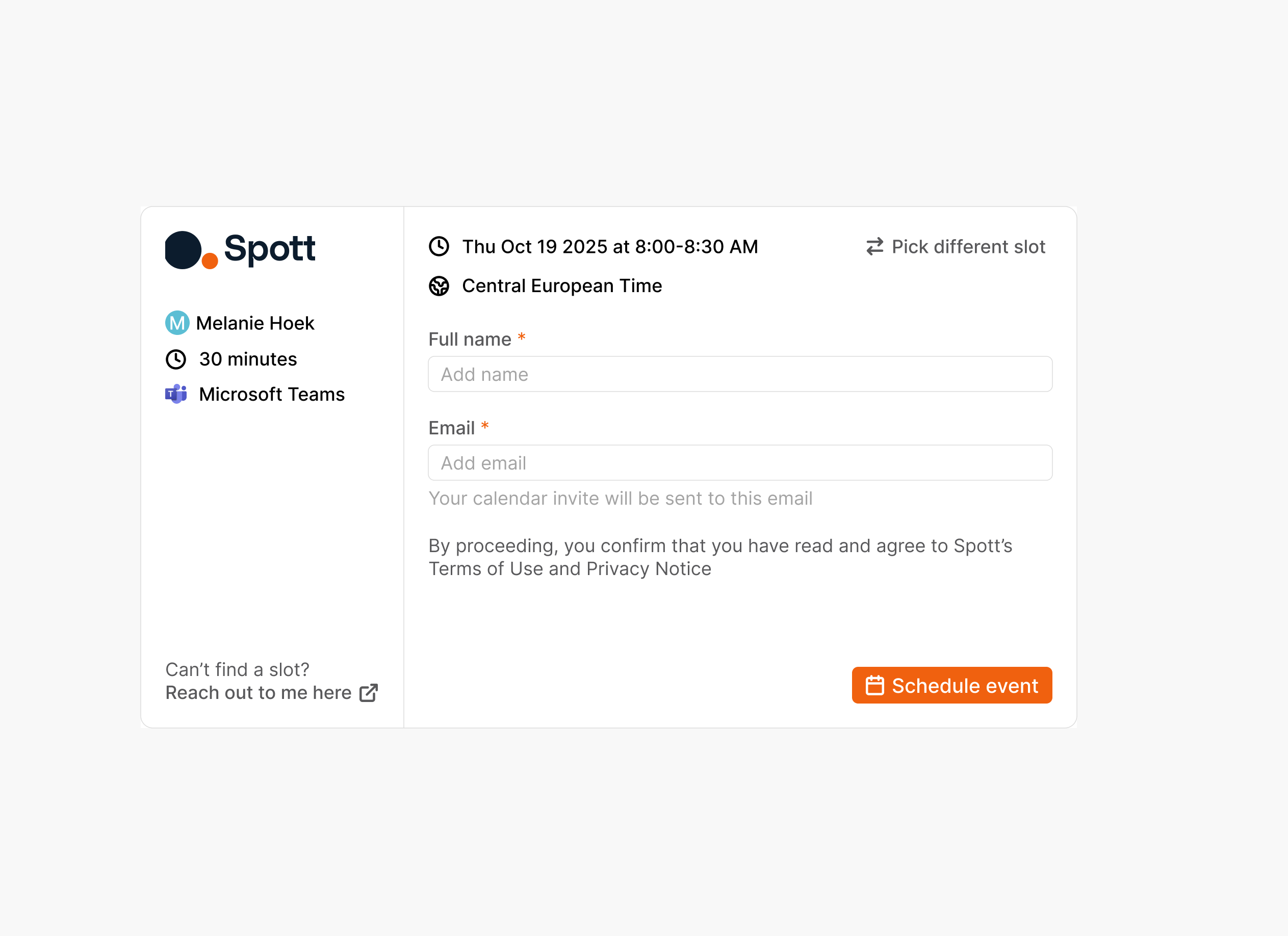
Public calendar scheduler

Share booking links to let contacts schedule instantly. No need for external scheduling tools that don't connect meetings to your candidates & clients directly.
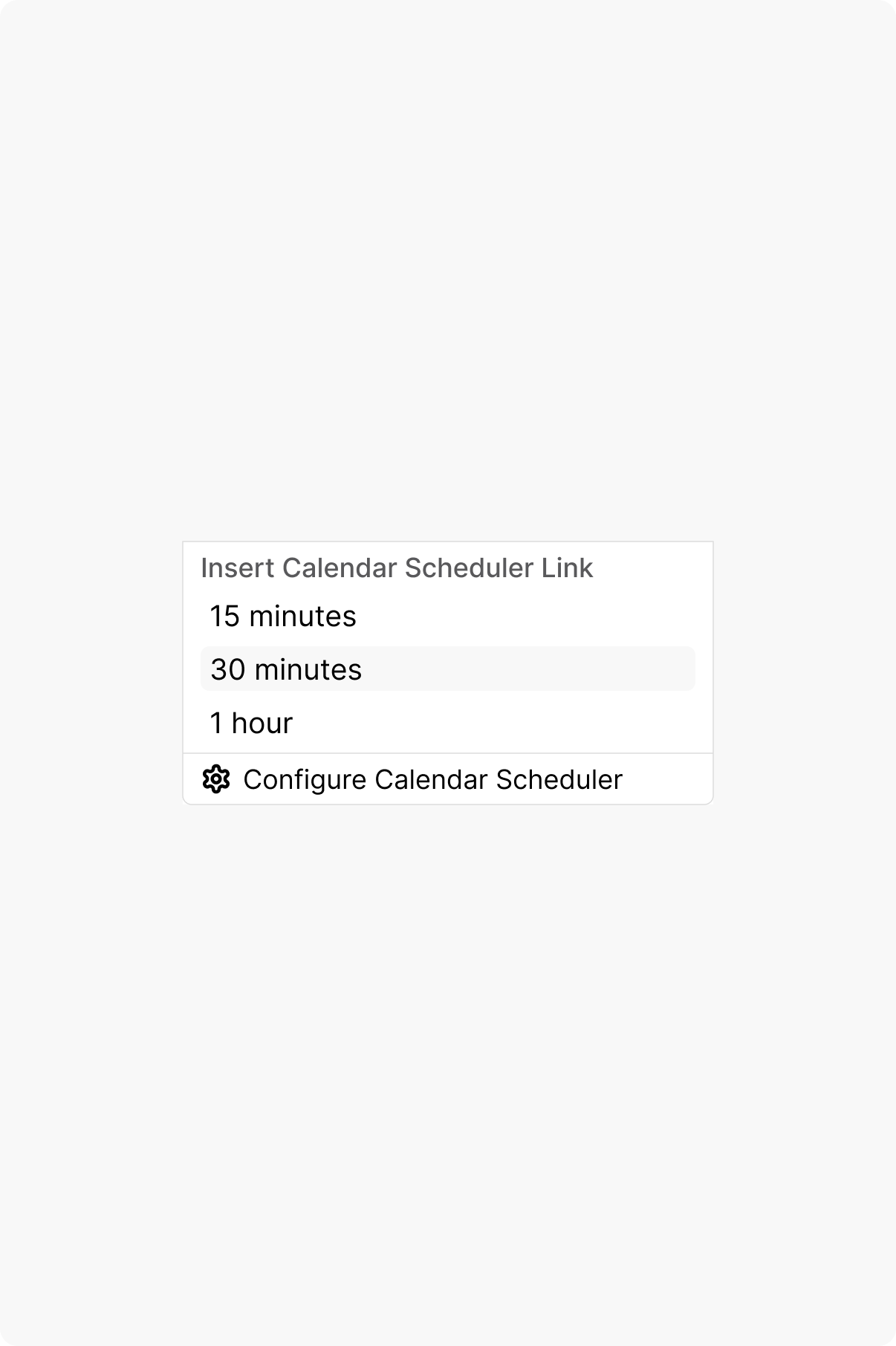
Availability controls

Configure and share your availability your way. Share booking links for the time & duration you think is appropriate.

Kanban-style task board with columns: To Do (3 tasks), In Progress (2 tasks), Awaiting Response (1 task), and Done with no tasks.
Kanban task board showing columns To Do with 3 tasks, In Progress with 2 tasks, Awaiting Response with 1 task, and Done with no tasks; tasks include schedule technical interview, send offer letter, review portfolio, follow up on application, prepare interview questions, and request references.
Task list showing task name, assignee with initials, priority levels, and due dates, with filters for location and industry expertise applied.
List or Kanban view

Choose the layout that fits your workflow in one tap.

Drag-and-drop stage changes

Move candidates or jobs between stages instantly.

Auto-saved views and setup

Your columns, filters, and sorting save automatically for next time.

Outp(l)ace everyone.

You can’t win tomorrow’s placements
with yesterday’s tools.