Spott Update - July 2026
Hey there 👋
July was a great month at Spott. We launched the Marketing Suite, brought eSignatures into the platform with DocuSign, and put an AI assistant on your job descriptions. We also made the Company Portal publish candidates for you, and cleaned up a lot of the day-to-day email work.
Grab a coffee. Here is what shipped. ☕️
TL;DR
- Marketing Suite - Build, send and track email campaigns without leaving Spott
- eSignatures - Send any document for signature with DocuSign or Nitro, and follow its status from Files
- Spott x OneUp Sales - Your Spott activity becomes live leaderboards, floor celebrations and AI coaching
- Ask AI for job descriptions - Refine your job copy through a conversation, in any language you hire in
- Company Portal stage filters - Publish candidates to clients automatically when they hit the stages you choose
- Email upgrades - Dock the composer, send yourself a test first, and block addresses from syncing in
- Booking types - Separate 15-minute intro calls from hour-long interviews in your public scheduler
- Plus: custom attributes on files, unique record identifiers, message templates in Automations, fixed fees on Retained jobs, and a new AdvertsData integration
Big news
The Marketing Suite
You can now build, send and track email campaigns directly inside Spott. Design them in an interactive builder, manage your recipient lists, and see opens, clicks and unsubscribes in detail. Your newsletters and talent pool nurtures finally run on the data you already have, instead of a separate tool you have to keep in sync.
Your admin can enable Marketing from Settings > Features.
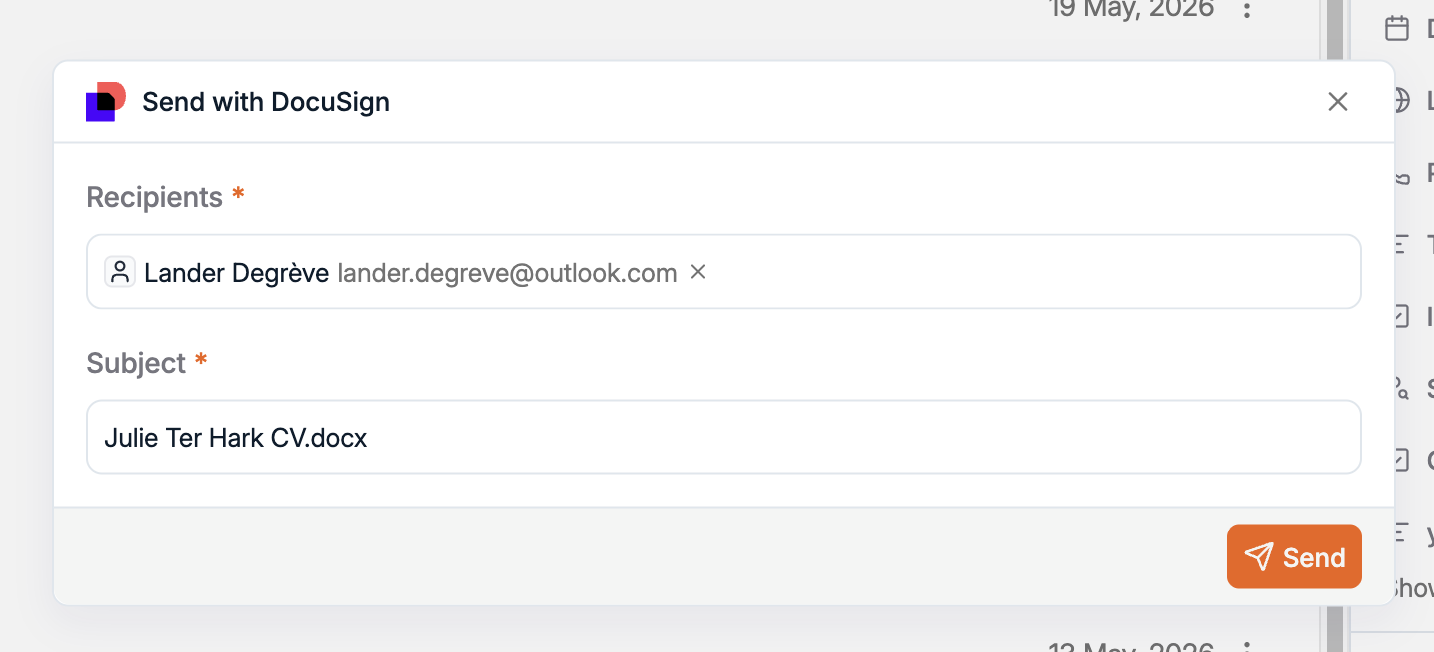
eSignatures, with DocuSign
Send any attachment for signature straight from Spott, to one recipient or several, and get notified as signatures come in. Status is visible from Files > Attachments, so you always know where a document stands. We added Nitro later in the month, so you can use whichever provider your agency already runs on.
Contracts, terms of business and offer letters now start and finish in the same place as the placement they belong to.
Spott x OneUp Sales
Spott and OneUp Sales now work together. Connect the two and your recruitment metrics sync from Spott to OneUp automatically, in near real time, with no manual upload. OneUp turns that into leaderboards and leagues, placement celebrations on the office TVs and in Teams, and AI-prepared coaching for your managers.
A leaderboard is only as honest as the data behind it. Most gamification runs on activity recruiters remember to log by hand. Because Spott captures the work as it happens, OneUp runs on the full picture. Capture in Spott, celebrate in OneUp.
Launch offer: sign up with OneUp before 30 September 2026 and get 3 months of OneUp Coach free. The full announcement has the detail.
Ask AI to rewrite your job descriptions
The Job Advertising page now has an Ask AI assistant. Instead of a one-click rewrite you either accept or throw away, you refine the copy through a conversation: add a requirement, tighten the intro, change the tone, translate the whole thing.
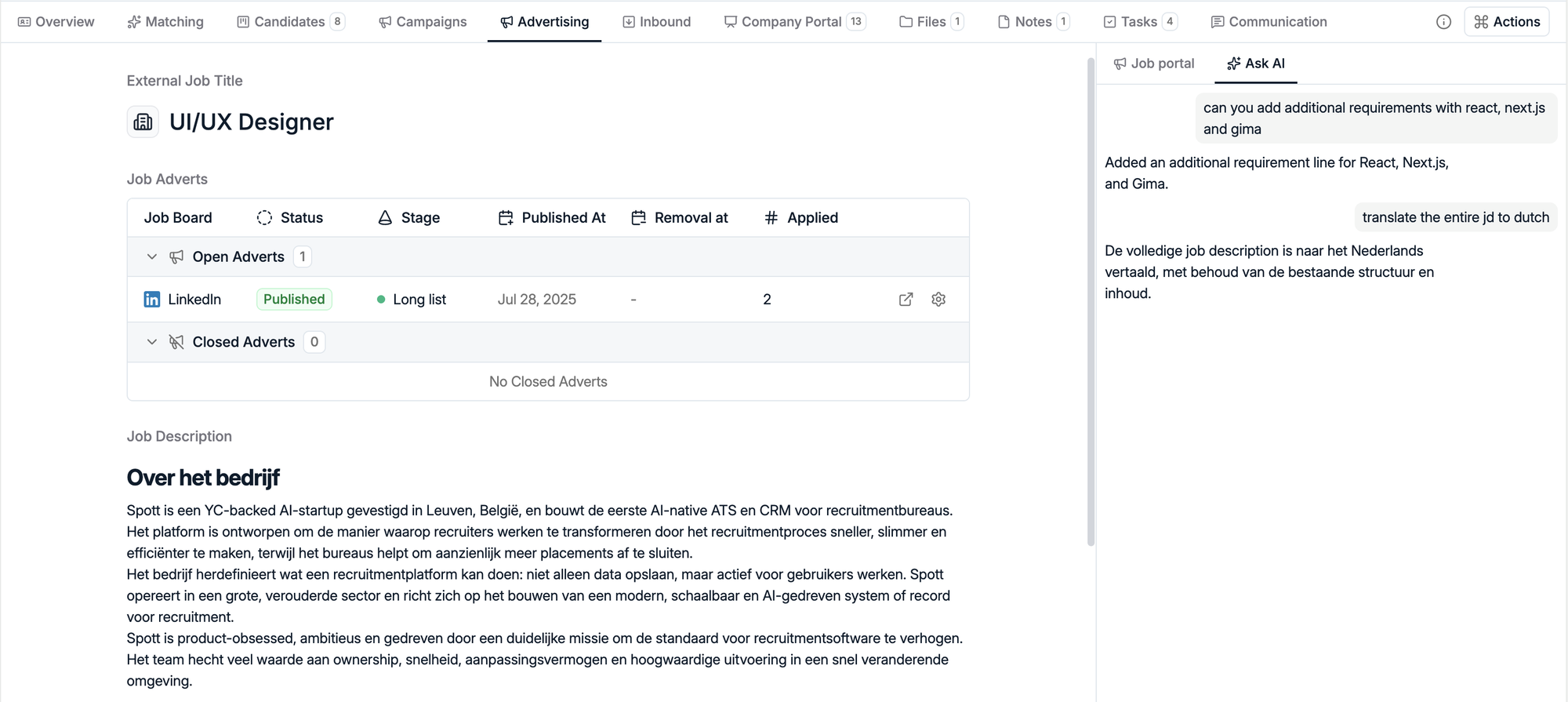
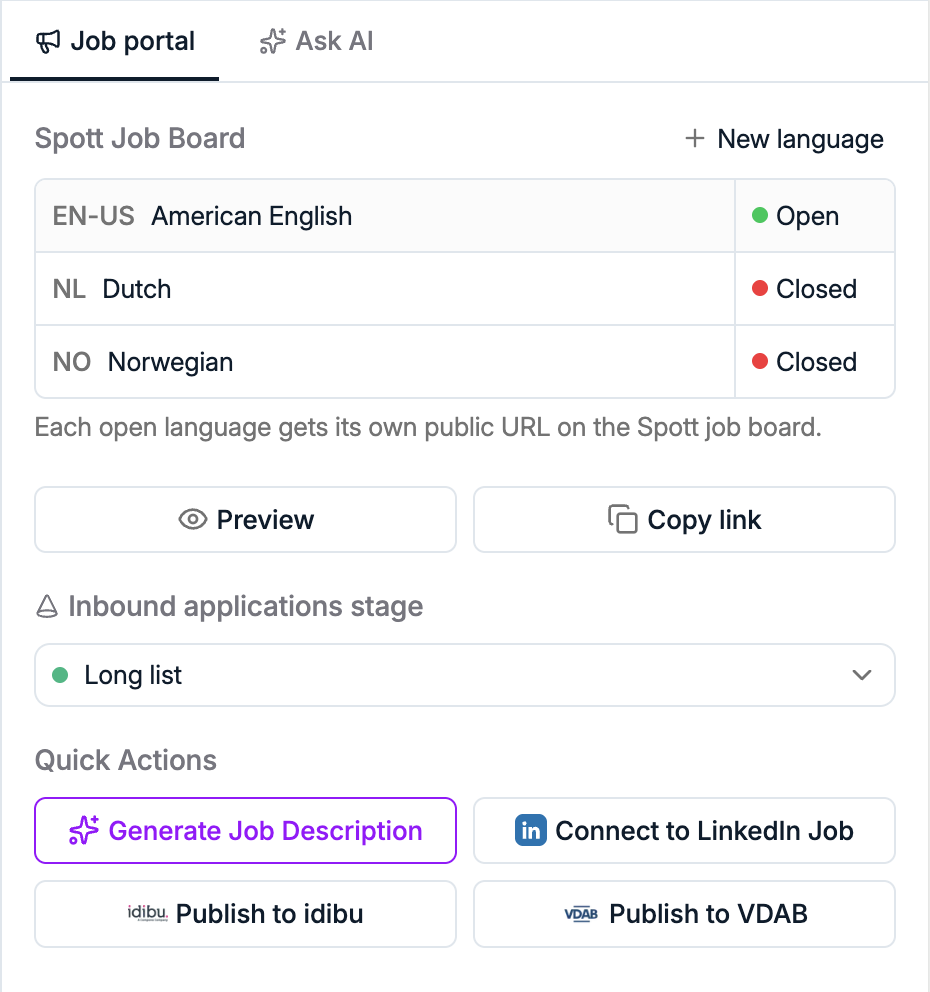
Job descriptions also support multiple languages now, so you can run localized versions of the same job instead of maintaining a separate job per market. Each open language gets its own public URL on the Spott job board.
Auto-publish candidates to the Company Portal
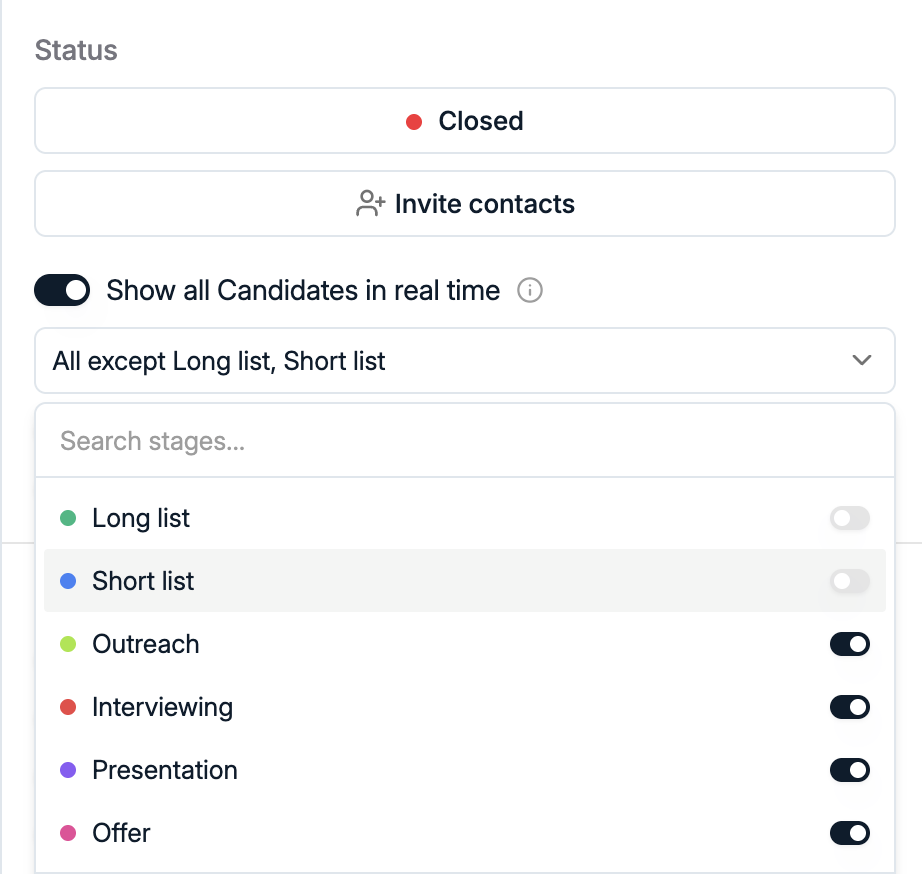
Candidates can now be published to the Company Portal automatically as they move through your process. You pick which pipeline stages trigger publication, and only candidates at those stages get shared with the client.
No more publishing one application at a time. Your client watches the shortlist build itself while you work the pipeline.
An email composer that gets out of your way
The composer docks. Just like Tasks, you can dock the composer and keep browsing Spott while you draft.

You can send yourself a test first. Before a bulk send, check exactly how it lands: formatting, personalization, the lot.
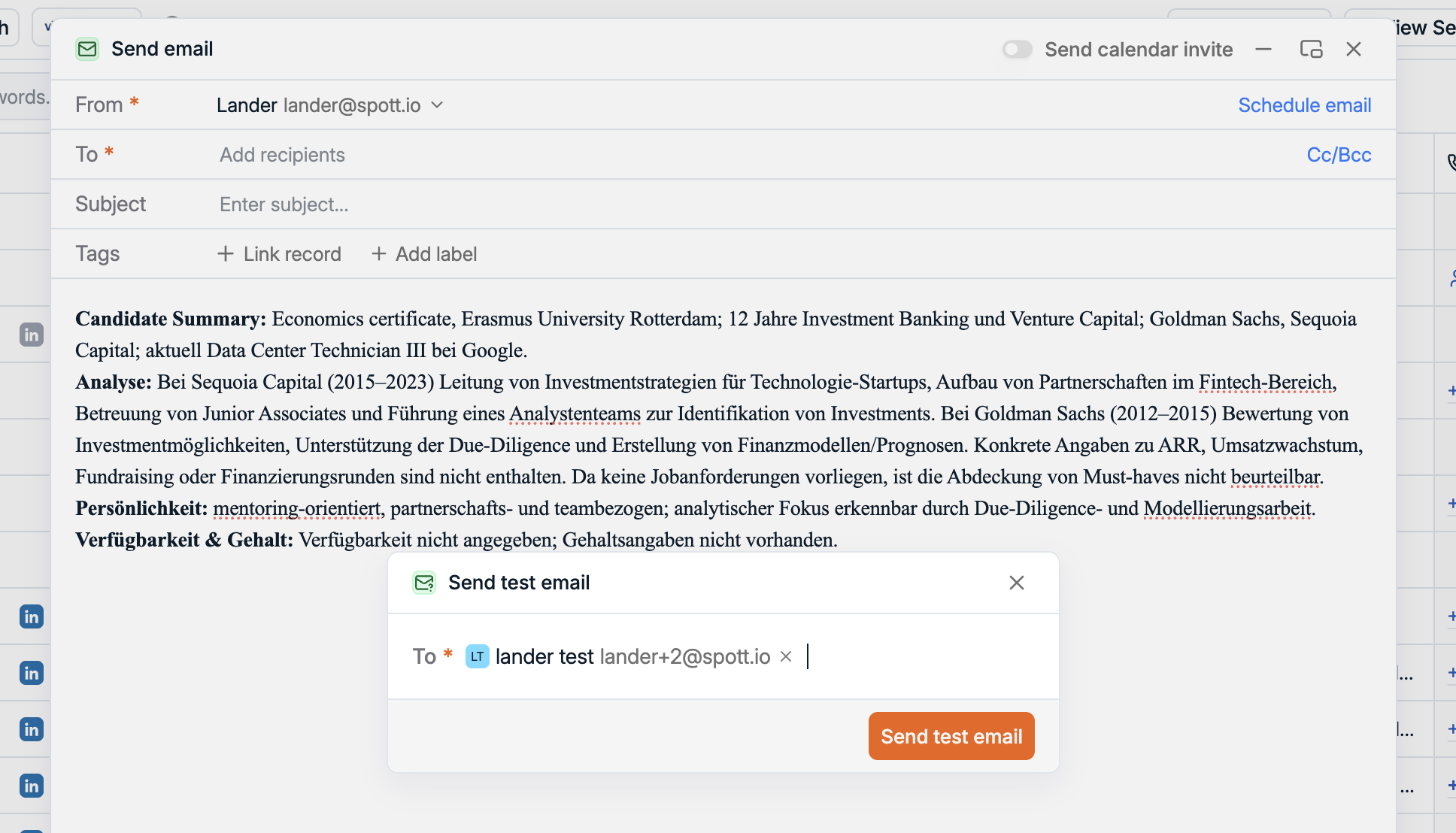
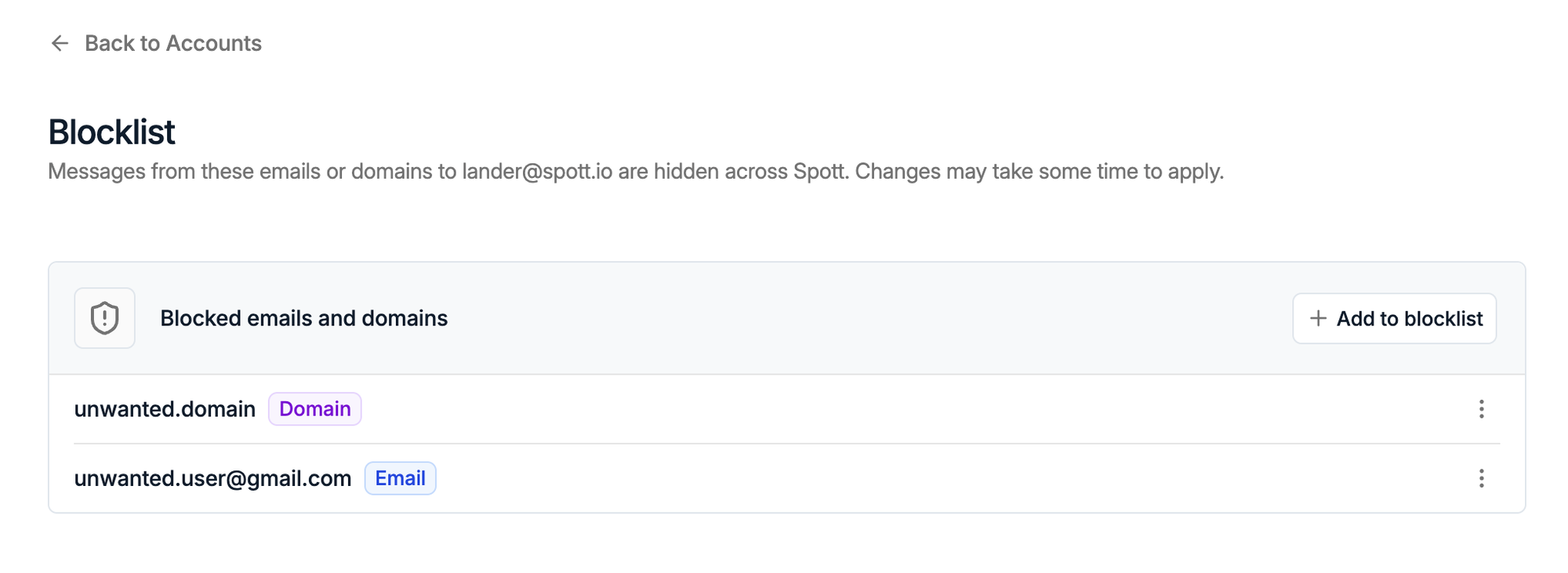
And you can block what you do not want synced. Blocked addresses and domains stop being imported, so newsletters and no-reply addresses stay out of your database.
Booking types in your public scheduler
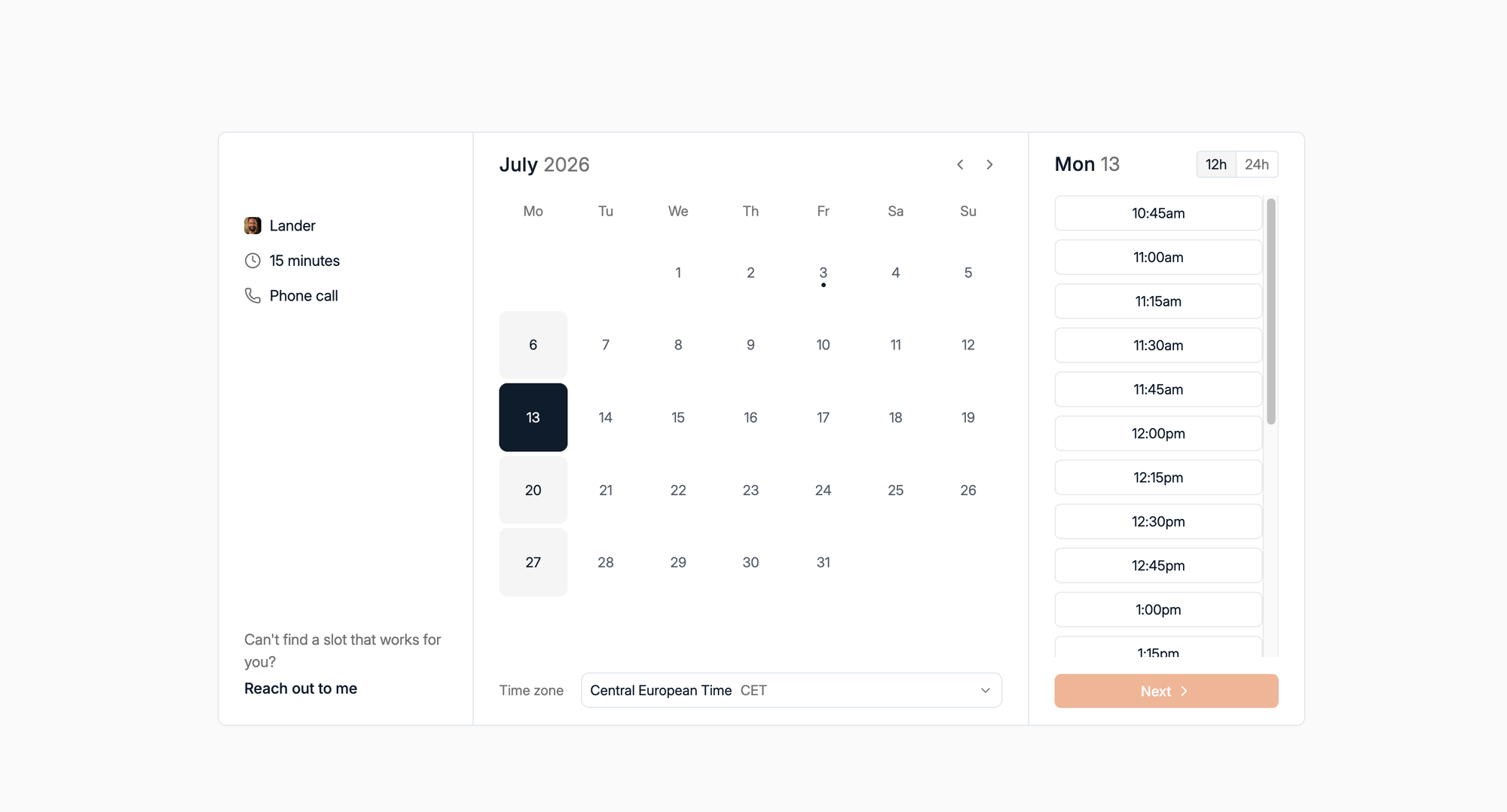
Your public booking scheduler now supports multiple booking types. Create a 15-minute intro call and a one-hour interview as separate options, each with its own availability and rules, so you stop blocking a full hour for a five-minute qualification call. The booking page got a cleaner look too.
More improvements this month
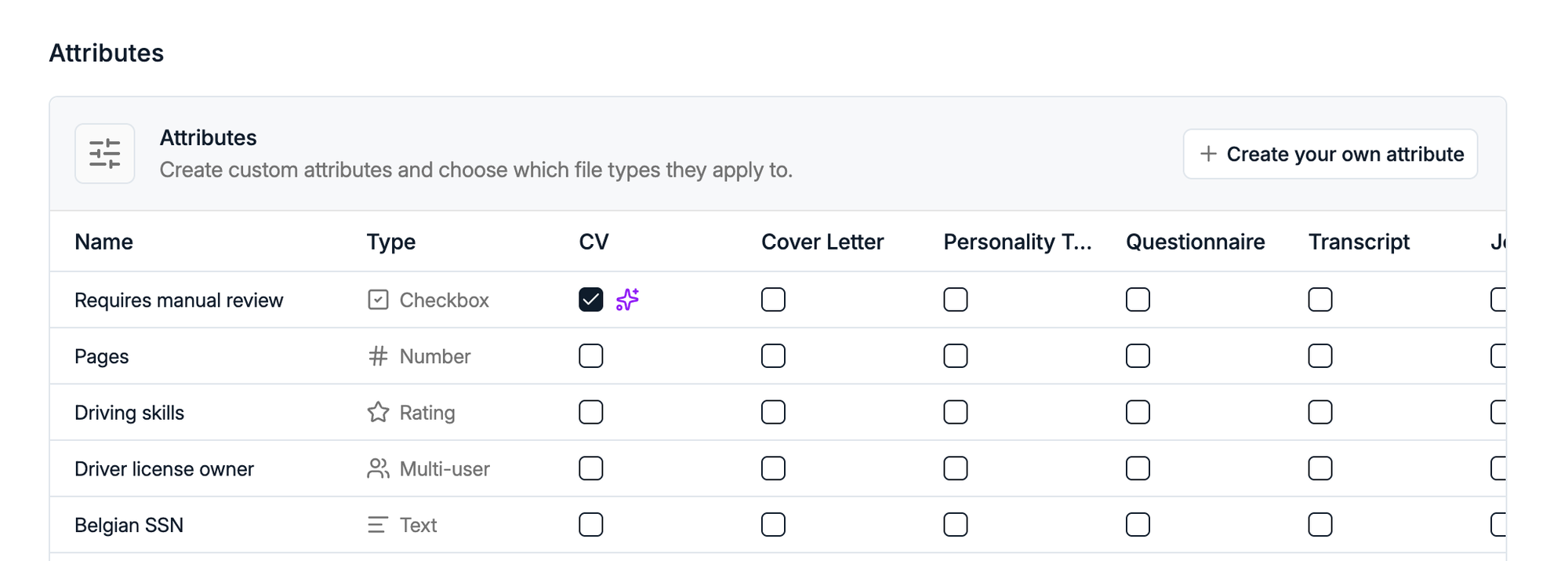
Custom attributes on files. Attachments can now carry their own fields, like an expiry date on a certificate or a flag that a document needs review. Admins set this up from Settings > Data model.
Message templates in Automations. Reuse a template you already wrote instead of rebuilding the message inside the workflow.

Fixed fees on Retained. Retained jobs now support a flat success fee alongside percentage-based fees, so you can match the agreements you actually sign.

Unique record identifiers. Every record can show a unique ID that you can search from Global Search, which makes life easier when several candidates share a name. Your admin turns it on from Settings > Features.
Automations kept growing. New triggers on Job created, Candidate rejected, File expired and Retained milestone completion, plus AI-based filters so a workflow can fire on something like "Candidate works in Life Sciences."
More bulk actions. Present candidates in bulk from the Candidate table, publish a whole Job pipeline to the Company Portal, and merge two records straight from the table views.
AdvertsData integration. Match candidates against external jobs and clients, and import them straight into Spott.
Plus the small stuff. Faster table loading, tasks grouped by due date, four new AI languages (Polish, Romanian, Italian and Afrikaans), and one-click imports are back in the Browser Extension.
That's a wrap on July
Five weeks of shipping, and plenty of it came straight from your feedback.
If you're not on Spott yet and want to see what an AI-native ATS looks like, book a demo.
See you in August. 👋