Spott Update - October 2026
Hey there 👋
October took Spott further into the back office. Timesheets and invoices now live on your Placements and flow on to Xero, QuickBooks and RSM InTime. Dashboards got rebuilt around your own targets, emails now check their variables before they go out, and Meeting pages got a proper redesign. On top of that, your database picked up two new guardrails and doing things in bulk got a lot easier.
Grab a coffee. Here is what shipped. ☕️
TL;DR
- Timesheets and invoicing - See what's been worked, approved and invoiced on every contract Placement, and post timesheets to RSM InTime
- Xero and QuickBooks - Create invoices from your Placements and send them straight to your accounting tool
- Upgraded dashboards - Build your own layout, set targets per recruiter and track progress at a glance
- Smarter email variables - More variables, optional fields and a check before sending, so no placeholder slips through
- Redesigned Meeting and Call pages - Follow the transcript next to the recording and jump to any moment
- Duplicate suggestions - Spott flags likely duplicate Candidates, and you decide what gets merged
- Global email suppressions - Block an address once and it's left out of every email sent from Spott
- Tasks in bulk - Create a Task for every selected Candidate, Contact or Company in one go
- Plus - an approved DocuSign integration, Else branches in Automations, bigger bulk actions, attachments in Marketing emails, sharper filters, keyboard shortcuts, new admin controls and clearer error messages
Big news
Timesheets and invoicing, right on the Placement
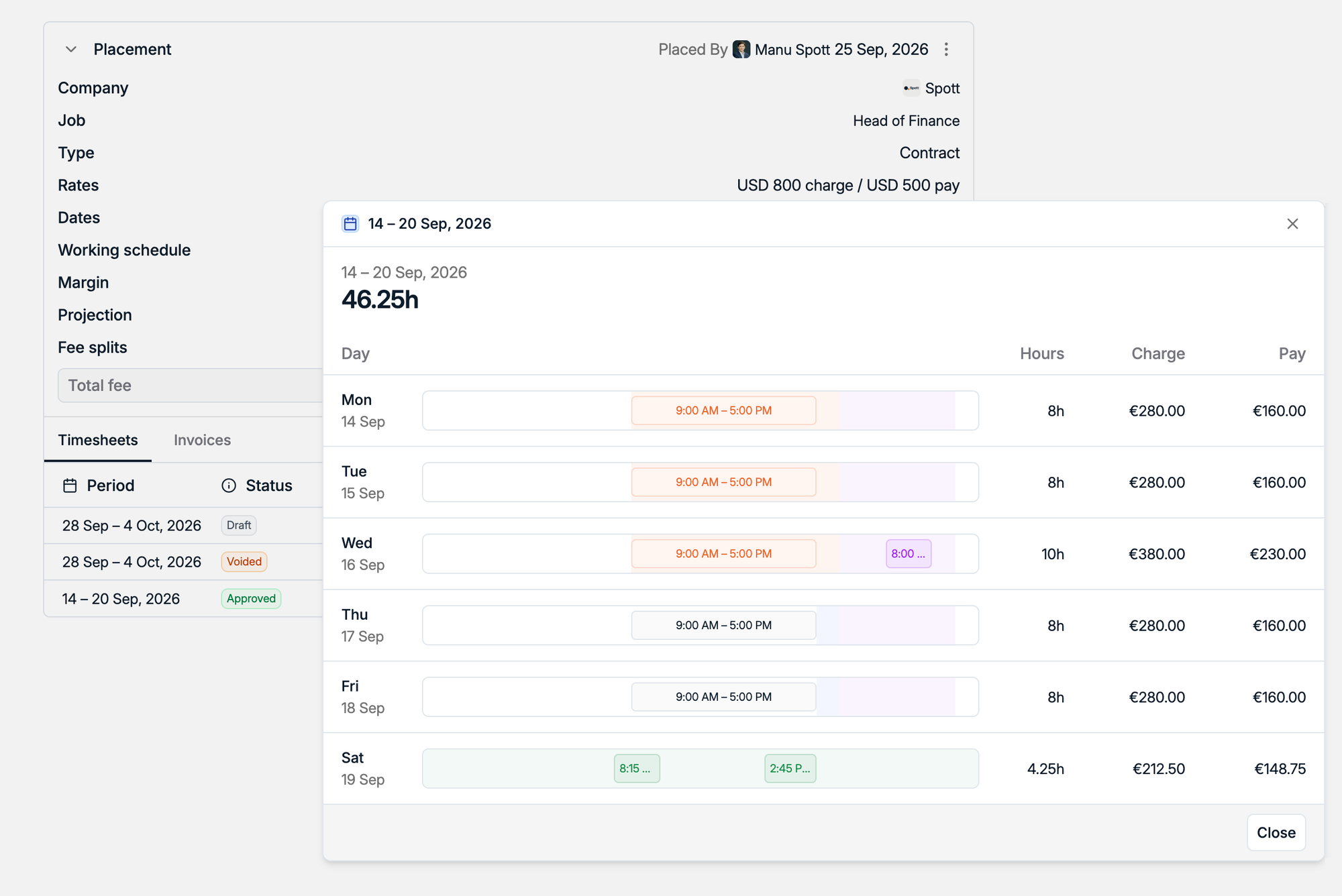
Placing a contractor is only half the job. Then come the hours, the approvals and the invoices. Contract Placements now have Timesheets and Invoices tabs, so you can see what's been worked, approved and invoiced without leaving Spott.
Open any timesheet to see the week day by day, with hours, charge and pay side by side. Using RSM InTime? Timesheets on contract Placements now post straight to RSM InTime, with a Timesheet Portal integration coming soon.
Invoices that land in Xero and QuickBooks
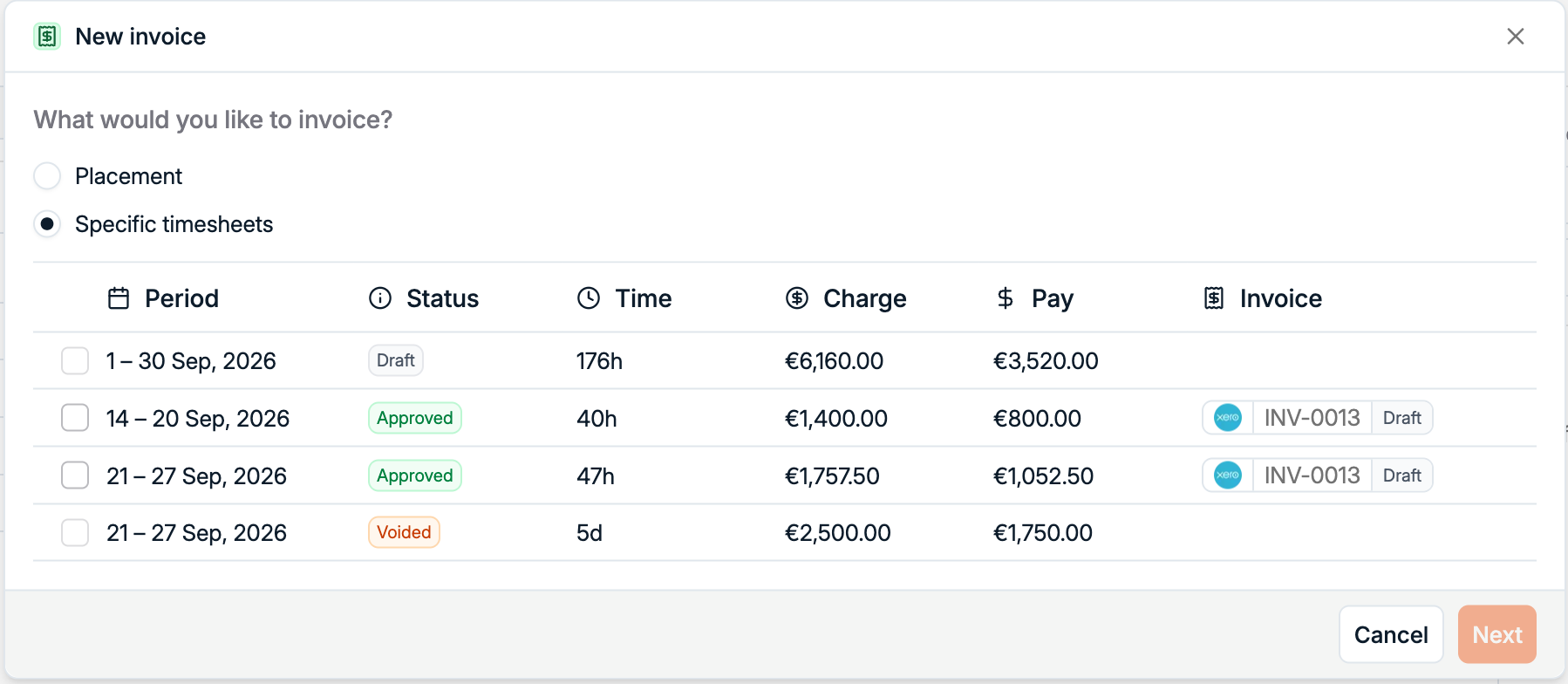
Spott now integrates directly with Xero. Create invoices from your contingent, retained and contract Placements and push them to Xero as drafts, so nothing goes out before you've approved it in Xero. For contractors, you can invoice the whole Placement or pick specific timesheets.
Link your Xero pay codes and billing contacts once, and invoice numbers and statuses stay connected to the Placement. You can now add a Billing Contact to the Placement itself, and Automations can email them directly. Setting it up takes a few minutes with our Xero integration guide.
Books on QuickBooks instead? Invoices from any Placement now go to QuickBooks Online as well.
Upgraded dashboards with targets
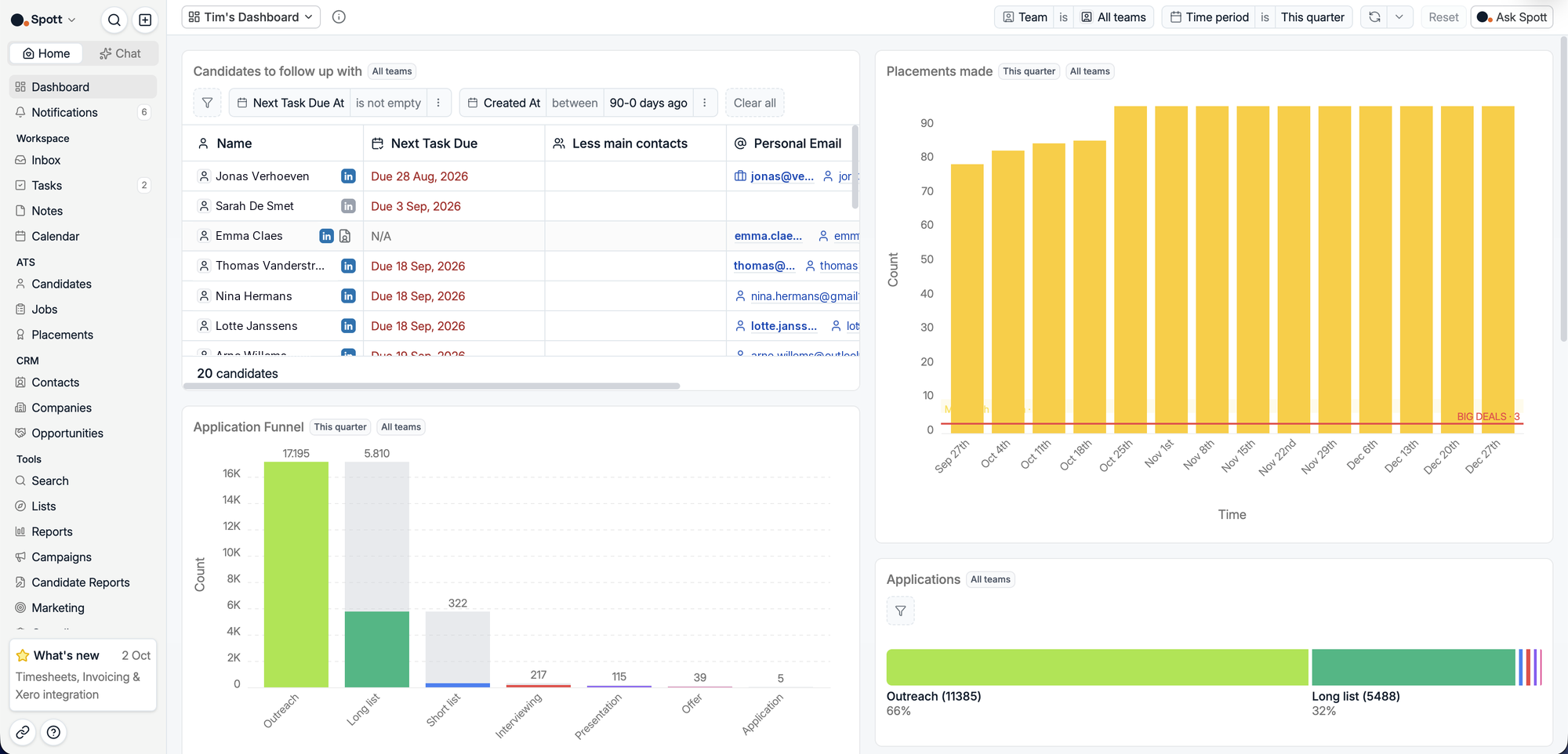
Every desk measures a good week differently. One team lives on CVs sent, another on calls and first interviews. Your analytics dashboards got a complete rebuild, so you can choose the metrics that matter to you, put them in the order you want and set a target for each one. Lay it out your way, with charts, funnels and live lists like the Candidates you still need to follow up with.
Targets are set per recruiter and per metric, and every card shows progress against its goal. Targets also scale to the period you're viewing, so a monthly target of 20 reads as 5 on a weekly view. Click any number to open the records behind it, now with filters and sorts. And when someone sits in more than one team, you choose which team their Placement counts toward.
Switch on advanced analytics under Settings > Features, then follow our dashboard guide to set yours up.
Smarter email variables
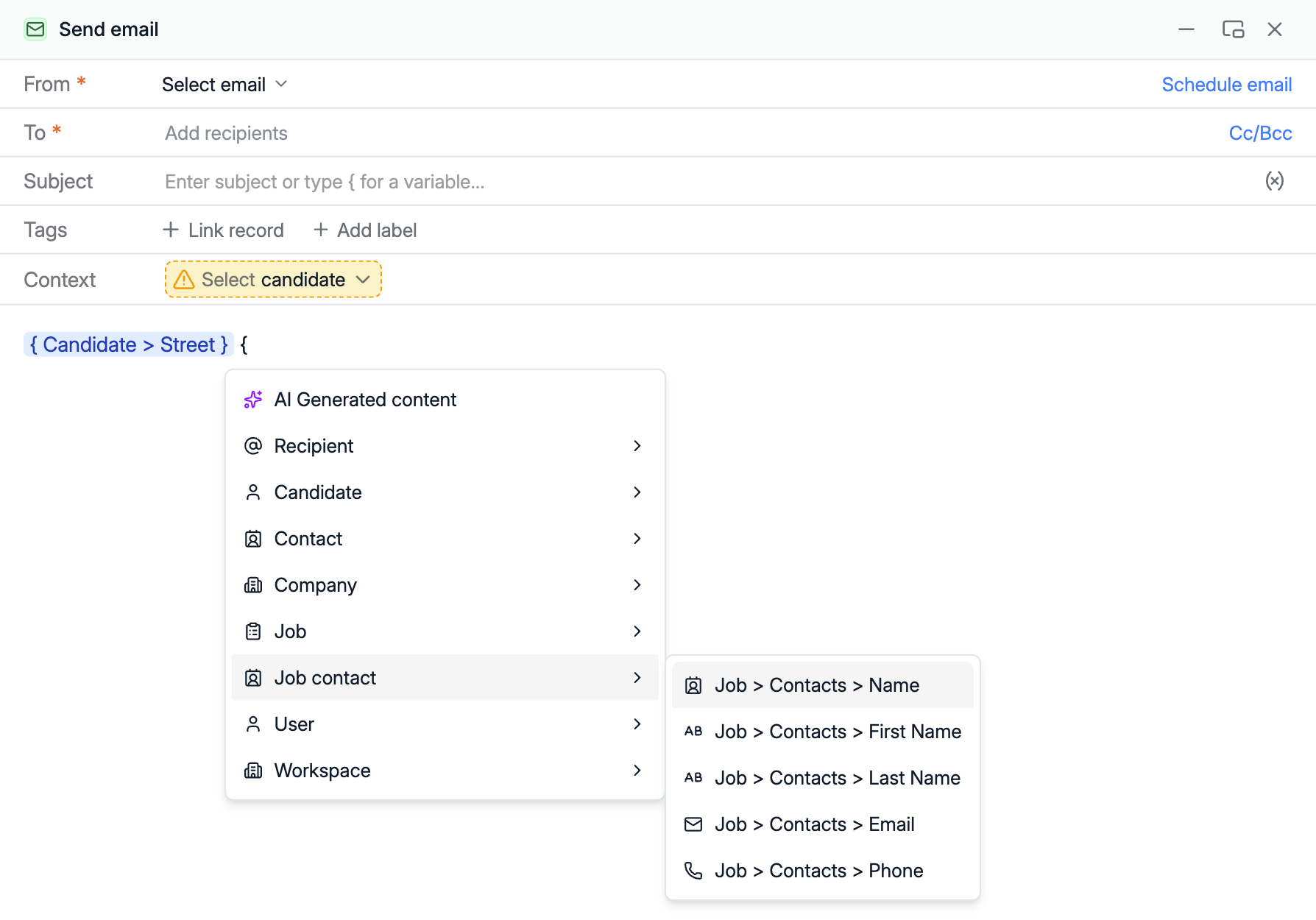
Nothing undoes a personal email faster than a stray placeholder where a name should be. After variables in subject lines last month, we've expanded the variables you can use in emails, bulk emails and campaigns, including optional fields like location for the details not every record has.
Type { to pick one, from Candidate and Company fields to the contacts on a Job. Before anything goes out, Spott now checks every variable and flags missing information, like a Candidate you haven't selected yet, so no message leaves with an unresolved placeholder. Automation emails picked up new variables too, like a Candidate's or Contact's Job Title. See how email variables work.
Redesigned Meeting and Call pages
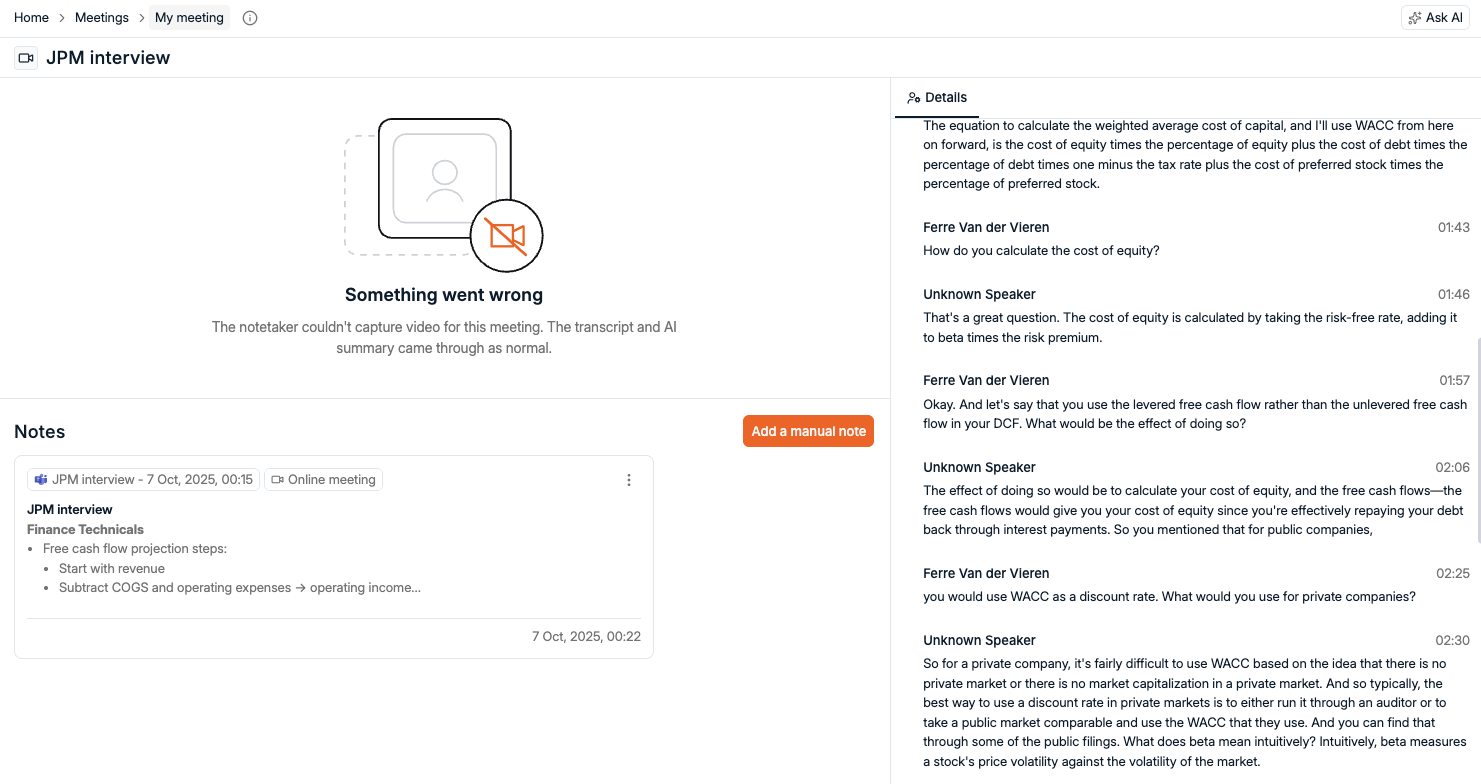
Meeting and Call pages got a full redesign. Follow the transcript side by side with the audio or video recording, and click through the transcript to jump to the moment that matters. Want to jot something down? Add a note right on the call or recording page.
When something goes wrong, the page now tells you what. If the notetaker couldn't capture video, you'll see that the transcript and AI summary still came through. And the Meetings tab can now filter down to logged client interviews, leaving out everything the calendar sync pulled in.
Duplicate suggestions for Candidates
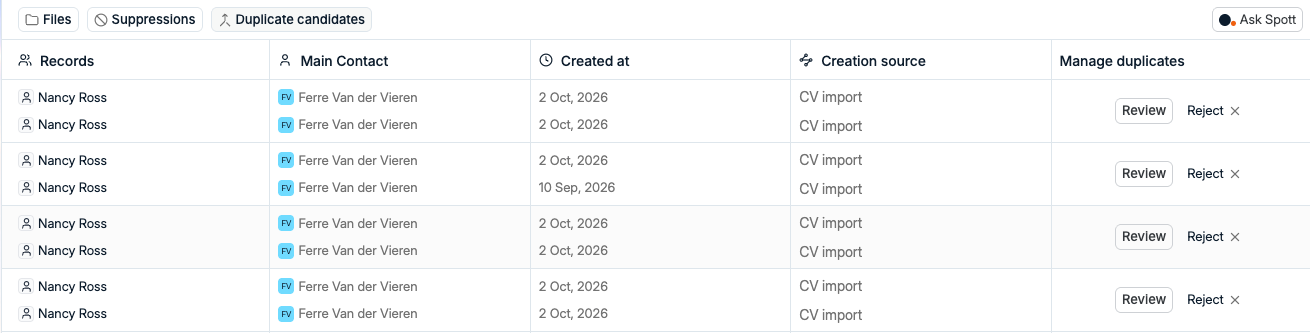
Duplicates creep in. A CV import here, a job board applicant there, and suddenly the same person lives in your database twice. Spott now suggests likely duplicate Candidates for you to review.
You decide which records get merged and which suggestions to reject, so your database stays clean and you stay in control of your data.
Global email suppressions
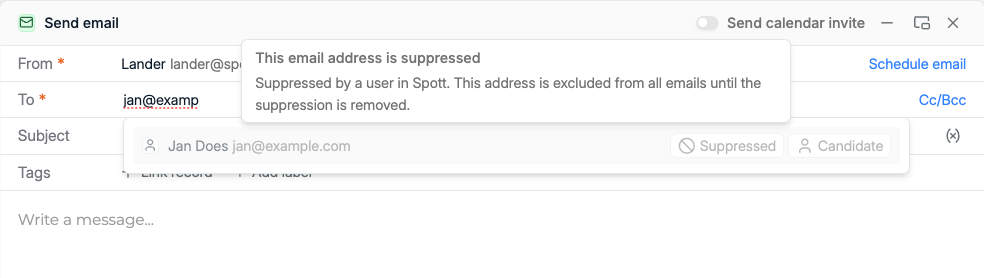
When someone asks you to stop emailing them, that should stick. You can now add global email suppressions from the Compliance tab. A suppressed address is left out of every email sent from Spott until the suppression is removed, so people who opted out don't hear from you again.
Try to email a suppressed address and Spott flags it right in the recipient field.
Tasks, in bulk
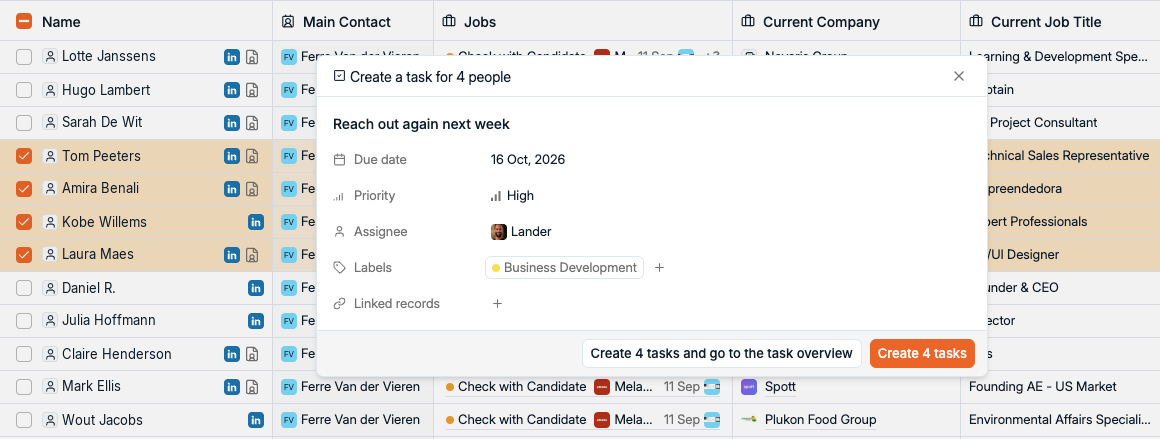
Following up with a shortlist used to mean creating the same Task over and over. Now you select the records in a table and create a Task for all of them in one go, from your Candidates, Contacts and Companies.
Tasks also got a fresh design, more ways to group them than by due date, and an optional time next to the due date. You can tag a whole @Team in Tasks and Comments, and set Task priorities from the mobile app and Browser Extension.
More improvements this month
A lot more shipped in October. The highlights:
- DocuSign - now an approved integration, with signed-envelope links and internal colleagues as signatories
- Placements - comments on Placements, cancelled fees for contingent drop-outs, and a Retained placements export
- Automations - Else branches to go with September's wait steps, email templates in interactive Automations, and a Job Advert created trigger
- Bulk actions - add 1,000+ records to a List, move up to 10,000 into a Job or Campaign, and present a Candidate to several Jobs at once
- Jobs and Company Portal - create Jobs from a PDF, see every Job advert in one overview, and share portal links
- Filters - "does not contain" keywords, "not this week" dates, Area on every Location, and current job start dates
- Email and Marketing - attachments in Marketing emails and campaigns, images in emails, and custom calendar link slugs
- Mobile app - re-transcribe recordings, scan files straight to a record, and upload several files at once
- Admin controls - workspace switches for Speculative Presentations and the Note Taker, per-user credit limits, and bulk user invites
- Error messages - they now say what went wrong, with a reference code to share with our support team
- Plus - J and K keyboard shortcuts in overlays, Australian time zones, a Notes list view, and a Spott MCP server that now fetches transcripts, meetings and attachments
That's a wrap on October
Another month of shipping, and plenty of it started as a request from you. Keep them coming on our public roadmap.
If you're not on Spott yet and want to see what an AI-native ATS looks like, book a demo.
See you in November. 👋