What's New in the Spott Chrome Extension
We've made some important changes to how the Spott Chrome Extension works alongside LinkedIn and other platforms. These updates bring the extension in line with applicable third-party platform policies, and we've taken the opportunity to improve the experience along the way.
Here's a walkthrough of what to expect:
Side panel experience
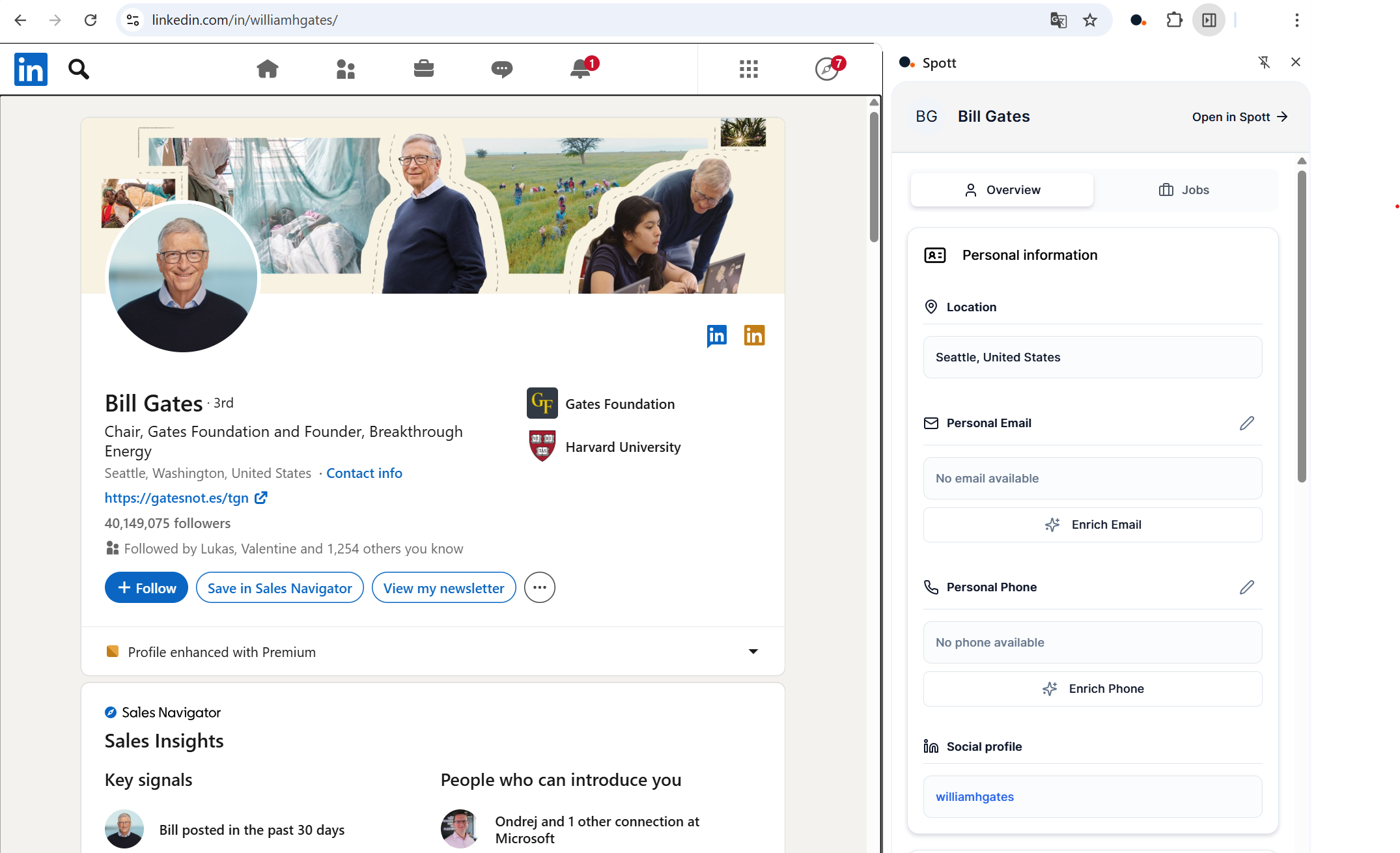
The extension now opens in Chrome's built-in Side Panel instead of appearing as an overlay on the page. This means faster performance, a more responsive interface, and no more clashing with LinkedIn's own buttons and menus - or any other site you're browsing.
New ways to add profiles to Spott
We've reworked how you bring candidate and client contact information into Spott from LinkedIn. Going forward, there are two paths:
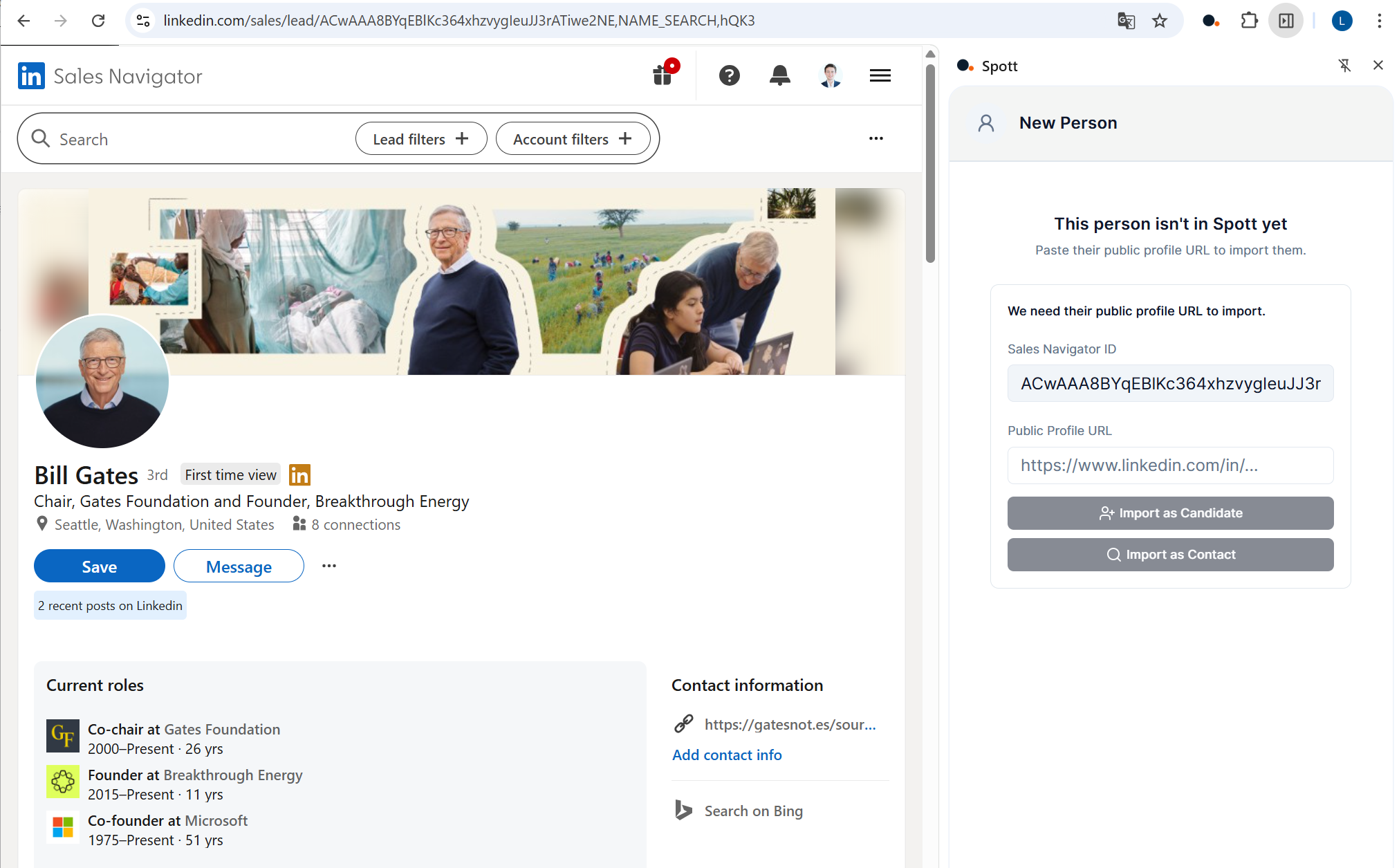
- Public profile lookup - Visit someone's public LinkedIn profile, or paste a public LinkedIn URL into the extension (this also works from Recruiter and Sales Navigator pages). Spott will search for publicly available information and pull in employment history when it's available.
- Manual entry - Enter details yourself, or upload a LinkedIn Resume PDF and let Spott parse it for you.
Already tracking someone? The extension will still automatically flag when a profile you're viewing is already in Spott, as long as you're on their public LinkedIn page.
Why we made these changes
We've updated the extension to ensure ongoing compliance with the platform policies of sites like LinkedIn. We know the old workflow was faster. Keeping your accounts safe and operating within the rules is a priority for us, and these changes reflect that commitment.
We will continue to ship improvements over the coming weeks to make your workflows as smooth as possible.
Getting started
If Chrome or Edge are set to automatically update your extensions, no action is needed for these changes to take effect. Upon browser restart, your extension will update automatically to the latest version.
Questions? Reach out to your CSM or get in touch through in-app support.

Frequently Asked
LinkedIn began enforcing their User Agreement more strictly in Q1 2026, requiring all third-party extensions to change how they interact with LinkedIn pages. Spott chose to align with LinkedIn's terms rather than risk users' accounts being flagged or restricted. The extension now uses a Chrome Side Panel and public URL lookups instead of directly reading LinkedIn page data.
The old extension used an in-page popover that sat on top of LinkedIn and other web pages. The new version runs in Chrome's native Side Panel - a dedicated section alongside your browser window. This improves performance, avoids conflicts with LinkedIn's interface, and keeps your Spott tools accessible without covering page content.
There are two options. First, you can use public LinkedIn URL lookup - navigate to a public profile or paste a LinkedIn URL into the extension. Spott looks up the profile using publicly available information and adds their employment history when available. Second, you can use manual entry to add candidate details or parse their LinkedIn Resume PDF directly into Spott. Existing candidates are still automatically detected on public LinkedIn profiles.
No. If Chrome or Edge is set to automatically update extensions (which is the default), the update happens automatically when you restart your browser. No manual action is needed.
Yes. LinkedIn is actively enforcing against extensions that haven't adapted. If other tools still offer a more seamless workflow on LinkedIn today, they likely haven't made the required changes yet - and will be forced to soon. Spott chose to comply early rather than wait for enforcement action that could affect users.


Outp(l)ace everyone.
You can’t win tomorrow’s placements
with yesterday’s tools.