
Spott Update - June 2026
Hey there 👋
June was about turning insight into action faster. We made it easier to pull opportunities and candidates into your workflow, added new actions right where you find your matches, brought calendar management into the platform, and gave power users sharper search and automation tools.
Grab a coffee. Here is what shipped. ☕️
TL;DR
- Import jobs from the internet - Pull any publicly visible job straight into Spott from the Browser Extension
- Candidate-to-job matching actions - Pitch candidates to multiple jobs or bulk present them to clients right from the match results
- Calendar management - Create, reschedule, and cancel invites from the Calendar, and view your teammates' calendars
- Automation extensions - New time-based automations, field updates, extra filter conditions, and more background actions
- Candidate Boolean search - Full AND, OR, and NOT support, with Spott switching into Boolean mode automatically
- Candidates as Cards - A richer card layout for browsing talent alongside the classic table view
- Plus: analytics drilldown exports to Excel, nested form values in placement exports, and a new Vente integration
Big news
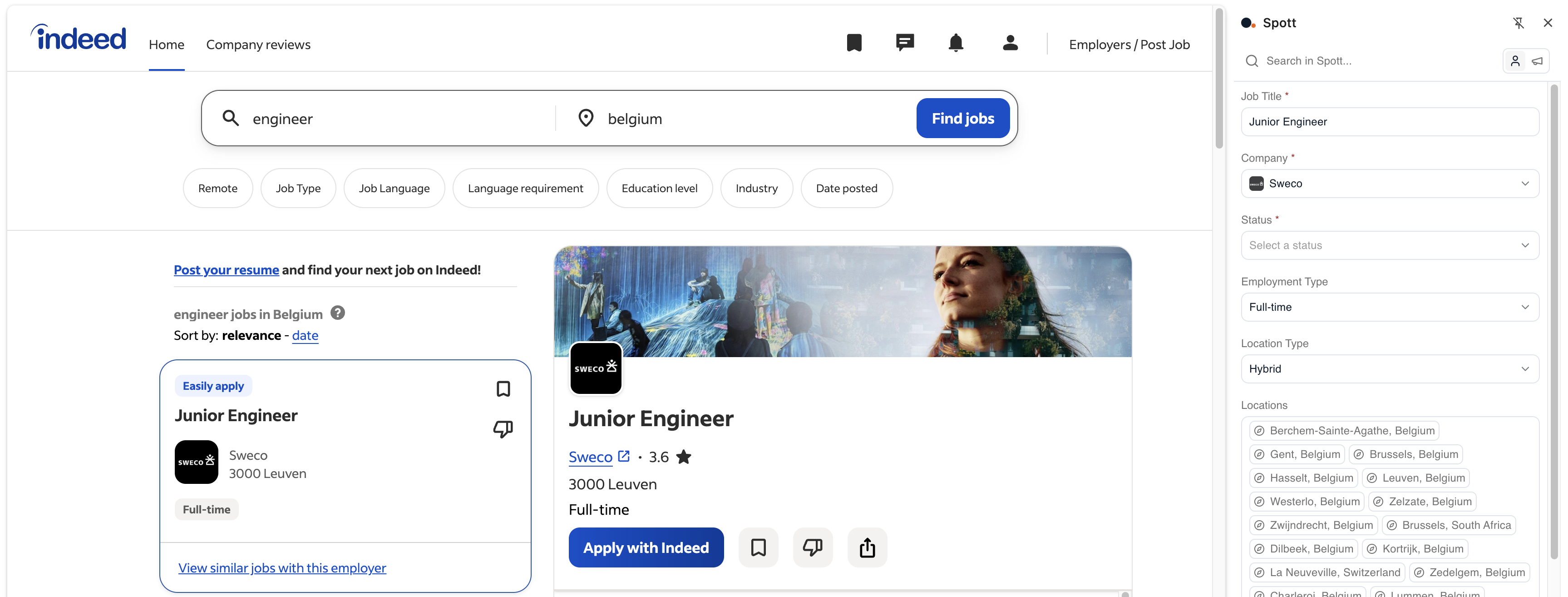
Import jobs from the internet
You can now import any publicly visible job from the internet directly into Spott using the Browser Extension. When you find a role worth working, pull it in where you found it, no manual recreating required. It's an easy way to bring existing opportunities into your workflow and start sourcing against them right away.
Candidate-to-job matching
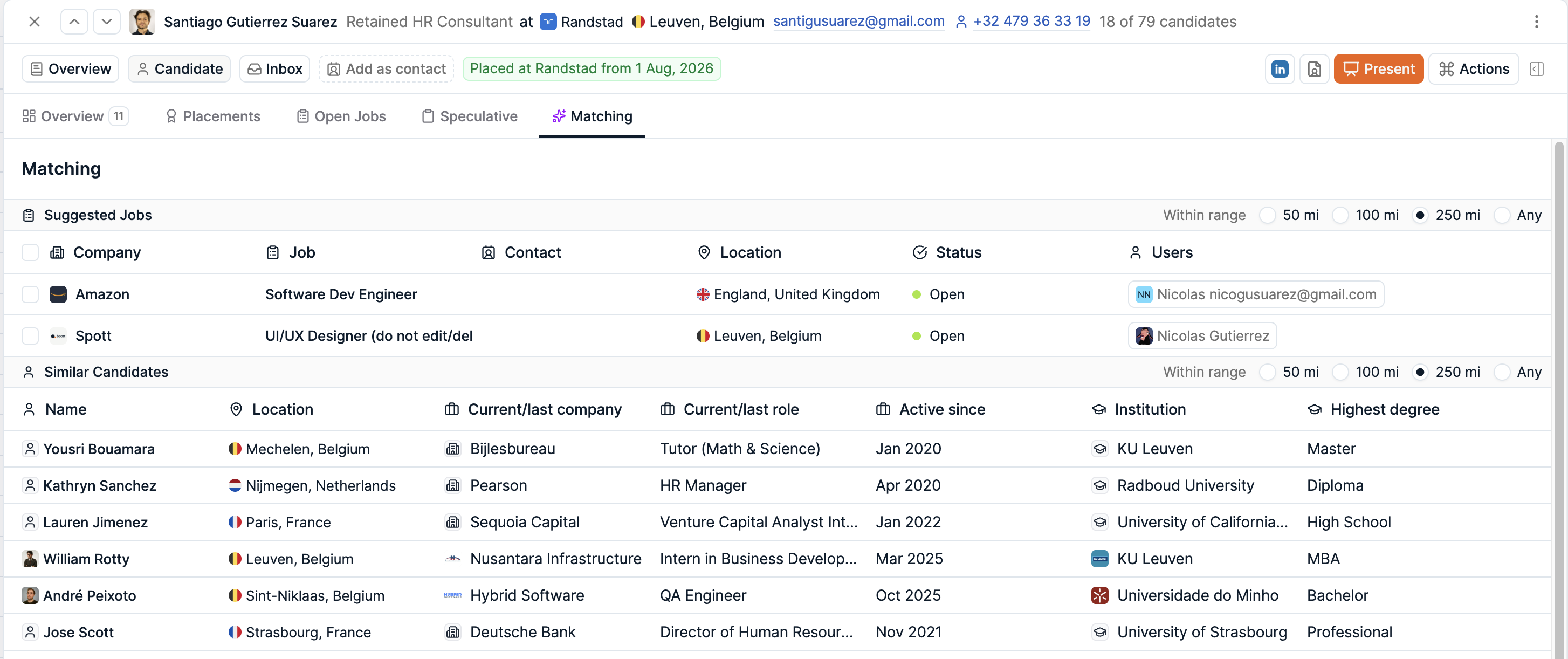
Candidate-to-job matching has been upgraded with new workflow actions, so you can act on a match without leaving the results. Pitch a candidate to multiple jobs at once, or bulk present a shortlist to clients in just a few clicks.
That's the AI-native loop we care about: Spott surfaces the right matches, and now you can turn them into real pipeline activity faster instead of clicking through separate steps to do it.
Calendar management
Calendar management is now better integrated into Spott. You can create, reschedule, and cancel calendar invites directly from the Calendar, and view your teammates' calendars to simplify scheduling.
That means booking interviews and coordinating across your team happens in one place, without bouncing between Spott and a separate calendar app.

Automation extensions
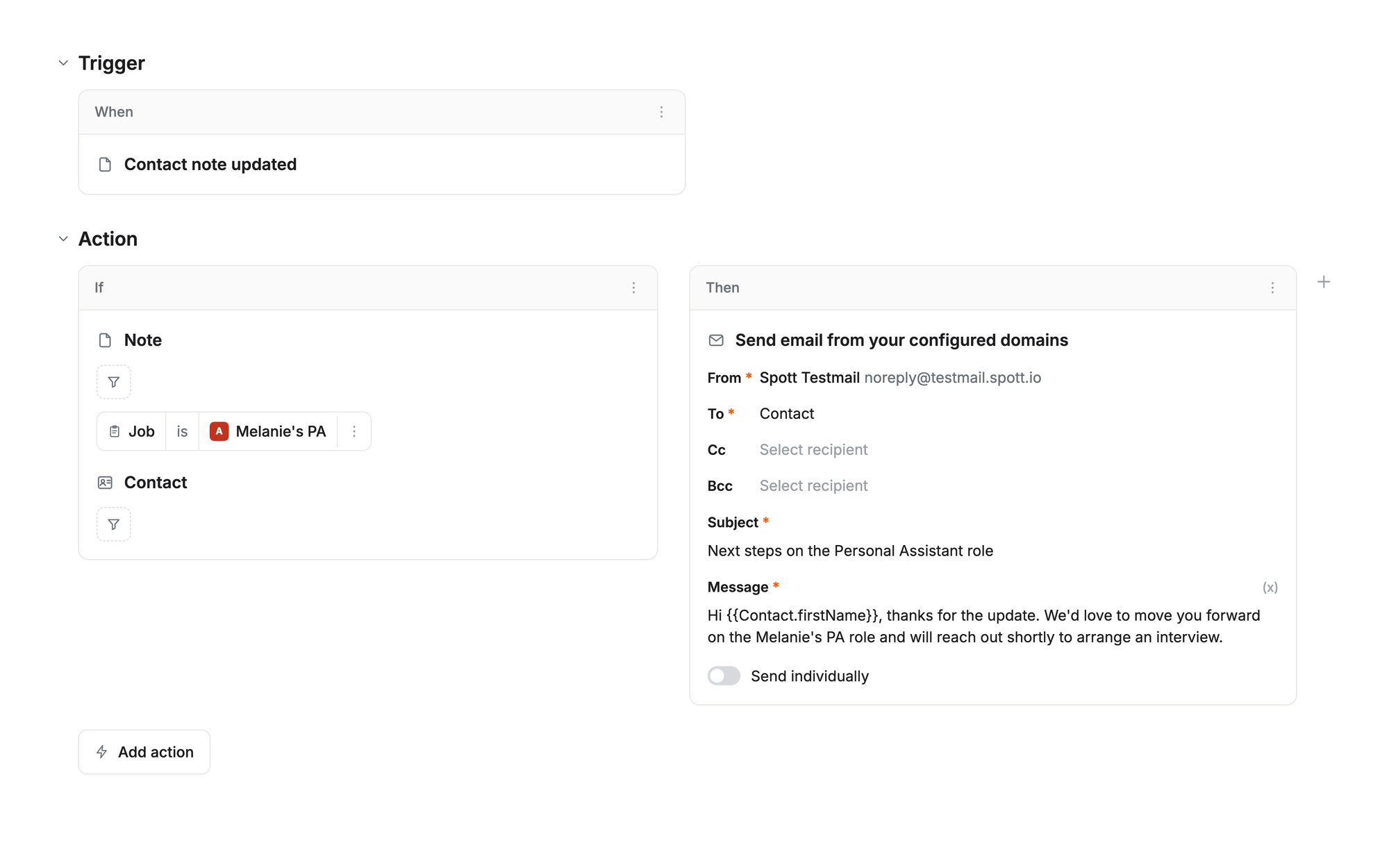
We've expanded our automation capabilities with a new wave of workflow enhancements. This includes support for time-based automations, field updates, additional filter conditions, and more background actions.
Together, these improvements enable more powerful hands-off workflows across the platform, so more of the routine work runs itself while you focus on placements.
Candidate Boolean search
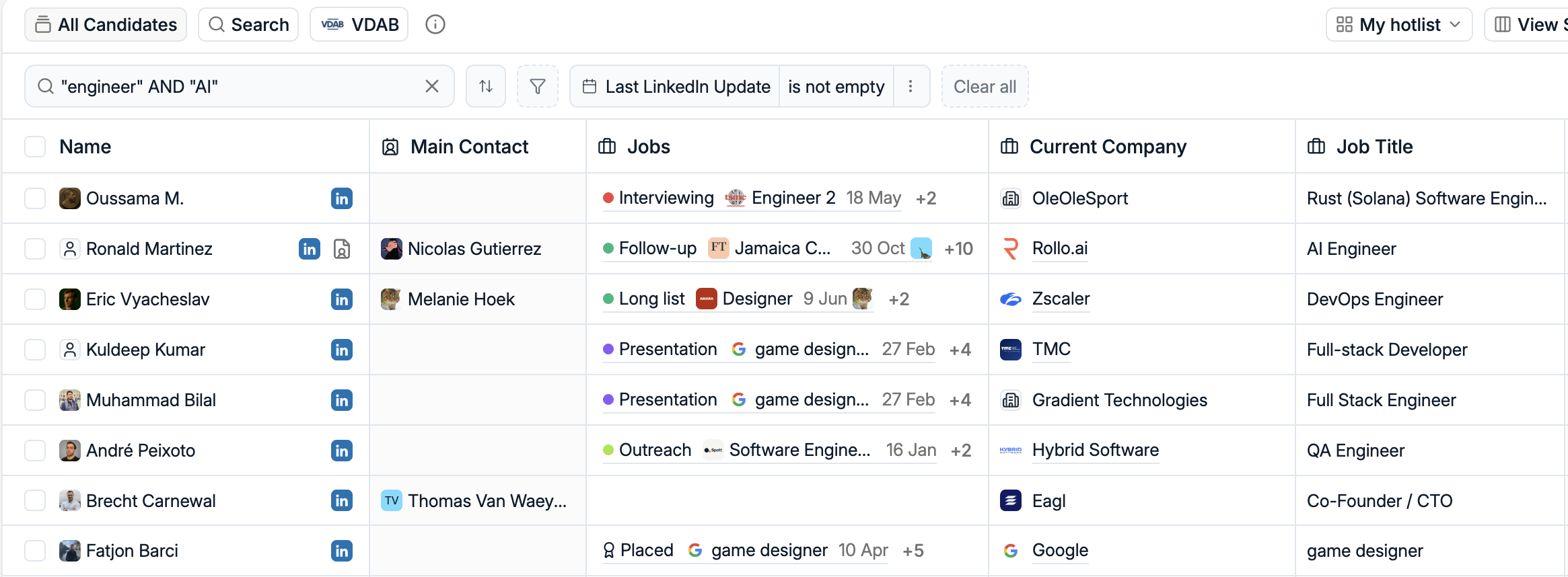
Candidate Search now supports full Boolean queries, including AND, OR, and NOT operators for more precise sourcing. Enter your search using Boolean syntax, and Spott automatically detects and switches into Boolean mode when quotes are used.
For power users, that means much greater control over your results without leaving the search bar.
Candidates as Cards
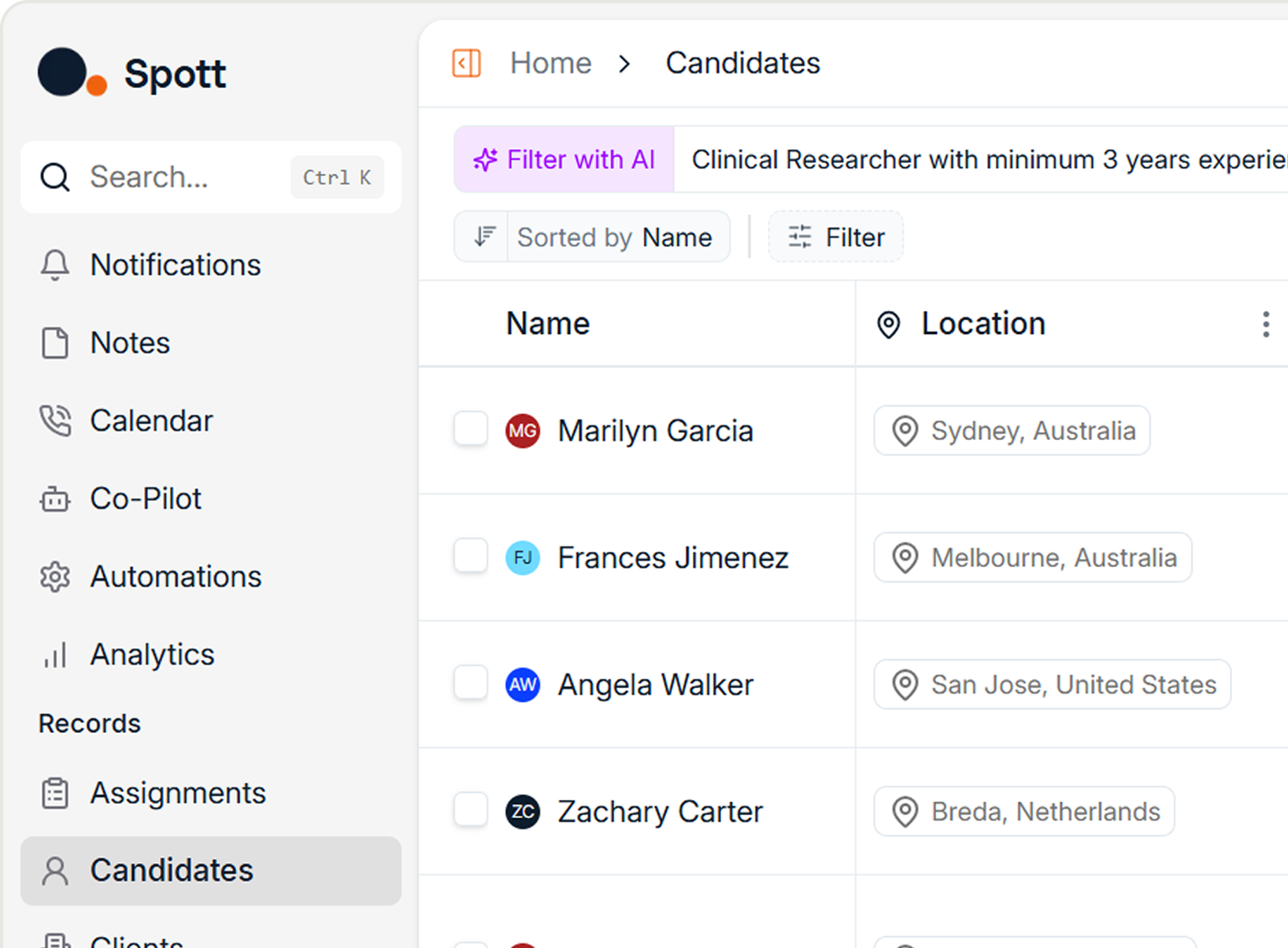
Candidates can now be viewed in a card layout in addition to the traditional table view. Fewer records are visible at once, but each card provides richer context and key details at a glance, giving you a more visual way to browse and review talent.

More improvements this month
June also brought a couple of upgrades for teams that live in reporting and placement data.
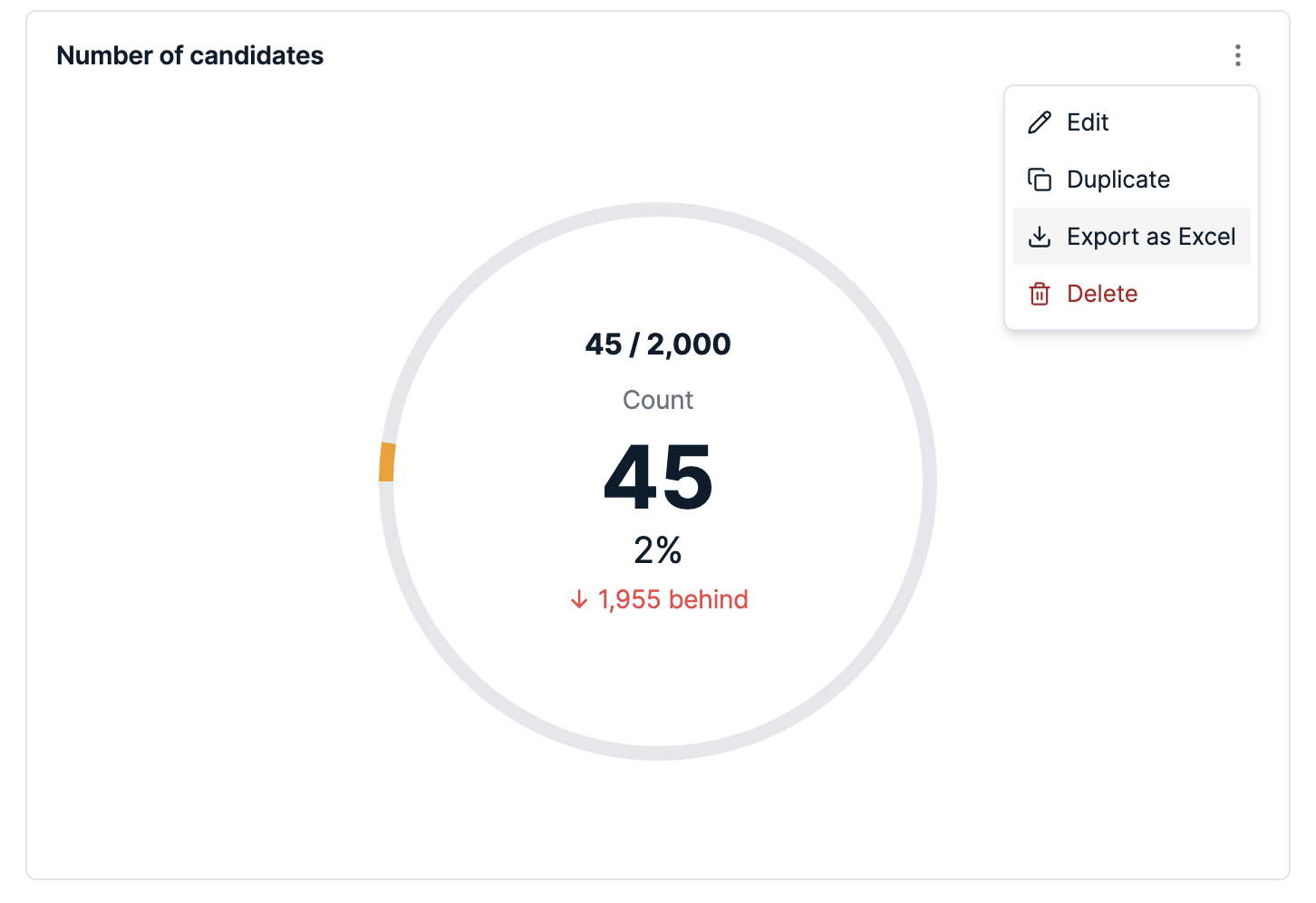
Analytics exports to Excel. You can now export analytics drilldowns directly to Excel for additional analysis and modeling, giving teams more flexibility when working with data in their preferred BI tools. From any Report, hit the dots at the top right to find the 'Export to Excel' option.
Placement form exports. Placement exports now include nested form values directly in the Excel output, so you can analyze placement data without manually combining information from multiple sources. The additional fields are available immediately for reporting and BI workflows.

Vente integration. Spott now connects with Vente, which scans the web for live hiring signals - open roles with hiring manager contacts - and pushes them straight into Spott. New business development leads land in your workspace automatically, so you can reach out to companies that are actively hiring without leaving Spott.
That's a wrap on June
As always, keep the feedback coming. It shapes what we build next.
If you're not on Spott yet and want to see what an AI-native ATS looks like, book a demo.
See you in July. 👋

Frequently Asked
Open any publicly visible job posting on the web and use the Spott Browser Extension to import it directly into your workspace. Spott pulls the details in so you don't have to recreate the job manually. Make sure your extension is updated to version 2.0.31 or later to see this functionality.
Yes. You can now create, reschedule, and cancel calendar invites directly from the Calendar in Spott, and view your teammates' calendars to make scheduling easier. Calendar management is fully integrated, so you no longer need to jump between Spott and a separate calendar app to book time.
Yes. Candidate Search now supports full Boolean queries using AND, OR, and NOT operators for more precise sourcing. Enter your search using Boolean syntax, and Spott automatically detects and switches into Boolean mode when quotes are used, giving power users much greater control over their results.
Candidate-to-job matching now includes workflow actions you can take straight from the match results. You can pitch candidates to multiple jobs or bulk present them to clients in just a few clicks, so matches turn into pipeline activity faster instead of requiring separate manual steps.



Outp(l)ace everyone.
You can’t win tomorrow’s placements
with yesterday’s tools.