ATS and CRM in One: Why the Best Recruiting Firms Stopped Using Separate Systems
TL;DR
- Most recruiting firms run a separate ATS for candidates and CRM for clients. This creates real problems that compound over time.
- Duplicate data entry, lost context between teams, broken reporting, and AI that only sees half the picture.
- Recruiters spend up to 40% of their time on administrative tasks. Disconnected systems are a major driver.
- Unified platforms eliminate the overhead: one database, one search bar, one source of truth.
- If you're evaluating a combined ATS and CRM, look for a platform built unified from day one, not two tools acquired and stitched together.
What Is a Unified ATS and CRM?
A unified ATS and CRM is a single recruiting platform that manages both candidate tracking and client relationship management in one shared system. Instead of running a separate applicant tracking system for candidates and a separate CRM for clients and business development, a unified platform connects both sides of the recruiting workflow in one database. This means every note, call summary, email, and pipeline update lives in the same place, searchable and accessible to the entire team.
The Real Cost of Running Separate Systems
On paper, having a dedicated ATS and a dedicated CRM sounds reasonable. Each tool is "best in class" for its function. In reality, the split creates problems that compound over time.
Context gets lost between systems. A client tells you on a call that they need someone who can handle board level presentations. You log it in your CRM. Two days later, a recruiter on your team is sourcing candidates in the ATS. They never see that note. They send over a strong technical candidate who freezes up in front of executives. That's not a sourcing problem. That's a systems problem. When your client data and candidate data live in separate tools, every handoff is a chance for context to disappear. And in recruiting, context is everything.
Double data entry is killing productivity. Your recruiters are logging the same information twice. Call notes in the CRM. Candidate updates in the ATS. Activity in both. Status changes in both. And then someone still asks, "Wait, where's the latest on this?" Recruiters spend up to 40% of their time on administrative tasks. A significant chunk of that is keeping two systems in sync. That's time not spent building relationships, sourcing candidates, or closing deals.
Reporting becomes a project. Want to know your time to fill by client? Your placement rate by recruiter? Revenue per client with candidate source data attached? With separate systems, answering these questions means exporting data from two places, merging it in a spreadsheet, and hoping the records match. That's not analytics. That's a homework assignment.
And integrations don't actually solve it. "But they integrate!" Sure. Most ATS to CRM integrations sync a handful of fields on a delay. They don't share context. They don't share notes. They don't share the nuance from your conversations. An integration that syncs a candidate's name and status from your ATS to your CRM isn't giving you a unified view. It's giving you a shallow copy. The moment you need to understand the full picture, you're back to clicking between tabs.
Separate ATS and CRM vs. Unified Platform
Bottom line: Unified platforms reduce admin overhead and give your team and your AI access to the full picture. Separate systems force you to choose between speed and completeness.
What Changes With a Unified Platform
When your ATS and CRM are genuinely one system, not two tools duct taped together, a few things shift.
One record, one truth. A candidate is also a contact. A client conversation reveals candidate requirements. A placement connects both sides of your business. In a unified platform, all of this lives in one place. No syncing. No duplicate records. No "which system has the latest version?" When a recruiter reads a client note, they see it in the same workspace where they're sourcing candidates. When a BD lead creates an opportunity, the recruiting team sees the requirements immediately.
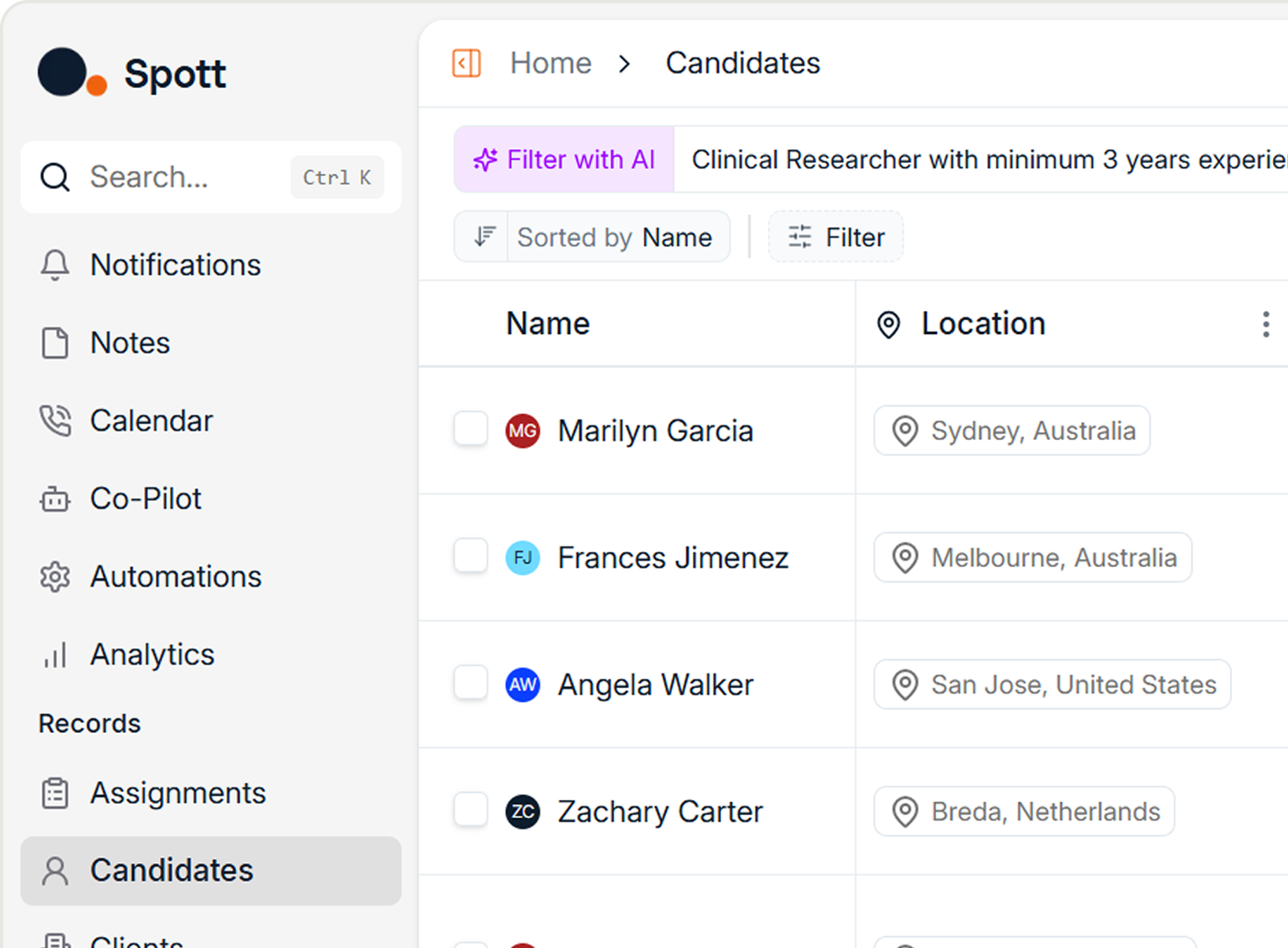
Your notes become searchable across everything. In separate systems, your client notes and candidate notes live in different databases. You can't search across them. In a unified system, every note, every call summary, every email thread is part of the same searchable pool. "Which client mentioned they're expanding their data team?" and "Which candidates have fintech experience and mentioned wanting equity?" Both answered from the same search bar.
Faster candidate presentations. Here's where unified platforms create obvious speed advantages. A client calls with an urgent role. In a split system, you take the brief in your CRM, switch to your ATS, search for candidates, build a shortlist, then manually create a presentation. In a unified platform, you go from brief to presentation without switching tools. The system already knows the client's preferences, past placements, and feedback patterns. It surfaces relevant candidates immediately, with full context attached.
"The speed to share top candidates with clients is crazy. It makes the whole process feel effortless." That's Savanna from McIlwain Solutions, describing what changes when client and candidate data live in the same system.
Analytics that actually tell you something. Revenue by client. Placement velocity by recruiter. Candidate pipeline by source, filtered by client segment. Win rate by job type. These reports should be trivial to pull. In a unified system, they are, because all the data already lives together. You stop spending Friday afternoons building reports and start spending Monday mornings acting on them.
"But Our Current Setup Works Fine"
Does it? Ask your team these questions:
How many tabs do you have open right now? If the answer is more than one recruiting tool, you're paying a productivity tax every single day.
When was the last time you missed context on a candidate because the note was in the other system? If nobody can remember, either you have perfect processes (unlikely) or nobody noticed the miss (more likely).
How long does it take to build a pipeline report that combines client and candidate data? If the answer is "I need to export two CSVs first," you don't have reporting. You have a manual process.
How much time does your team spend on data entry versus actual recruiting? Track it for a week. The number will bother you.
What to Look For in a Unified Recruiting Platform
Not every "all in one" platform is created equal. Some are just an ATS with a contacts tab bolted on and calling it a CRM. Here's what actually matters:
Native, not stitched together. Was the CRM built into the platform from day one, or was it acquired and merged in? You can usually tell by the user experience. If the CRM feels like a different app within the same shell, it probably is.
Shared data layer. Can your team search across client and candidate data simultaneously? Do notes from client calls inform candidate matching? If the two sides don't talk to each other at the data level, it's not really unified.
Context that flows automatically. When you log a client call, does the system extract requirements and surface matching candidates? When a candidate mentions salary expectations in an email, does that context appear when you're preparing a presentation for a client? Automation across both sides of the business is the whole point.
AI that works across both sides. If the platform has AI (and in 2026, it should), does it understand both your client relationships and your candidate pool? AI matching is significantly more accurate when it has access to the full picture: client preferences, past placements, candidate notes, conversation history. Splitting that data across two systems means your AI is working with half the context.
Migration support. Switching from two systems to one sounds painful. It doesn't have to be. Look for platforms that have dedicated migration support and can bring your historical data from both your ATS and CRM into a single system without losing context. Some platforms can complete a full migration in as little as four weeks. Others take four months. Ask about timelines upfront.
The Business Case for Consolidating Your ATS and CRM
Running two systems means paying for two subscriptions, managing two vendors, training your team on two tools, maintaining data in two places, and trusting two sources of truth (which means zero sources of truth).
A unified platform eliminates the overhead. Your team learns one tool. Your data lives in one place. Your reports pull from one source. Your AI has the full picture.
The math usually works out, too. Two mid tier tools often cost more combined than one purpose built unified platform. And that's before you factor in the productivity gains from eliminating the daily tab switching tax.
Who Benefits Most From Combining ATS and CRM
Growing agencies (10 to 50 recruiters) feel the pain most sharply. You're scaling, hiring new recruiters, and the cracks in your two system setup are widening. New hires take longer to onboard because they're learning two tools. Data quality drops because nobody has time to keep both systems updated.
Executive search firms live and die by relationships. The line between "client" and "candidate" is often blurry. Today's placed candidate is tomorrow's hiring client. A unified system handles this naturally. Separate tools make it awkward.
Multi vertical agencies need a system that understands context from healthcare, fintech, manufacturing, and everything in between. That context shouldn't be scattered across two platforms. It should be in one place where your AI can actually learn from patterns across verticals.
How to Switch From Separate ATS and CRM to a Unified Platform
If you're running separate ATS and CRM tools, here's a realistic path forward:
- Audit your current workflow. Track how much time your team spends on data entry, system switching, and manual reporting for one week. Put a number on it.
- Map your must haves. What features from each current tool do you actually use? Most teams discover they're paying for 80% of features they never touch.
- Evaluate unified platforms. Look for native integration (not acquired mergers), AI that works across both sides, and migration support that preserves your historical data.
- Plan the migration. A good vendor will handle the heavy lifting. Your historical candidates, clients, notes, and pipeline data should all come over. Ask about timelines and what "done" looks like.
- Run parallel for two weeks. Give your team time to adjust. Most recruiters prefer the unified setup within the first week, once they stop reaching for the second tool out of habit.
The Bigger Picture
The recruiting technology market is consolidating around unified platforms for a reason. The firms making the most placements aren't the ones with the most tools. They're the ones with the least friction between their data and their decisions.
Separate ATS and CRM setups made sense ten years ago when each tool was genuinely specialized. Today, purpose built unified platforms do both jobs better than the combination, because they were designed for how recruiting actually works.
Your candidates and clients aren't separate. Your data shouldn't be either.
Frequently Asked Questions
What is the difference between an ATS and a CRM in recruiting?
An ATS (Applicant Tracking System) manages the candidate side of recruiting: tracking applicants, managing pipelines, and organizing candidate data. A CRM (Candidate/Client Relationship Management) handles the relationship and business development side: managing client accounts, tracking deals, and nurturing long term relationships. A unified platform combines both functions into one system so recruiters don't have to switch between tools.
Can I integrate my existing ATS and CRM instead of switching to a unified platform?
You can, but integrations typically only sync basic fields like names, statuses, and contact information. They rarely share notes, call summaries, conversation context, or the nuanced data that makes recruiting effective. Most teams that rely on integrations still end up toggling between two systems for the full picture.
How long does it take to migrate from separate systems to a unified ATS and CRM?
Migration timelines vary significantly by vendor. Some platforms with dedicated migration support can complete the process in as little as four weeks, including historical candidate and client data. Others can take 16 weeks or more. Ask specifically about what data transfers over (notes, attachments, pipeline history) and what gets left behind.
Is a unified ATS and CRM better for small agencies or large ones?
Both benefit, but the pain point differs. Growing agencies (10 to 50 recruiters) feel it most acutely because they're scaling and the inefficiency of two systems compounds with every new hire. Larger agencies benefit from consolidated reporting and consistent data quality. Executive search firms benefit because the line between "client" and "candidate" is fluid, and a unified system handles that naturally.
What should I look for when evaluating a unified recruiting platform?
Focus on five things: whether the platform was built unified from day one (not acquired and merged), whether the data layer is truly shared across ATS and CRM functions, whether AI features work across both client and candidate data, the quality of migration support, and how quickly your team can get up and running. Ask for a demo using your own data, not the vendor's polished sample set.
Considering a unified ATS and CRM? See how Spott brings both sides of your business into one AI native platform.

Frequently Asked
Separate ATS and CRM tools force recruiters to log data twice, manually sync records, and merge spreadsheets for basic reporting. Recruiters spend up to 40% of their time on administrative tasks, and much of that comes from keeping two systems aligned. A unified platform eliminates context loss between client and candidate data, so a client requirement like 'candidates must handle board-level presentations' instantly informs sourcing. AI performs significantly better when it works across the full dataset rather than half the picture in each tool. You also cut costs by replacing two subscriptions and integration fees with a single platform.
When client briefs and candidate records live in the same system, recruiters skip the constant tab-switching and manual data transfers that fragment their day. A brief taken during a client call immediately informs candidate sourcing, and the platform surfaces relevant candidates using client preferences, past placement patterns, and feedback history. Notes, call summaries, and emails become searchable across both client and candidate data simultaneously. Spott's AI-native architecture captures context from every interaction and uses it to match candidates with precision, dramatically reducing time from brief to candidate presentation.
Focus on five criteria. First, check whether the CRM was built natively into the platform from day one or acquired and bolted on, because UX quality reveals the difference. Second, confirm teams can search across client and candidate data simultaneously. Third, verify that client call logs automatically extract requirements and surface matching candidates. Fourth, ensure AI works across both the client relationship side and candidate pools rather than operating on split data. Finally, evaluate migration support carefully, and look for vendors that handle historical data from both your ATS and CRM without losing context. Spott completes migrations in as little as four weeks compared to 16 or more weeks with some alternatives.
Growing agencies with 10 to 50 recruiters feel the pain most acutely because every new hire takes longer to onboard when they must learn two separate tools, and data quality drops as the team scales. Executive search firms gain a major advantage since senior-level contacts frequently shift between candidate and client roles, and a unified system treats that fluidity naturally within one record. Multi-vertical agencies operating across sectors like healthcare, fintech, and manufacturing need unified context without scattering information across platforms. Start by auditing the time your team spends on double data entry, system switching, and manual reporting to quantify the cost of staying on separate tools.

Outp(l)ace everyone.
You can’t win tomorrow’s placements
with yesterday’s tools.