Spott Updates - February 2026
February was our biggest product month to date at Spott.
We shipped a full AI intelligence layer that turns every call, meeting, and interaction into actionable context, plus major upgrades to outreach campaigns, integrations, pipeline views, and workflow automation.
TL;DR (What's New)
- Ask AI on any candidate, contact, or meeting transcript
- Suggested field updates after calls and meetings
- Suggested follow-up tasks after every conversation
- Personal digests for every candidate
- Campaign steps for WhatsApp, LinkedIn, phone, and more
- CV Maildrop to create profiles via email
- Email notifications when you're away
- Webhook support for external automations
- Analytics drilldowns
- Juicebox, Pin, and RingOver integrations
- Pipeline view customization with Excel export
- Customizable task labels
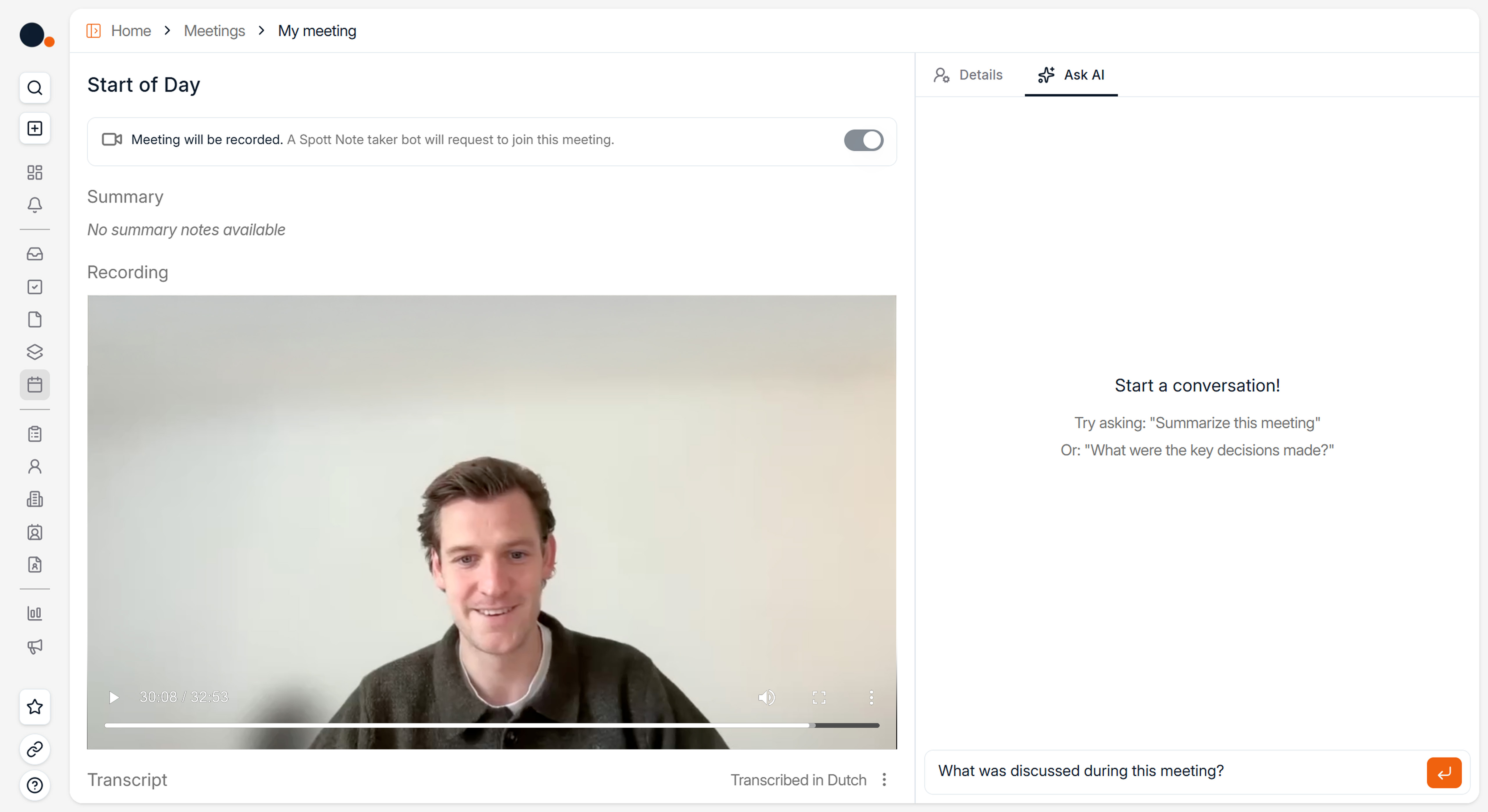
Big News: Ask AI
You can now ask questions on any Candidate, Contact, or meeting transcript and instantly get answers drawn from notes, files, calls, and past interactions.
Use it to:
- Get a quick summary of a candidate's background
- Surface salary expectations or availability from past conversations
- Prepare client updates from a meeting transcript
- Find specific details buried in notes or files
Suggested tasks and field updates from meetings are also surfaced directly on the meeting page for easier access.
No digging. Full context in seconds.
Suggested Field Updates
After calls and meetings, Spott suggests updates to your ATS fields based on what was discussed.
For example, if a candidate mentions a new job title, updated salary expectations, or a change in availability, Spott picks it up and suggests the update for you.
Review and apply ATS updates in one click.
No more manual cleanup after each conversation.

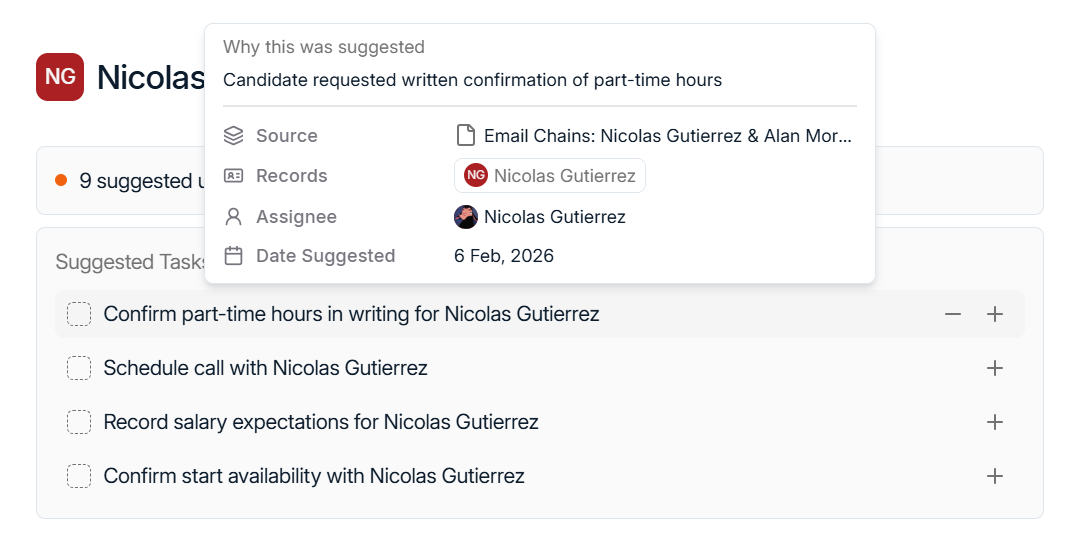
Suggested Tasks
Spott now suggests follow-up tasks after every conversation.
Each suggestion includes the source and reasoning, so you can decide with confidence. For example:
- Send a follow-up email to a candidate who mentioned interest
- Schedule a client debrief after a screening call
- Request references discussed during a meeting
Review, accept, or reject suggested tasks before they enter your workflow.
Personal Digests
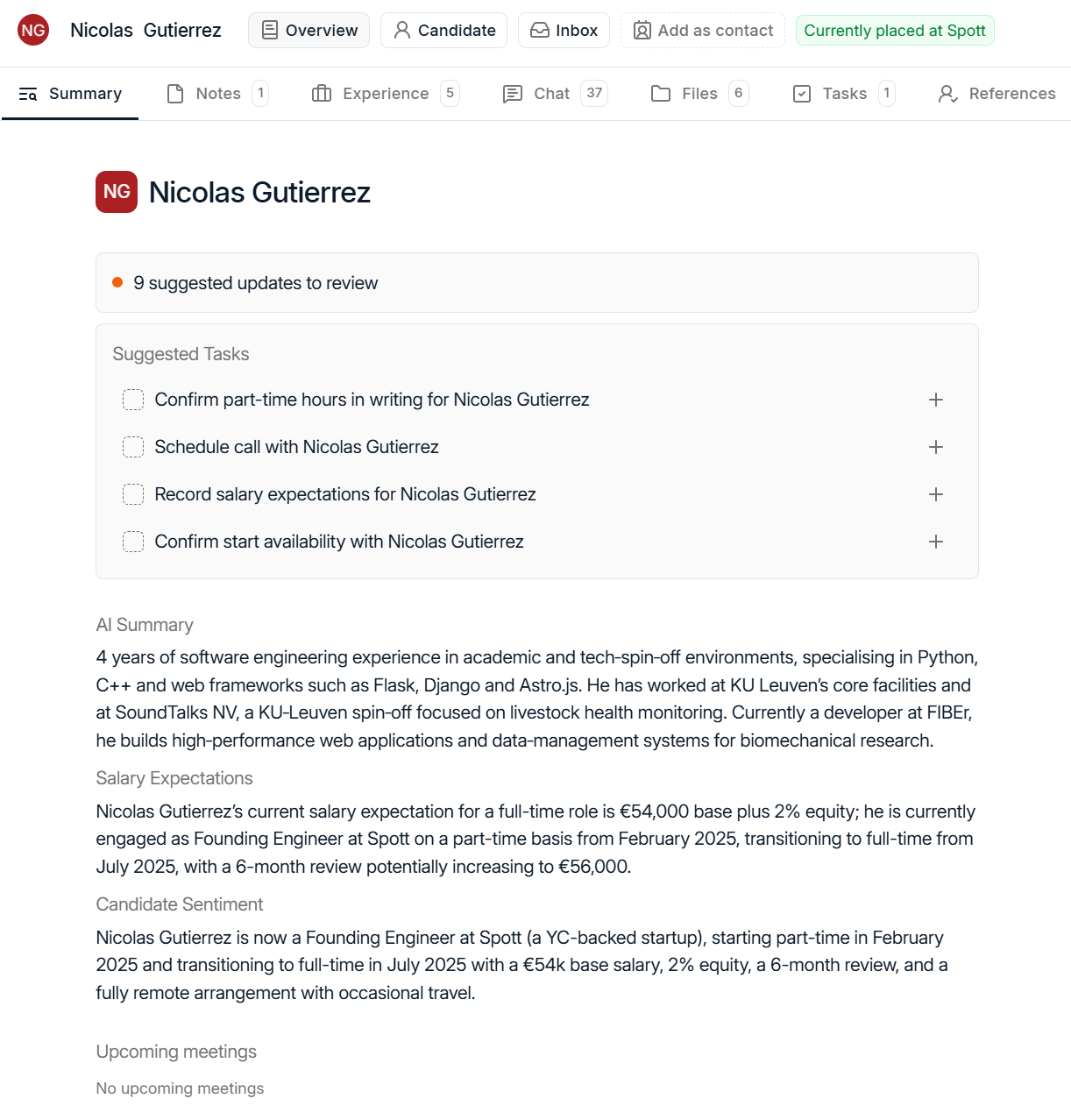
Every candidate now has a live digest that pulls together everything you need at a glance:
- Profile summary
- Salary expectations
- Recent sentiment
- Upcoming meetings
The digest automatically updates as new notes and interactions come in, so you always have the latest context without clicking through multiple tabs.
Campaign Improvements
Outreach campaigns got a significant upgrade.
In addition to email steps, you can now add manual step variations including:
- WhatsApp messages
- LinkedIn messages
- Phone calls
- LinkedIn connection requests
- General tasks
Business hours can also be configured for sending, so your outreach lands at the right time.
All generated tasks integrate seamlessly with the existing task system.

CV Maildrop
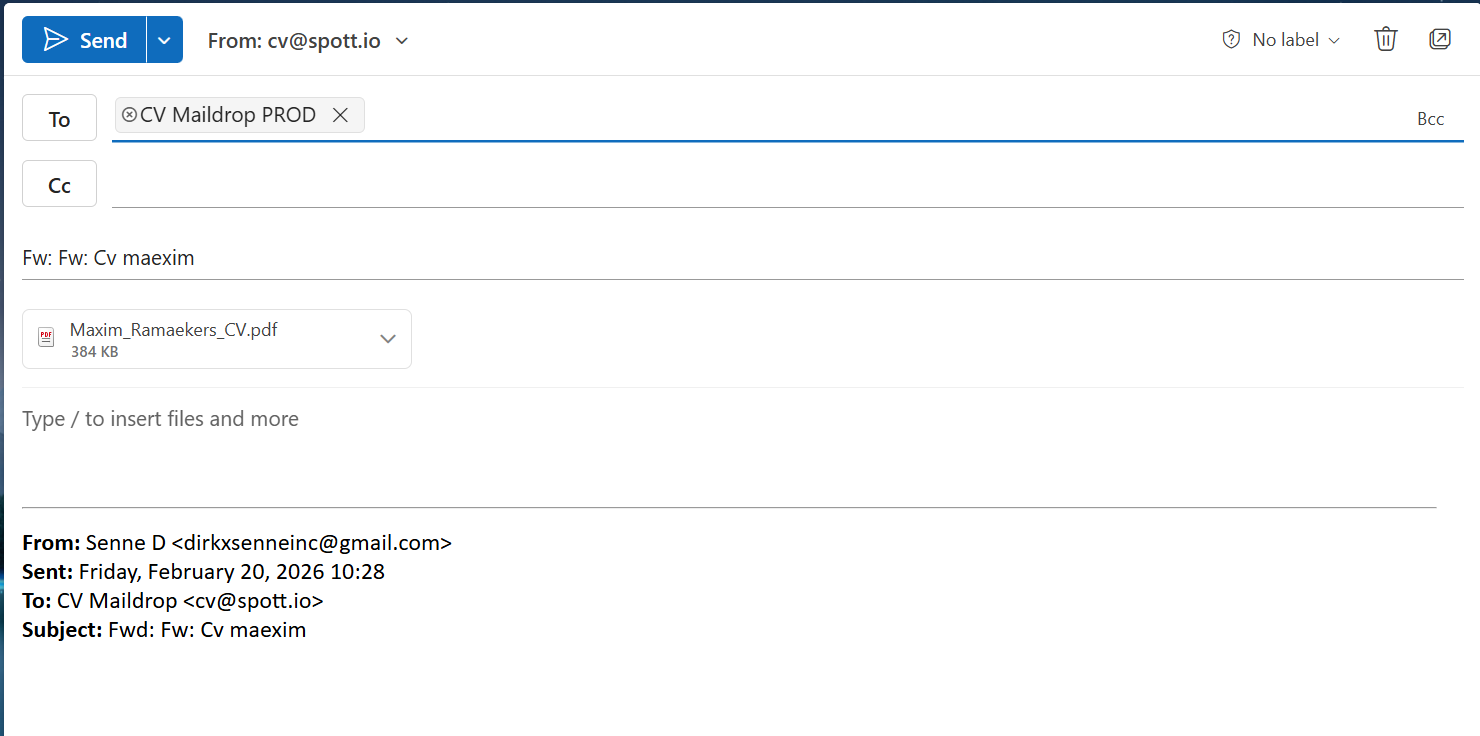
You can now forward CVs to cv@spott.io to automatically create Candidate profiles in Spott.
Here's how it works:
- Forward any CV attachment to cv@spott.io
- Spott parses the CV and creates a new candidate profile
- Duplicates are automatically detected and enriched with new information only
- You receive an email notification if processing fails for any reason
From inbox to pipeline, without logging in.
Email Notifications
Notifications can now be received via email when you're away from Spott. This ensures you receive important updates even when you're not logged in.
Configure your preferences here: Settings → Notifications
Webhooks
We're launching support for webhooks to enable deeper automations with Spott.
Advanced users can subscribe to events such as:
- Placement Created
- Candidate Updated
This opens up more flexibility for teams integrating Spott with external tools and workflows.
Webhooks can be configured here: Settings → Webhooks (admin only)
Analytics Drilldowns
We're introducing Analytics Drilldowns, allowing you to click through on Reports to see the underlying data driving your metrics.
Instead of just seeing a number, you can now drill into the contributing records to understand exactly what's behind your results.
This feature is currently available in alpha as we continue refining the experience.
Juicebox, Pin, and RingOver Integrations
New integrations with your favorite recruiting tools are now live:
- Juicebox and Pin for sourcing workflows
- RingOver as an additional VoIP provider alongside Aircall
This gives teams more flexibility in how they source and communicate with candidates and contacts.
Admins can configure integrations here: Settings → Integrations
Pipeline View Customization
The Job pipeline has received a significant upgrade.
You can now:
- Display any candidate attribute in both list and Kanban views
- Apply all supported sorts and filters, such as Application Owner
- Collapse stages in the board view
- Export the full pipeline, including rejected candidates, to Excel
This makes pipeline management faster and gives you more control when preparing reports and client materials.
Task Labels
Tasks now support fully customizable labels, allowing you to tag them for specific purposes such as:
- Business development
- Internal follow-ups
- Client outreach
Labels are fully configurable and supported in filters, similar to note labels, for easier organization and reporting.
Admins can configure labels here: Settings → Tasks
Looking Ahead
February brought a full AI intelligence layer to Spott, alongside major upgrades to campaigns, integrations, pipeline management, and workflow automation.
We're continuing to build on this foundation with more AI capabilities and automation improvements coming next month.
As always, thanks for building with Spott.