Spott Update - August 2026
Hey there 👋
August was about keeping every conversation in one place. SMS and WhatsApp Business joined your inbox, Comments landed on your records, and the Company Portal, Calendar and filters all got meaningfully better along the way.
Grab a coffee. Here is what shipped. ☕️
TL;DR
- SMS in Spott - Send and receive texts through your VoIP number, stored on the record they belong to
- WhatsApp Business - Reach multiple recipients in bulk with approved templates
- Comments - Discuss Candidates, Contacts, Companies and Notes where the context lives, with @mentions
- Bulk Contact actions - Select every Contact on a Company, Job or Opportunity and email, present or enroll them in one go
- Company Portal pre-sets - New portals start from your preferred setup, default files included
- Calendar refresh - A cleaner Calendar with an overview of every meeting linked to your records
- Relative date filters - "Last 30 days" filters that move with the calendar, so saved views stay current
- Plus: a cleaner Notes layout, refreshed documentation, VAT and credit checks on new clients, faster call syncing, and a stack of new Automation triggers
Big news
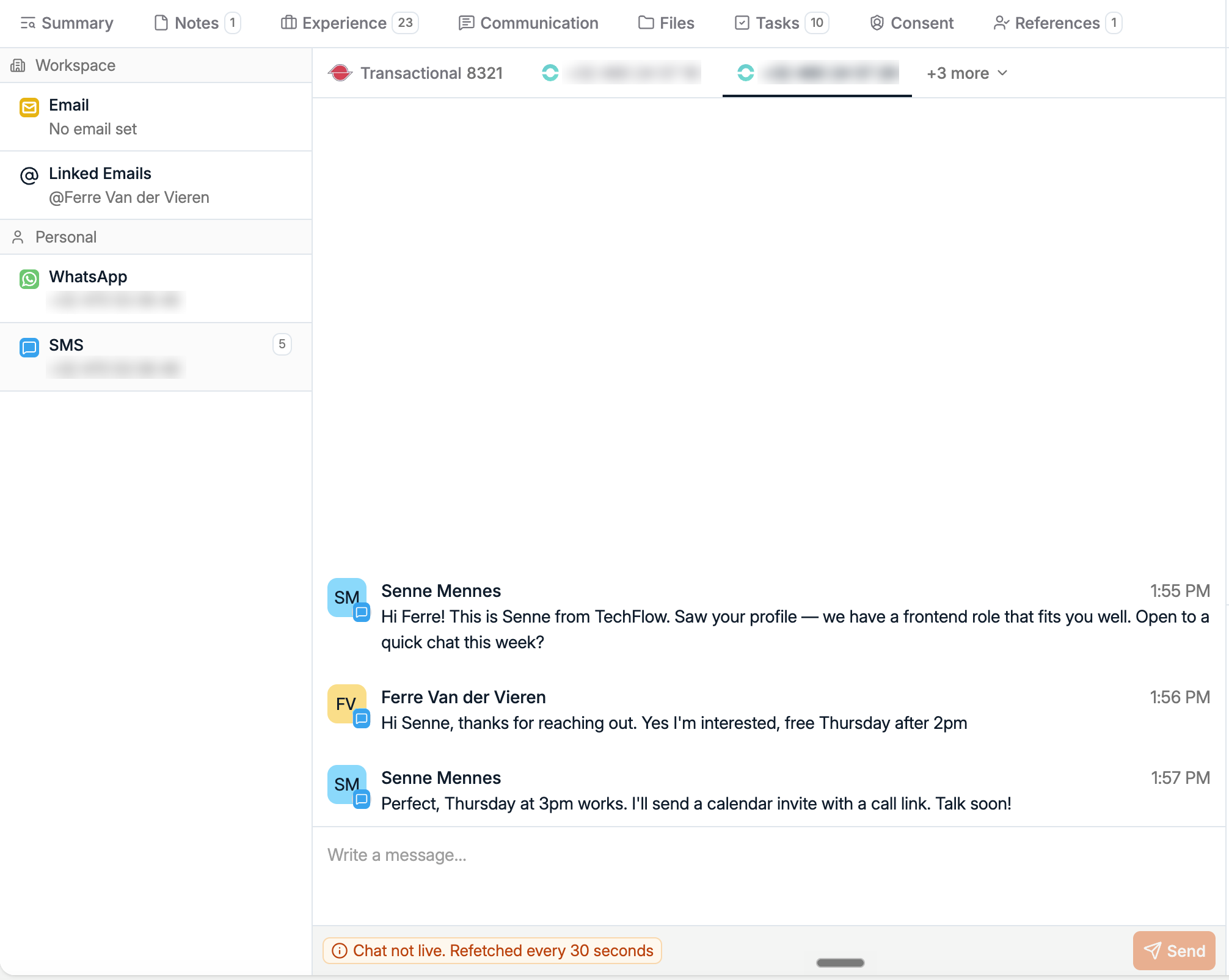
Send and receive SMS from Spott
Text messages get answered when emails do not. You can now send and receive SMS directly from Spott using SMS-capable numbers from your VoIP provider, with initial support for RingRing, RingCentral, Ringover and Aircall.
Every text lands on the Candidate or Contact record it belongs to, right next to your calls and emails. One more conversation that no longer lives on someone's personal phone.
WhatsApp Business, built for outreach at scale
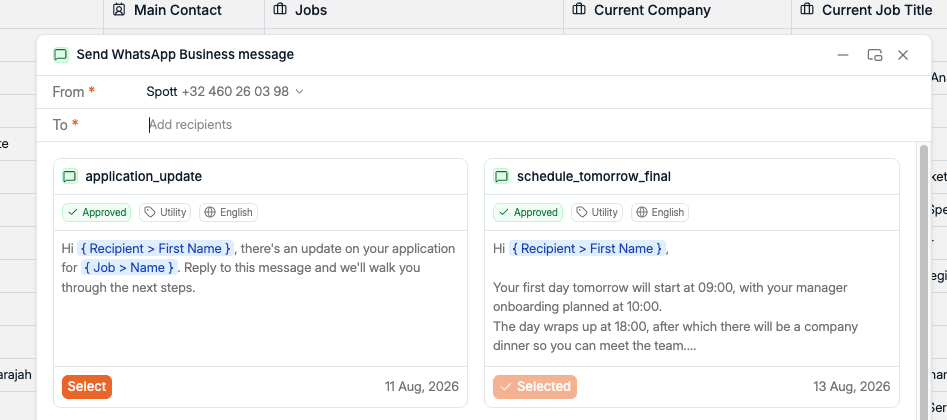
We also added a WhatsApp Business integration for sending messages directly from Spott. Use approved templates to reach multiple recipients in bulk, which makes WhatsApp a scalable part of your outreach workflows instead of a side channel you manage by hand.
Set up the integration from Settings > Accounts.
Comments, right where the context lives
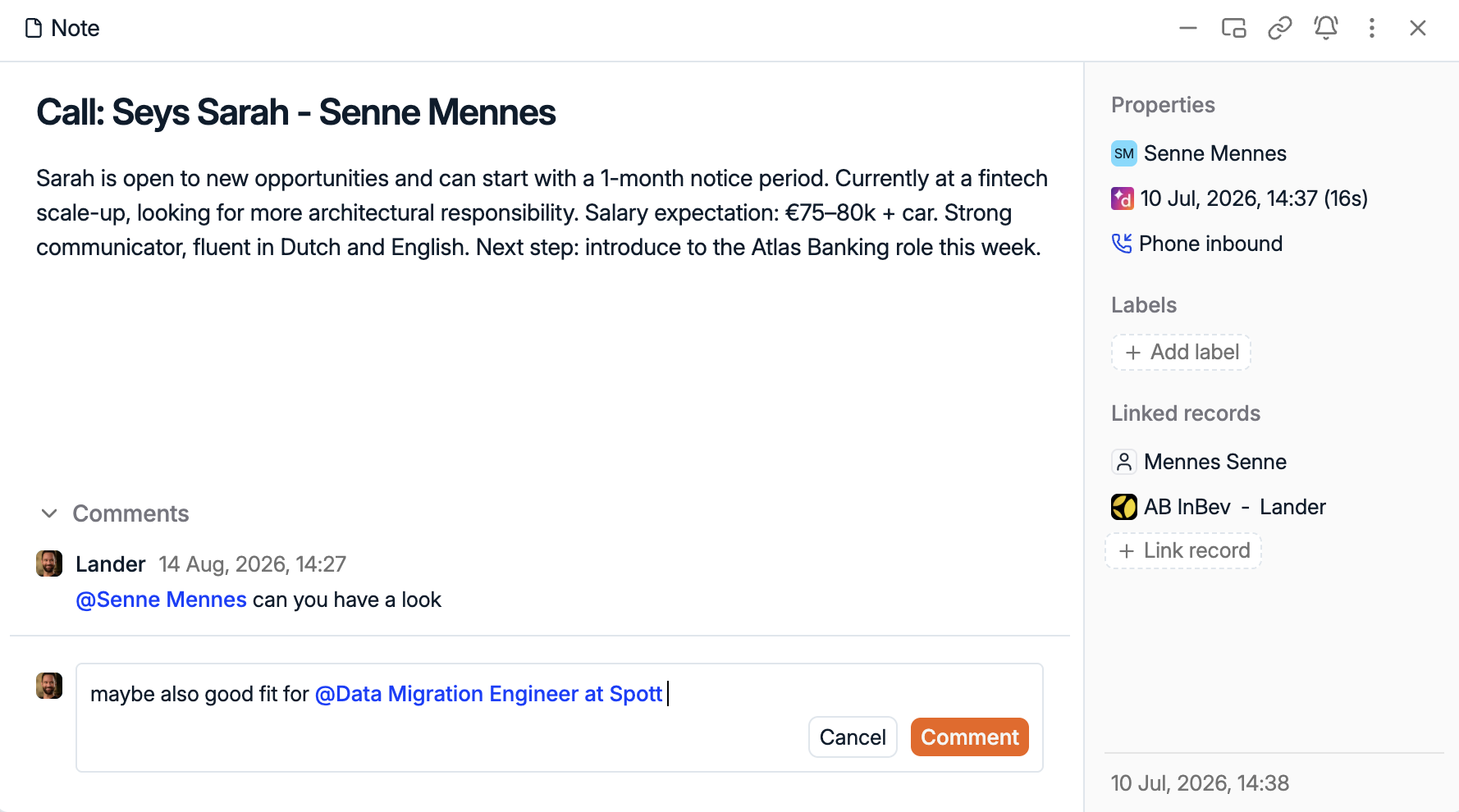
We added Comments to Candidates, Contacts, Companies and Notes. Discuss a record directly on the record, instead of losing the conversation in a chat thread somewhere else. @mention a teammate and they get an in-app or email notification.
Comments are also supported in the Browser Extension, so the discussion travels with you.
Bulk actions on every Contact of a deal
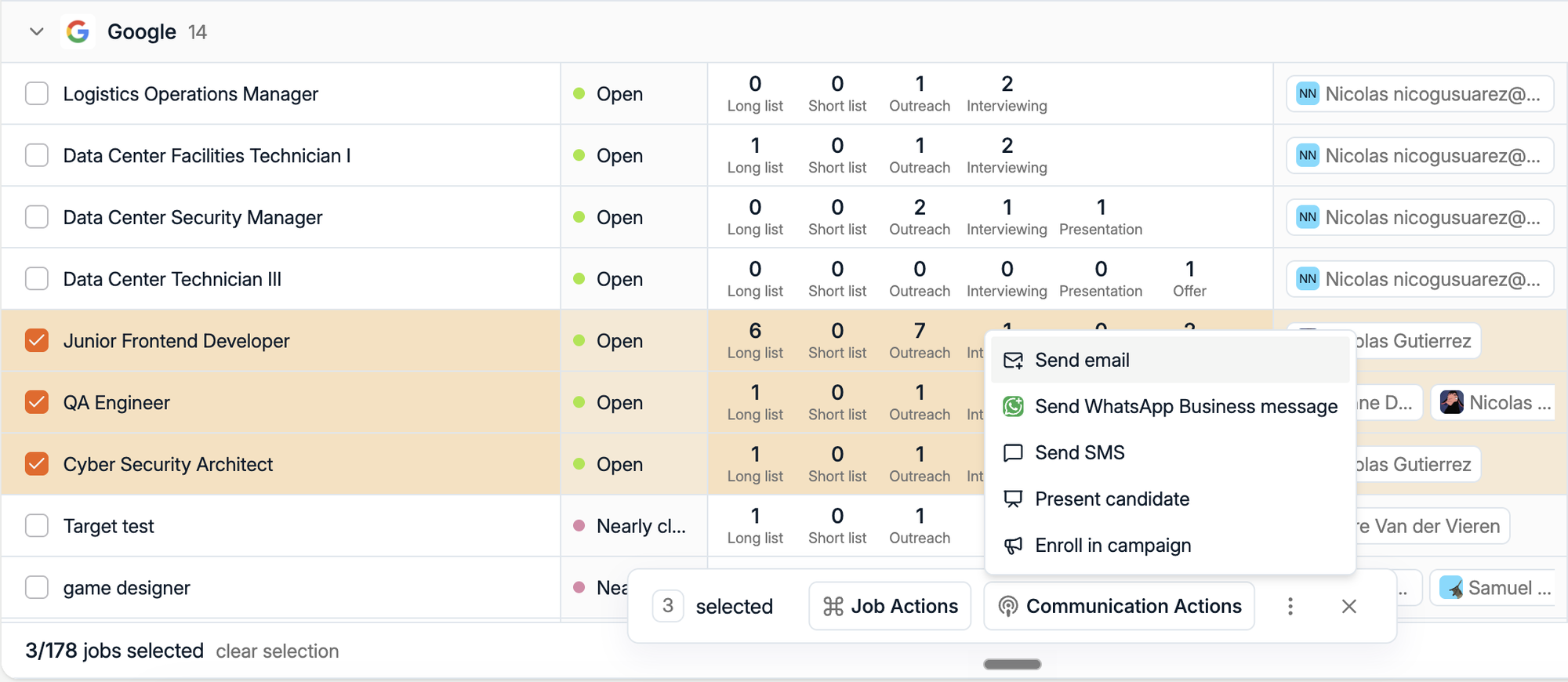
You can now select all Contacts linked to a Company, Job or Opportunity directly from the table views. From there, enroll them in a campaign, present to them, or send an email in one go. No more opening each record and picking Contacts one at a time.
Company Portal pre-sets
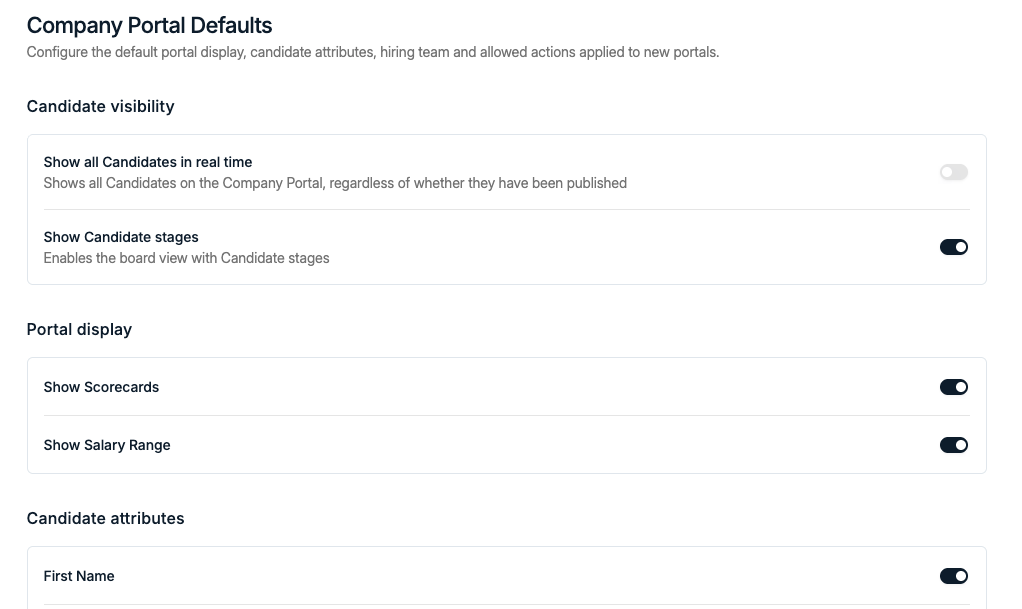
Company Portals now support default pre-sets, so a new portal starts with your preferred configuration instead of being set up from scratch every time. You can also configure default files, such as your Terms of Business, to be attached automatically.
Admins configure portal pre-sets from Settings > General.
A refreshed Calendar
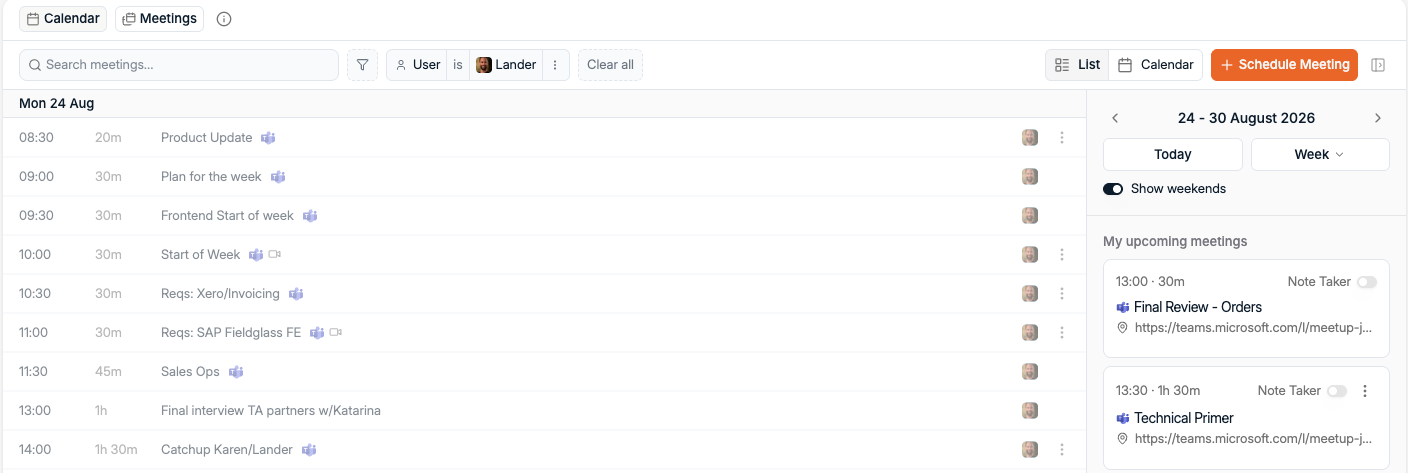
The Calendar got a cleaner, more polished experience, and you can now see an overview of all scheduled meetings linked to Spott records. One look tells you who your team has been in touch with, and when.
Relative date filters
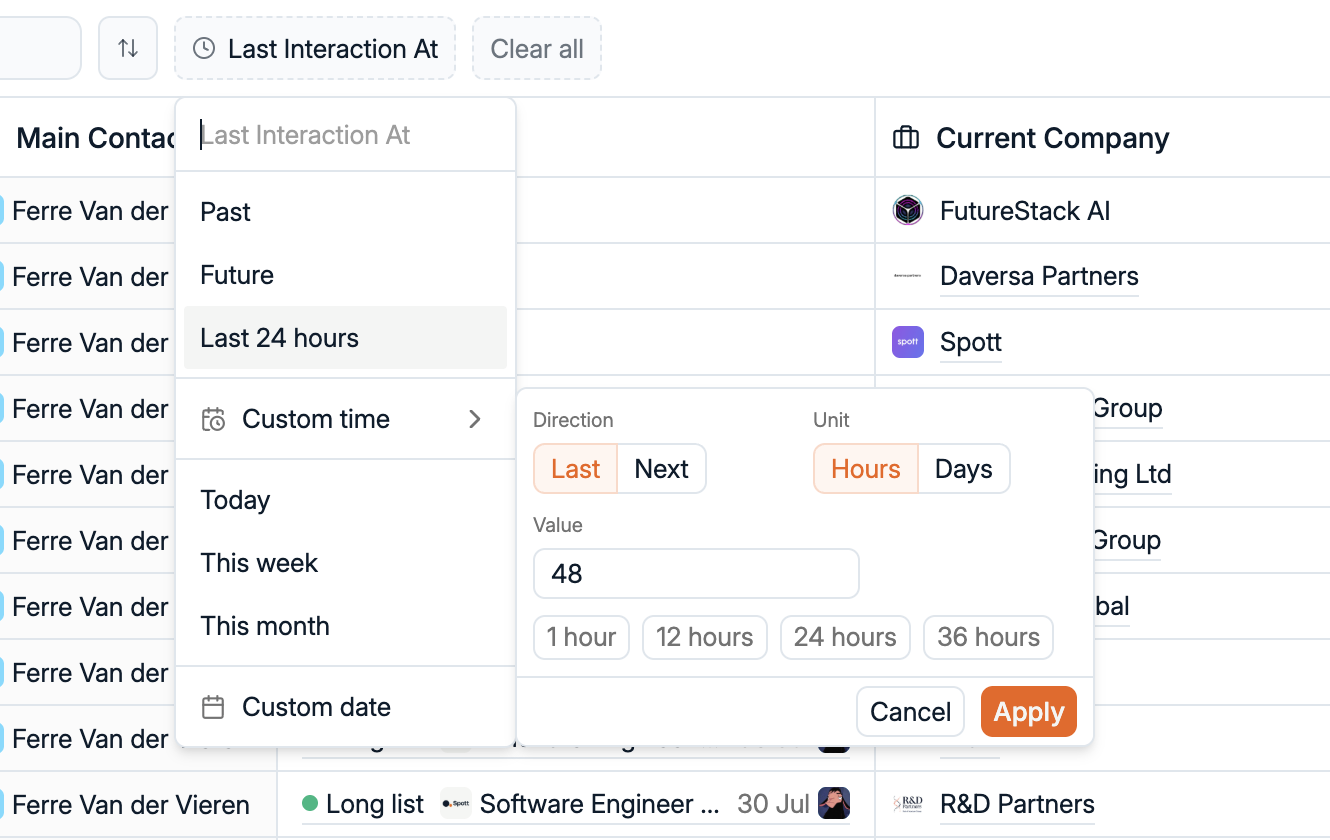
Filters now support relative dates and times, like "Last 30 days" or "Last 48 hours." Unlike fixed ranges, these move with the current date, so your saved views and filters always stay up to date.
New documentation
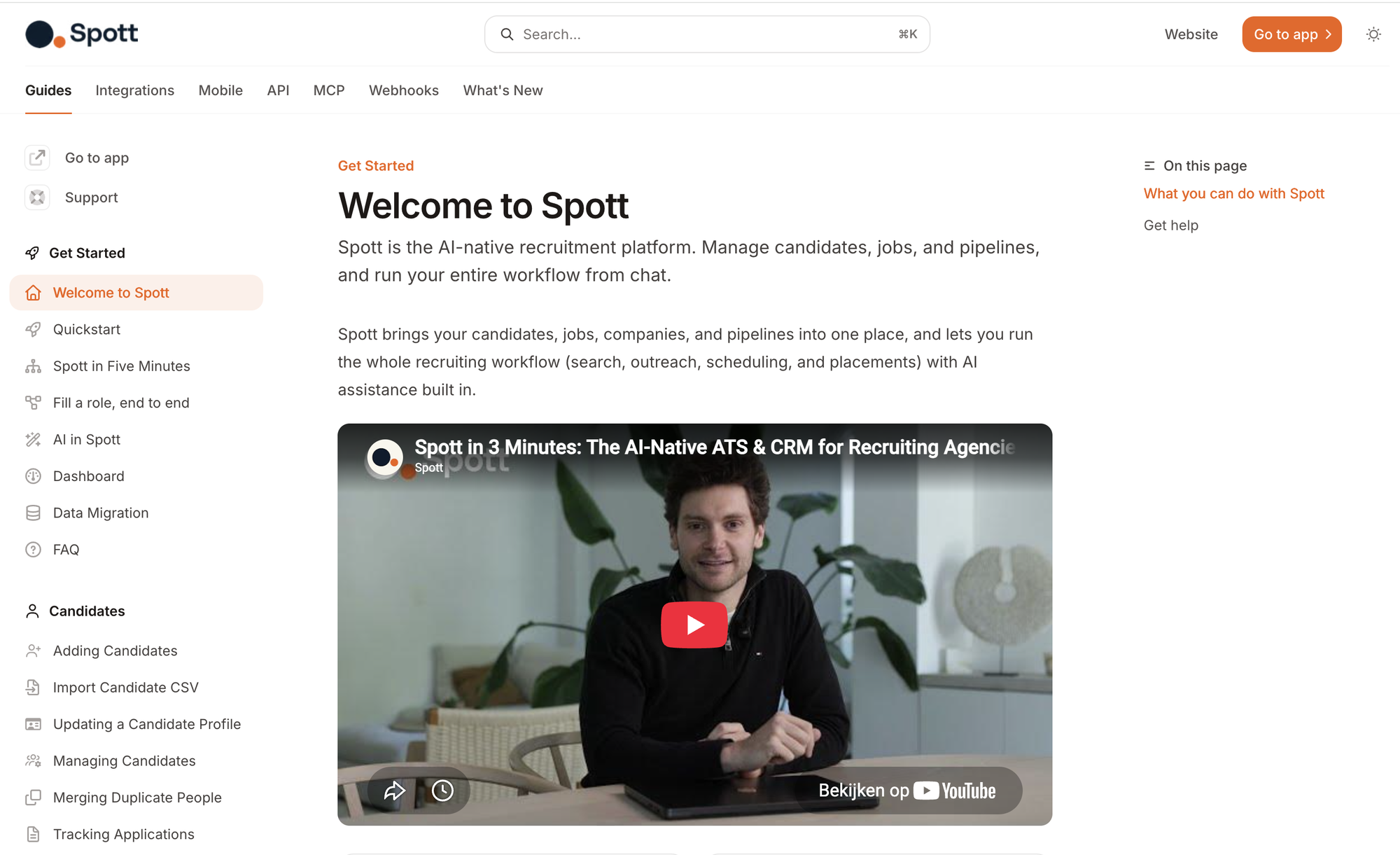
Our docs got a major refresh, including new Getting Started guides covering the latest Spott functionality, and the in-platform help links now take you straight to the most relevant page. Check it out at docs.spott.io.
More improvements this month
A lot more shipped in August. The highlights:
- A cleaner Notes layout - labels and metadata now sit in a side panel instead of a wall of badges
- Client checks on creation - VIES VAT checks, CreditSafe credit checks and DataChecker identity verification
- Faster call syncing - VOIPPlay calls arrive through webhooks now, from around 10 minutes down to under 1
- More Automation triggers - Opportunity created, moved and updated, Client created, Client file expired and Reference created, plus Opportunity and Client update actions
- Browser Extension upgrades - Comments, Contacts at brand-new Companies, and Opportunity import from a URL
- Sharper lists - bulk-reject candidates, job board posting columns, continent and area code filters, and arrow-key navigation through Jobs
- Email tweaks - campaign daily limits per account, a font size selector in every dialog, and Aptos as a font family
- Plus the small stuff - redesigned notifications with read and unread tabs, People-only Global Search, a default job description language, cv@spott.io setting the Main Contact automatically, Pin as a direct integration with no fee, eSignature completion notifications, and Spott MCP support for creating Contacts and Companies
That's a wrap on August
Four weeks of shipping, and a lot of it came straight from your feedback. Keep it coming.
If you're not on Spott yet and want to see what an AI-native ATS looks like, book a demo.
See you in September. 👋