Spott Updates - March 2026
Hey there 👋
March was packed. We shipped pipeline automations, scorecards, flexible dashboards, and a bunch of workflow improvements that cut clicks and keep things moving. Plus, we're kicking off something new: biweekly live sessions with the team.
TL;DR (What's New)
- Pipeline automations
- Biweekly live sessions (starting 8 April)
- Scorecards for job-based candidate evaluation
- Opportunities for complex sales workflows
- Flexible dashboards with targets and visual refresh
- Agentic CSV import
- Inbound bulk actions
- Send note reminders
- RingCentral integration
- Native translations (French, Spanish, Dutch, German)
- Better FOREX rates
Pipeline Automations
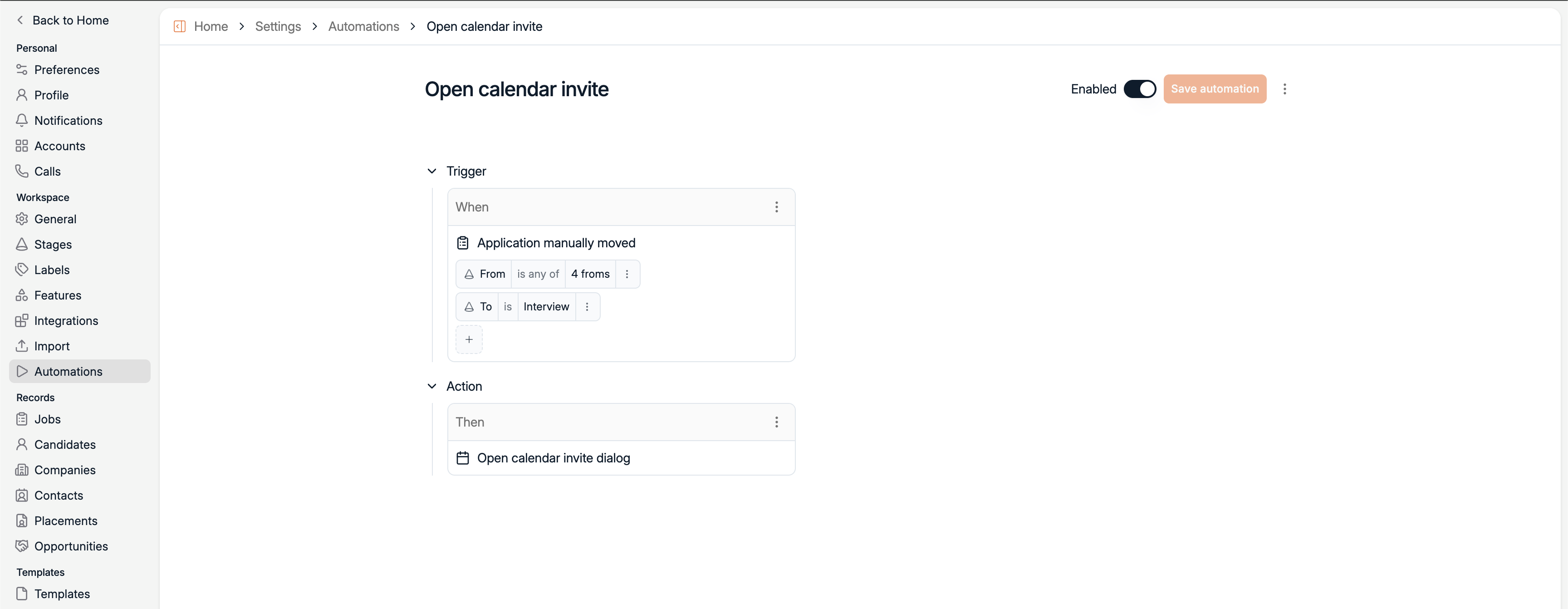
You can now configure actions that trigger automatically when candidates move between pipeline stages - like opening an email composer, creating a calendar invite, or launching the interview dialog.
Set it up once under Settings → Automations, and let the pipeline do the work.
Biweekly Live Sessions
Starting 8 April, we'll be hosting biweekly live sessions open to all Spott users every Wednesday.
Each session covers new product features with a live walkthrough, followed by an open Q&A where you can ask anything directly to the team.
It's the fastest way to stay up to date and get your questions answered.
.png)
Scorecards
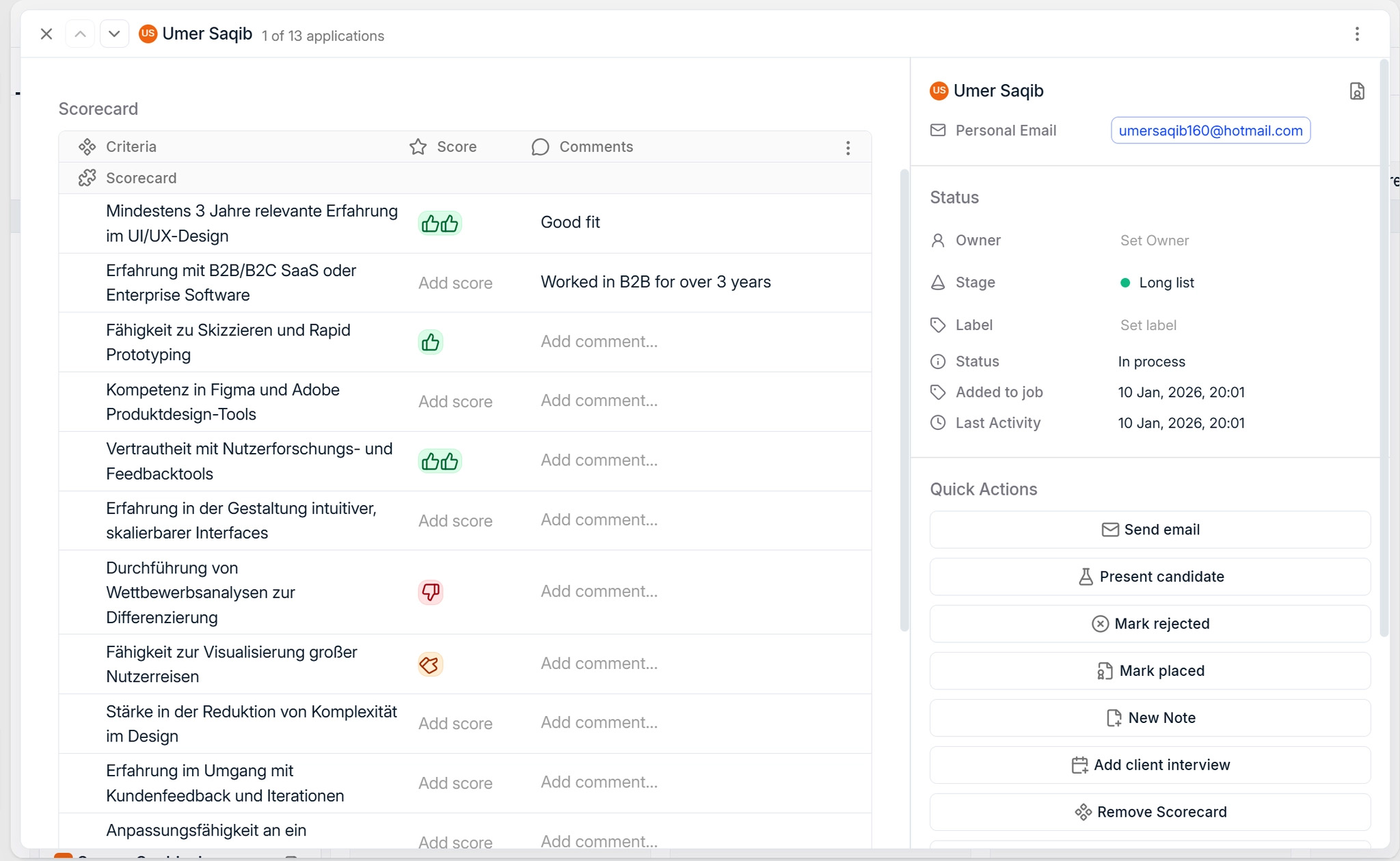
Job-based scorecards let you capture 1 - 5 ratings and comments per candidate, tied to the specific role. Feedback stays contextual instead of generic.
We've also refreshed the application dialog with a more spacious layout and quicker access to key actions.
Opportunities
For teams managing more complex sales workflows, Spott now supports Opportunities.
Create and track deals with separate owners, configurable stages, probabilities, and integrated tasks and notes. Ideal for consultancy projects, BD initiatives, or deals not tied to a specific Job.

Flexible Dashboards
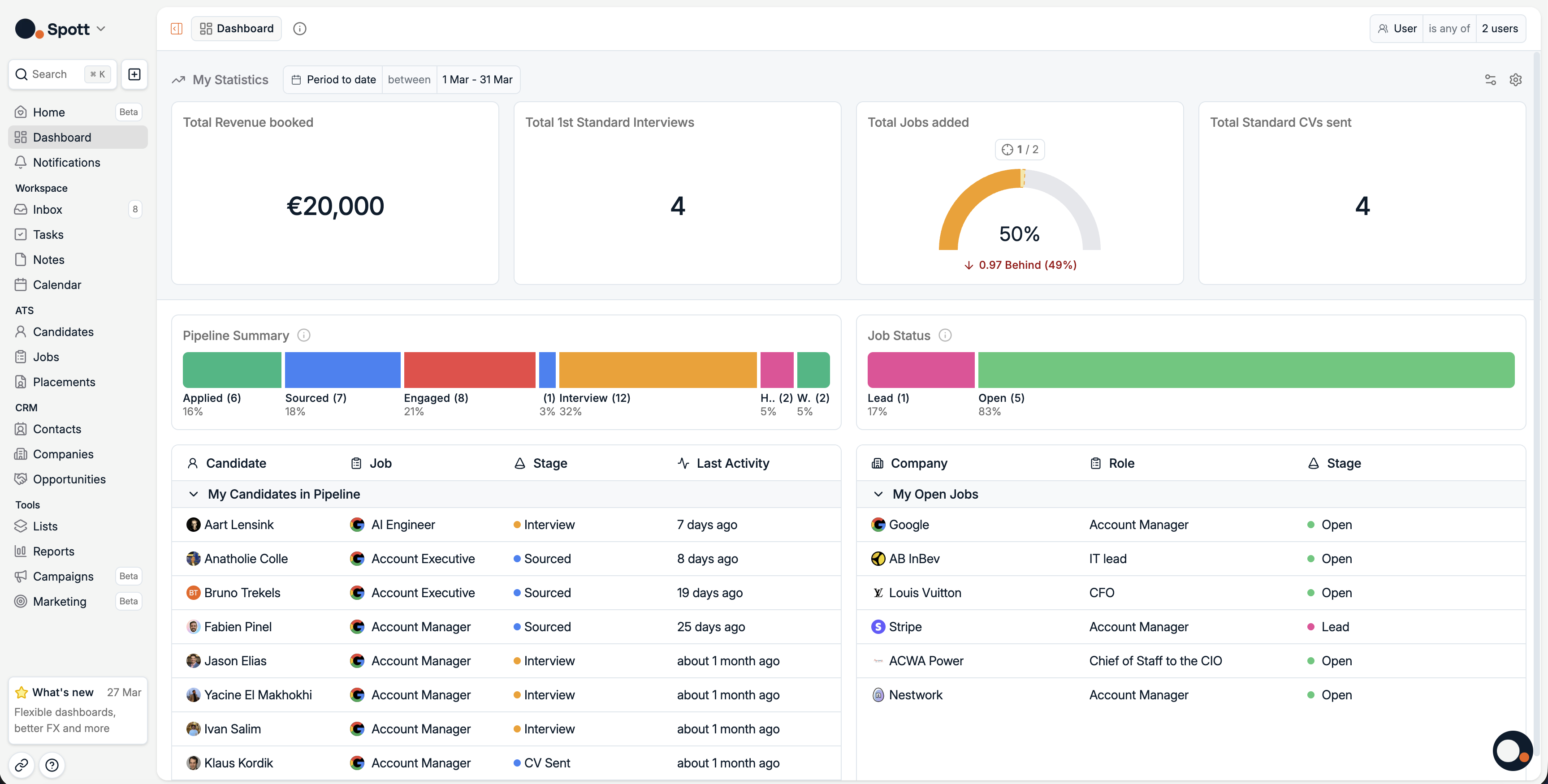
Dashboards got a major refresh. Admins can now configure them more easily, set targets, and benefit from a more visual design that improves visibility into active candidates, jobs, and progress toward individual goals.
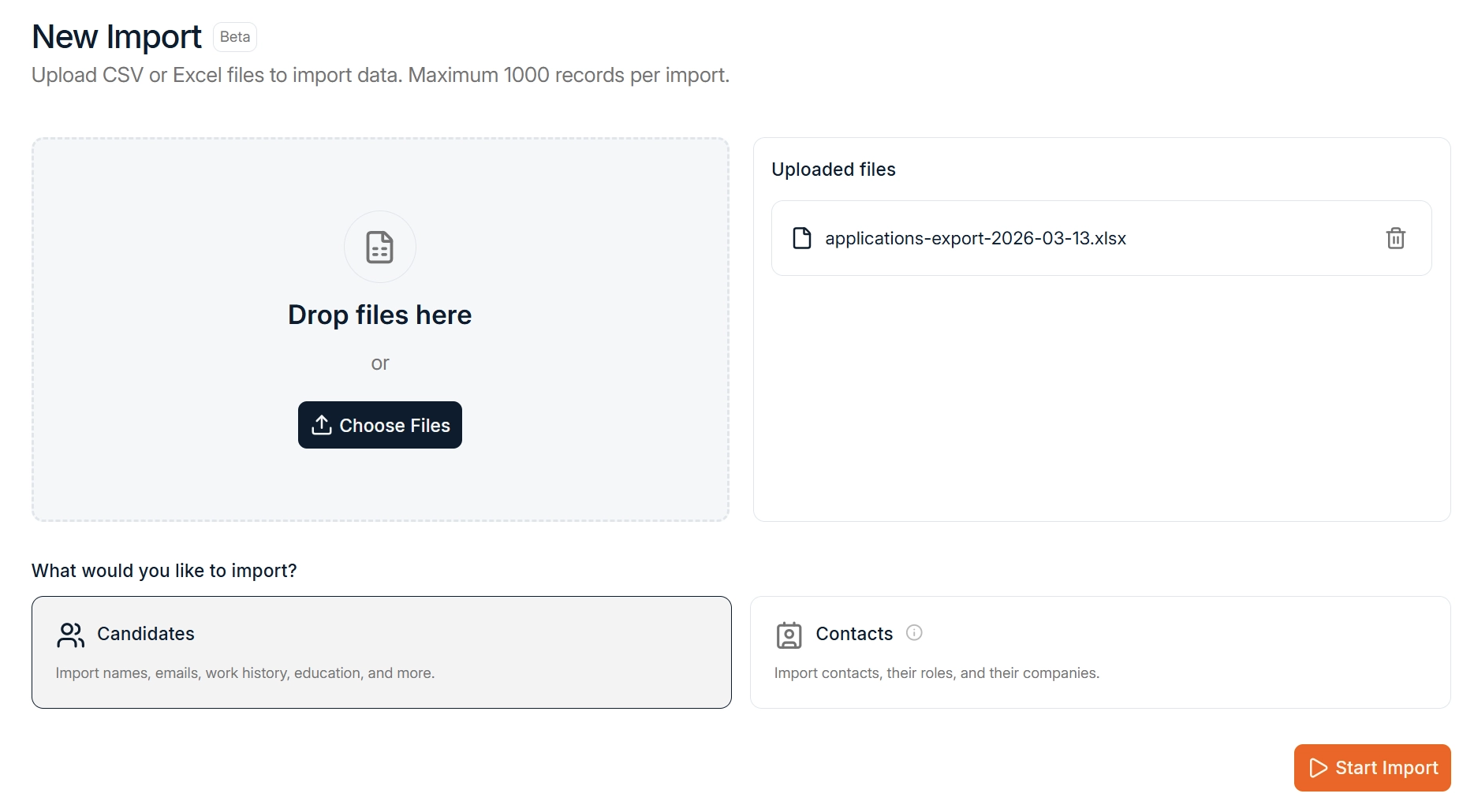
Agentic CSV Import
Upload your CSV and let the system interpret, map, and import everything automatically. No more manual column mapping or duplicate handling.
Great for importing your LinkedIn connections, moving lists from other tools, or bulk loading candidate data from spreadsheets. Head to Settings → Import.
More Improvements This Month
March also brought several upgrades across the platform.
Inbound Actions
Bulk select inbound candidates and chain actions together - like sending a rejection email and marking them as rejected in one go. Every candidate gets a response, fewer clicks for you.
Send Note Reminders
Flag a note for a colleague with the new reminder bell. They'll get notified in-app, via email, or both.
RingCentral Integration
RingCentral is now supported as a VoIP provider alongside Ringover and Aircall. Make and manage calls directly from Spott.
Native Translations
Spott now supports built-in translations. French, Spanish, Dutch and German are live. Configure your language under Settings → Preferences.
Better FOREX
Daily exchange rates going back to 2008, applied consistently across all currency-based records for more accurate reporting.
Looking Ahead
March brought pipeline automations, scorecards, opportunities, and a full dashboard refresh to Spott - alongside deeper workflow improvements across the board.
We're continuing to build on this foundation with more automation capabilities and AI improvements coming next month.
As always, thanks for building with Spott.

Frequently Asked
Pipeline automations trigger actions automatically when a candidate moves between stages. You can configure them to open an email composer, create a calendar invite, or launch the interview dialog - so repetitive steps happen without manual input. Set them up once under Settings > Automations.
Scorecards are tied to a specific job, not the candidate's general profile. Each evaluator rates a candidate from 1 to 5 and adds comments in the context of that particular role. This keeps feedback structured and comparable across candidates for the same position - unlike free-form notes which live on the candidate record regardless of role.
Jobs represent active roles you are recruiting for. Opportunities represent deals or projects that are not yet tied to a specific hire - like a consultancy engagement, a BD initiative, or an early-stage client conversation. Opportunities have their own owners, configurable stages, win probabilities, and integrated tasks and notes.
When you upload a CSV, Spott's AI interprets the columns, maps them to the correct fields, and imports the data automatically. Duplicates are detected and merged rather than creating new records. This works for LinkedIn connection exports, lists from other tools, or any spreadsheet with candidate data. No manual column mapping required.
As of March 2026, Spott supports English, French, Spanish, Dutch, and German as built-in interface languages. You can switch your language under Settings > Preferences. The AI features (matching, notes, reports) work across all languages regardless of your interface setting.


Outp(l)ace everyone.
You can’t win tomorrow’s placements
with yesterday’s tools.